
Operating
Loading Material Collection Cart
Before loading the MC519 cart, check the following steps:
NOTE: Make sure cart is attached to tractor.
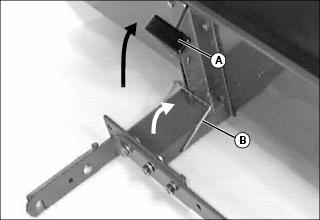
1. Make sure dump latch lever (A) is pushed toward the rear so cart box is latched to drawbar.
2. Make sure transport latch (B) is in the locked position.
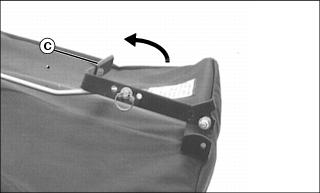
3. Make sure cover release lever (C) is down and engaged.
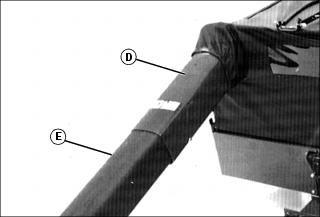
4. Make sure chutes are installed:
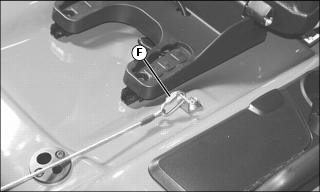
5. Raise seat and make sure cover is chained to fender deck with chain link (F). Lower seat.
Unloading Material Collection Cart
 c CAUTION: Avoid injury! Before dumping cart:
• Before backing up, make sure area is clear of bystanders, especially children. |
2. Back cart to the unloading area.
NOTE: Some caster wheel wobble is normal when cart is backed up.
5. Unlatch cover release lever by grabbing lever and pulling it toward you.
NOTE: You may need to pull lever more than once to free load.
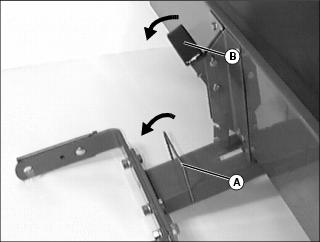
6. Unlatch transport latch (A).
7. Pull dump latch lever (B) toward the front to unlatch and pull lever upward to lift load for dumping.
NOTE: Cart shown removed from tractor for clarity.
8. Drive tractor forward (a few feet) to completely dump load. If load does not dump:
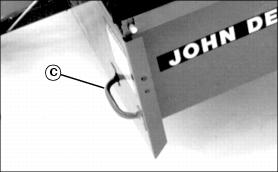
• Get off of tractor and grab lift handle (C) to fully dump load.
9. Lower box and latch dump latch lever (B) by pushing lever down and rearward.
10. Put transport latch (A) in the locked position.
11. Latch cover release lever by grabbing lever and pushing it rearward.
NOTE: Setting length in proper link on chain will allow load to dump properly, allow cart to follow same ground contour and make dumping of load easier.
12. If load does not dump completely, or if cover does not open far enough, shorten chain:
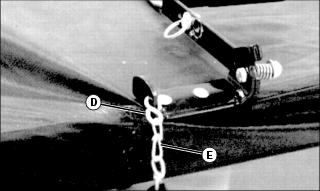
• Open S-hook (D) (end attached to chain).
• Move S-hook to next link (E) in chain.
Removing Cover
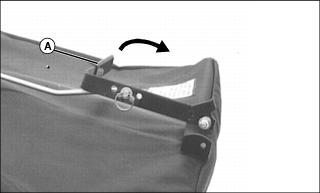
1. Unlatch cover release lever (A) on top of cover by pulling it toward you.
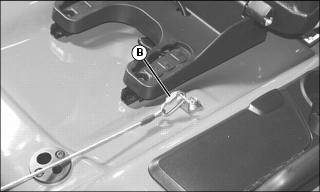
2. Raise seat and unlatch cable and chain assembly chain link (B) from tractor fender deck. Lower seat.
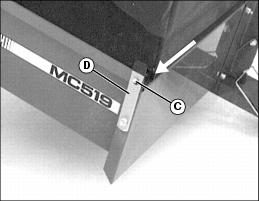
3. Release cover pivot rod (C) by pulling cover attaching latch (D) (on upper right-hand corner of cart box) outward and lift cover free of hole in box on upper left-hand corner.
4. Remove cover from cart box.
Using Tailgate
NOTE: Do not install tailgate when using cover on MC519 cart.
Install Tailgate:
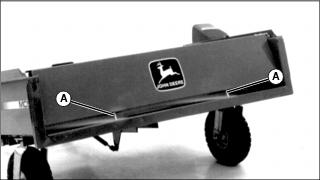
• Slide tailgate pins (A) into holes in cart box.
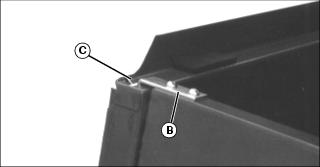
• Put lock brackets (B) in slots (C) on cart box.
Remove Tailgate:
• Pull lock brackets (B) out of slots.
• Pull tailgate up to tailgate pins (A) out of holes on cart box.
Adjusting Cover Latch
NOTE: When cover is no longer sealed tightly to bottom rear panel on cart, adjust the cover latch by moving latch to a different position on the latch bracket. Start with center hole on latch bracket.
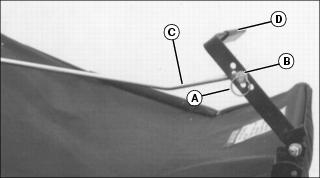
1. Remove locking ring (A) and washer (B).
2. Move cover latch rod (C) to next higher hole in latch bracket (D).
3. Put washer on latch rod and fasten with locking ring.
4. Push cover latch bracket down to tighten cover.
5. Repeat procedure if cover is still not sealed tightly to bottom rear panel of cart after adjustment is made.
Adjusting Dump Cart Latch
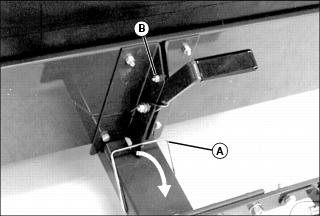
1. Unlatch transport latch (A).
2. Loosen locknut (B). Move bolt in slot until latch locks in place.