
Removing and Storing
Removing MC519 Cart
1. Park machine safely. (See Parking Safely in the SAFETY section.)
NOTE: Removing the MC519 cart is the same for all models.
3. Remove rear wheel weights (ballast).
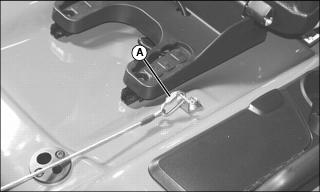
4. Raise seat and unlatch cable and chain assembly chain link (A) from tractor fender deck. Lower seat.
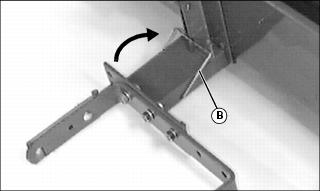
5. Put transport latch (B) in the locked position.
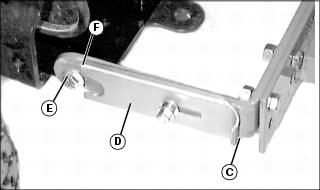
6. Grasp tab (C) and pull plate (D) out, and slide plate to the rear to expose hook (E). Repeat for opposite side.
7. Lift hitch to remove hooks from spacers (F) on both sides of machine.
Storing MC519 Cart Safely
IMPORTANT: Avoid damage! Wash and dry cart before storing. Contaminants and moisture may damage cart material. |
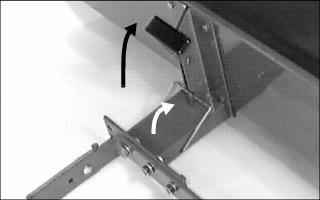
• Put cart on level ground in a sheltered, dry place.
• Make sure QUIK-TATCH hitch bracket is on the ground.
• Make sure dump lever is latched and transport latch is in the locked position..
Collapsing Cover For Storage
NOTE: Install locking rings back on studs for storage.
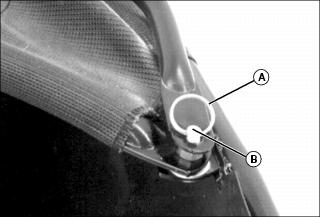
2. Remove locking rings (A) from studs (B) located on both rear lower corners of cover.
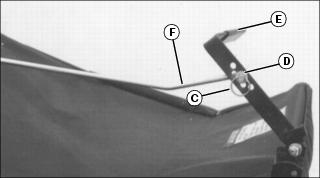
3. Remove locking ring (C) and washer (D) from cover release lever (E).
4. Remove cover latch rod (F) from cover release lever.
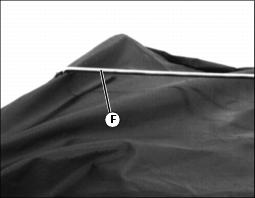
5. Remove opposite end of cover latch rod (F) (end with two bends) from cover.
6. Put cover rod back in cover release lever.
7. Install washer and locking ring back on cover rod for storage.