Initial Start-Up
-
 CAUTION: Stand clear of moving machinery.
NOTE: DO NOT load spreader with material.
Check over entire unit, verify that all fasteners are installed and properly tightened. (See torque value charts in Specifications Section of this manual.)
-
Make sure that no other persons are in vicinity of vehicle or spreader.
-
IMPORTANT: Make sure that all shipping contents in box have been removed before starting to operate.
N98646-UN-23MAY12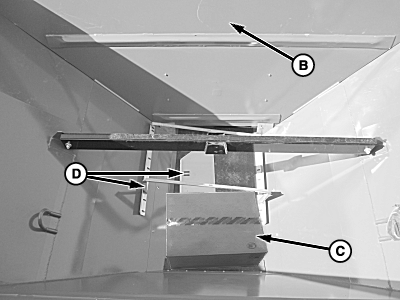
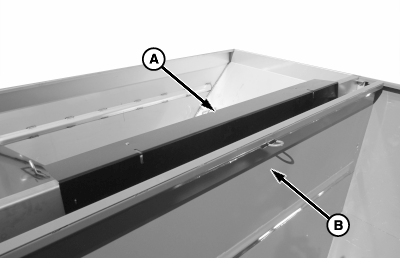
N98645-UN-23MAY12Parts Shipped in Box
A - Inverted V
B - Endgate
C - Cardboard Box
D - Hillside Divider
Verify all shipping parts are removed from box. -
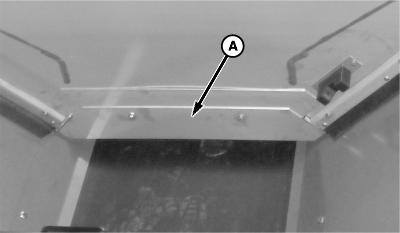
N98647-UN-23MAY12Bin 1
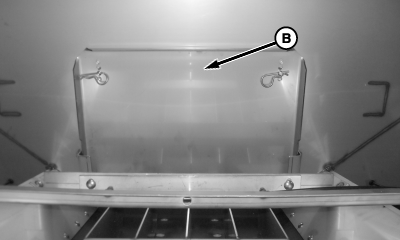
N98648-UN-23MAY12Bin 2
A - Bin 1 Feedgate
B - Bin 2 Feedgate
Open feedgate(s) until it is completely clear of conveyor. -
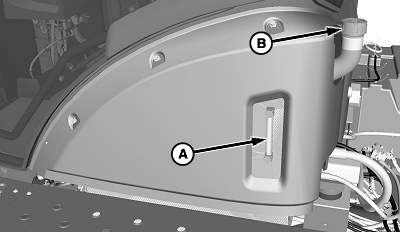
N98927-UN-17SEP12A - Oil Level
B - Reservoir Cap
Check oil level (A) in hydraulic reservoir, remove reservoir cap (B) and fill as necessary. Refer to lubricant specification section of this manual or machine operators manual for proper oil. -
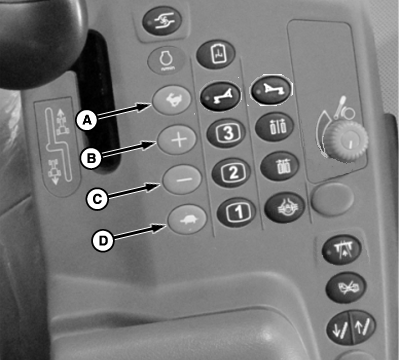
N97494-UN-17SEP12A - High Idle Switch
B - Increase Engine Speed Switch
C - Decrease Engine Speed Switch
D - Low Idle Switch
Set engine speed at about 1000 RPM using engine speed switches (A—D). Allow engine to run and circulate oil for several minutes. Increase warm-up time in cold weather. -
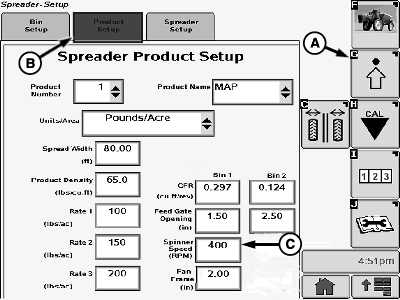
N98166-UN-06FEB13A - Setup Softkey
B - Product Setup Tab
C - Spinner Speed Input Box
Select the Setup softkey (A) to view the setup menu. -
Select the Product Setup tab (B). Spreader Product Setup screen appears.
-
Select input box (C) to input target spinner speed. A numeric key pad appears to input the value. Press “Enter” button on keypad to accept the new value.
-
Set spinner speed to 400 RPM.
-
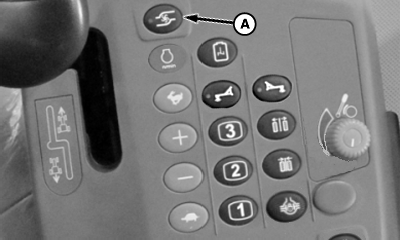
NOTE: SOLUTION PUMP ENGAGE switch is used as SPINNER ENABLE switch when dry spreader is installed.
N98755-UN-26SEP12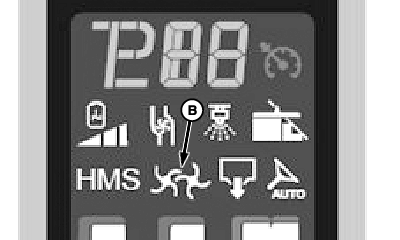
N101212-UN-17DEC12A - Solution Pump Switch
B - Dry Spreader Spinner Indicator
Push solution pump switch (A) to enable dry spreader spinners for spreading operations. Push switch again to disable. The dry spreader spinners indicator (B) will illuminate on the primary display unit when switch is engaged. -
Press spinner enable/disable switch.
-
N98782-UN-24APR13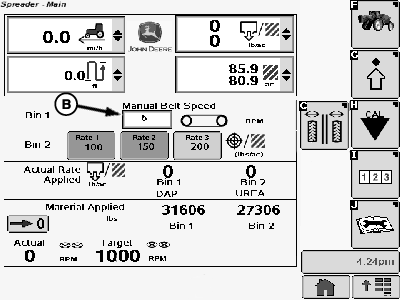
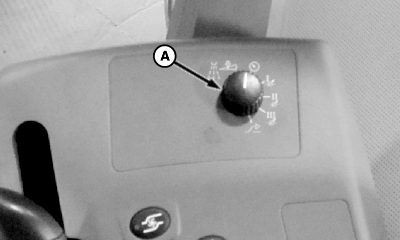
N98167-UN-06FEB13A - Rate Selection Switch
B - Manual Speed Input Box
Turn rate selection switch (A) to manual position. -
Select input box (B) to input desired conveyor speed. A numeric key pad appears to input the value. Press “Enter” button on keypad to accept the new value.
-
N63294-UN-15JUL03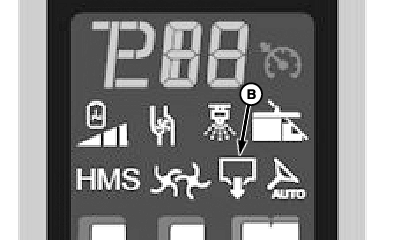
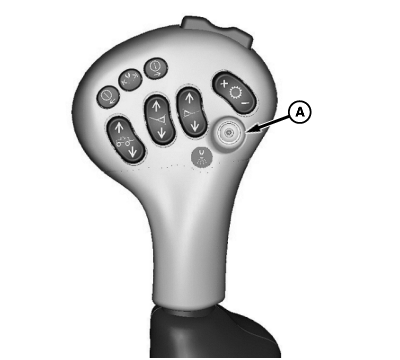
N101213-UN-17DEC12A - Conveyor Belt Master On-Off Switch
B - Master On Indicator
Start conveyor by pressing conveyor belt master on-off switch. Run conveyor until it operates smoothly. Master On indicator (B) will illuminated on the primary display unit. -
Set spinner to 700 RPM.
-
Allow both spinner and conveyor to run. Shut down system.
-
CAUTION: DO NOT check for leaks with hands while system is operating
as high-pressure oil leaks can be dangerous. DO NOT check for leaks
adjacent to moving parts while system is operating as there may be
danger of entanglement.
Check all connections in hydraulic system to make sure that there are no leaks.
-
Check hydraulic reservoir and refill to maintain level at 12 to 25 mm (1/2 to 1 in.) of oil showing in sight tube.
Unit is now ready for field testing.
|
CS12167,00004B6-19-20140327 |