Tramline Setup
Tramlines are placed for equipment such as field sprayers or fertilizer spreaders. The details of the equipment working width are vital for a correct calculation. An “X” appears next to tramline equipment width when a value is not compatible with drill width.
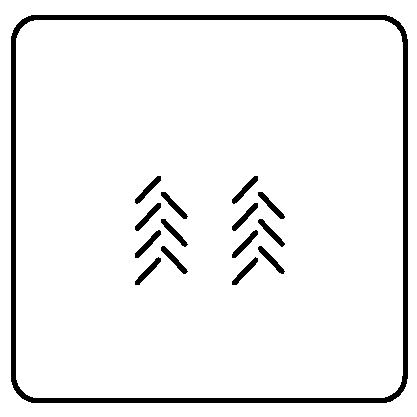
A63044-UN-13AUG08
Tramline Setup
A63063-UN-14AUG08
A63055-UN-18AUG08
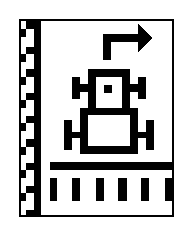
Left Side of Field
A63056-UN-18AUG08
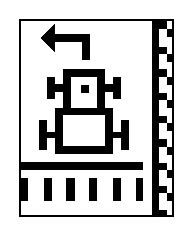
Right Side of Field
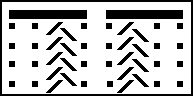
A63054-UN-18AUG08
Asymmetrical
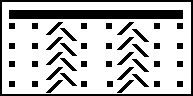
A63053-UN-18AUG08
Symmetrical
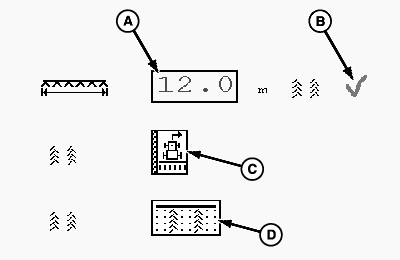
A - Input Box
B - Indicator
C - Field Orientation
D - Tramline Symmetry
-
Select Menu button >> select Drill Application button >> select Function Toggle icon to page 2 of function menu >> select Tramline Setup icon.
-
Select input box (A) and enter tramline equipment width. A checkmark (B) indicates a valid tramline width compatible with drill width. An “X” indicates an invalid tramline width.
-
Select side of field where tramline begins, using drop down box (C). Select left side of field or right side of field.
-
Select tramline symmetry from drop down box (D). Select asymmetrical or symmetrical.
Asymmetrical—One tramline is set in one pass.
Symmetrical—Both tramlines are set in one pass.
|
NS43404,0000098-19-20081017 |