Machine Configuration
Machine Width
A63050-UN-13AUG08
Drill Application Icon
A59325-UN-19FEB07
Menu Button
A63030-UN-13AUG08
Function Toggle Icon
A63046-UN-13AUG08
Setup Icon
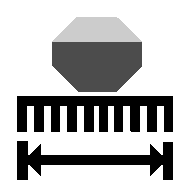
A63066-UN-18AUG08
Machine Width
Select Menu button >> select Drill Application icon >> select Function Toggle until icon set 2 is displayed >> select Setup icon.Select Machine Width input box and enter machine width.
Tank Configuration
A63050-UN-13AUG08
Drill Application Icon
A63030-UN-13AUG08
Function Toggle Icon
A63046-UN-13AUG08
Setup Icon
Select Menu button >> select Drill Application icon >> select Function Toggle until icon set 2 is displayed >> select Setup icon.Select Tank Configuration drop down menu and select tank configuration.
|
1 |
Single Tank |
Single Seed |
|
L — R |
Dual Tank |
Single Seed |
|
1 + 1 |
Dual Tank |
Dual Seed |
|
NS43404,000009A-19-20081016 |