Operate the Drill with GreenStar™ Monitor System

A63036-UN-13AUG08
Increase Tramline

A63037-UN-13AUG08
Decrease Tramline
A63038-UN-13AUG08
Restore Tramline

A63035-UN-13AUG08
Disable Tramline
The following operations are available through Icon Set One. Select Menu button >> select Drill Application icon >> select Function Toggle until icon set 1 is displayed.Tramlines
During drill operation, tramlines adjust and operate automatically.
To manually adjust tramlines during operation, select Increase Tramline or Decrease Tramline. Indicated change displays in the top right corner of the drill application screen.
To cancel tramline adjustments and restore to initial setup, select Restore Tramline.
To disable tramlines, select Disable Tramline.
Seed Rate

A63039-UN-13AUG08
Increase Seed Rate

A63040-UN-13AUG08
Decrease Seed Rate

A63041-UN-13AUG08
Cancel Seed Rate

A63046-UN-13AUG08
Setup Icon

A63093-UN-19AUG08
A - Input Box
During drill operation, seed rate can be adjusted from the drill application main screen.To increase seed rate during operation, select Increase Seed Rate or Decrease Seed Rate icons. Seed rate adjustments are displayed above implement graphic on display.
To cancel seed rate adjustments and reset to pre-determined value, select Cancel Seed Rate.
- Select Menu button >> select Drill Application button >> select Function Toggle icon to page 2 of function menu >> select Setup icon.
-
NOTE: A selection of 1—20% can be chosen.
Select rate increment input box (A) and select percentage rate of change.
To change the percent that seed rate adjusts with each selection of icon, perform the following:
Seed Meter Shutoff

A63031-UN-13AUG08
Seed Meter Shutoff

A63032-UN-13AUG08
Right Seed Meter Shutoff
During operation, seed meters can be temporarily shut off.Select Seed Meter Shutoff to disable meter. If equipped with 2 seed meters, seed meter shutoff shuts off left-hand meter only.
Select Right Meter Shutoff to disable right-hand seed meter. If equipped with one seed meter Right Meter Shutoff has no function.
Markers
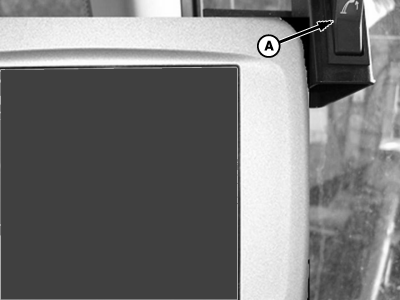
A63907-UN-25NOV08
Marker Switch Shown in Off Position
A63033-UN-13AUG08
Obstruction
A - Marker Switch
Marker switch turns marker function on and off. Engage marker switch and control markers with tractor selective control valve (SCV).- Select Obstruction icon.
- Raise right-hand marker.
- Lower then raise left-hand marker.
- Drive around obstacle.
- Lower right-hand marker.
- Select Obstruction icon again.
Obstruction feature is used to avoid damage from obstacles in the field. The following is an example if an obstacle is on the right-hand side:
NOTE: Selecting Obstruction does not increase tramline settings or effect the tramline sequence.
Manual Meter Start at Slow Speed

A63808-UN-12NOV08
Manual Start
Select Manual Meter Start icon to start the meter when ground speed is below 5 km/h (3.1 mph). The meters operate at programed rate for 20 seconds or until ground speed reaches 5 km/h (3.1 mph), whichever occurs first. Product is over-applied until minimum speed is reached.|
NS43404,00000A2-19-20081125 |