Tramline Setup

A63096-UN-21AUG08
Menu Button
A63109-UN-20AUG08
Tramline Setup Icon

A63107-UN-29OCT08
Confirm Button
Tramlines are placed for equipment such as field sprayers or fertilizer spreaders. The details of the equipment working width are vital for a correct calculation. An error is displayed if a value is entered that is not compatible with machine width.-
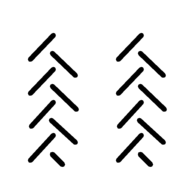
Select Menu button until tramline setup icon appears on screen. SelectConfirm button.
-

A63112-UN-21AUG08Tramline Activity Screen
Enable Tramlines:-
Select Menu until tramline activity screen appears. Select Confirm button.
-
A “V” is present in the box when enabled. Select Increase or Decrease buttons to enable or disable tramline.
-
Select Confirm button.
-
-
A63113-UN-21AUG08Operating Width Icon and Value Screen
Set Operating Width:-
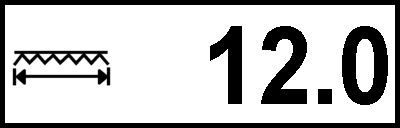
Select Menu button until operating width screen appears. Select Confirm button.
-
Select Increase or Decrease buttons to adjust operating width. Value shown as meters.
-
Select Confirm button.
-
-
A63116-UN-20AUG08Field Orientation Screen - Left Side Shown
A63055-UN-18AUG08Left Side of Field
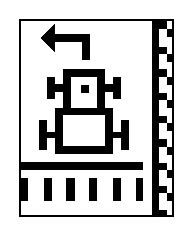
A63056-UN-18AUG08Right Side of Field
Field Orientation:-
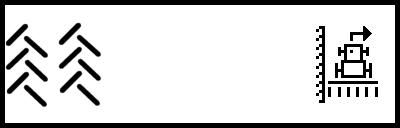
Select Menu until orientation screen appears. Select Confirm button.
-
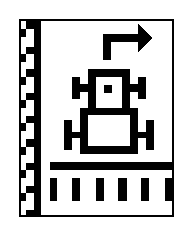
Select Increase or Decrease buttons to change field orientation. Field orientation sets the side of the field tramline pattern begins.
-
Select Confirm button.
-
-
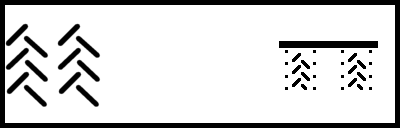
A63114-UN-20AUG08Symmetry Screen - Symmetrical Tramline Shown
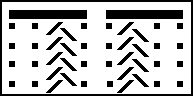
A63054-UN-18AUG08Asymmetrical
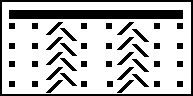
A63053-UN-18AUG08Symmetrical
Tramline Symmetry:-
Select Menu until tramline symmetry screen appears. Select Confirm button.
-
Select Increase or Decrease buttons to select symmetrical or asymmetrical pattern.
Symmetrical—Both tramlines are set in one pass.
Asymmetrical—One tramline is set in one pass.
-
Select Confirm button.
-
|
NS43404,00000AD-19-20081016 |