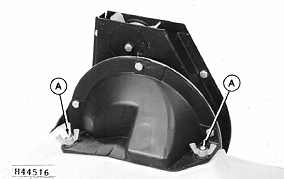
Emptying Seed Hoppers (Plateless Meter)Empty hopper and plateless seed meter by inverting hopper. Rotate hopper so seed is slowly poured from right-hand rear corner. When hopper is empty, some seed will remain in meter housing. To empty this seed, rotate hopper back to operating position. Invert hopper again and pour from right-hand rear corner to empty seed from meter housing. NOTE: If using seed treatments, remove any buildup that may occur in the bottom of the hopper. Empty finger pickup metering unit by inverting hopper. To inspect the finger pickup selector fingers, remove the two wing nuts (A) and finger pickup unit from hopper. Pull finger pickup straight to disengage it from the two mounting studs and the retainer ring. Turn the finger pickup by hand to see that mechanism is free of dirt, chaff, or other foreign material. If further disassembly of the finger pickup unit is required, see Service section. |
|
A59058,D -19-11NOV96-1/3 |
|
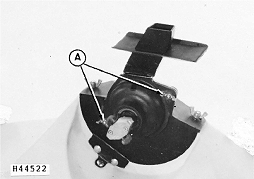
Empty feed cup metering units by inverting hopper. Wipe off feed cup bushings periodically to help reduce wear. To inspect bushings, remove wing nuts (A) and remove feed cup housing and feed cup. Remove coupler. Wipe off bushings and reassemble. |
|
A59058,D -19-11NOV96-2/3 |
|
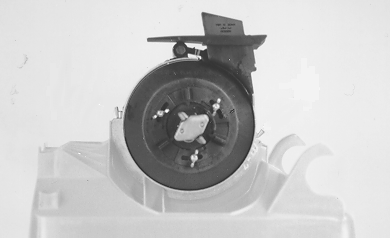
Empty radial bean metering unit by inverting hopper. Return meter to upright position and rotate meter shaft to empty remaining seed from metering cells. |
|
A59058,D -19-11NOV96-3/3 |