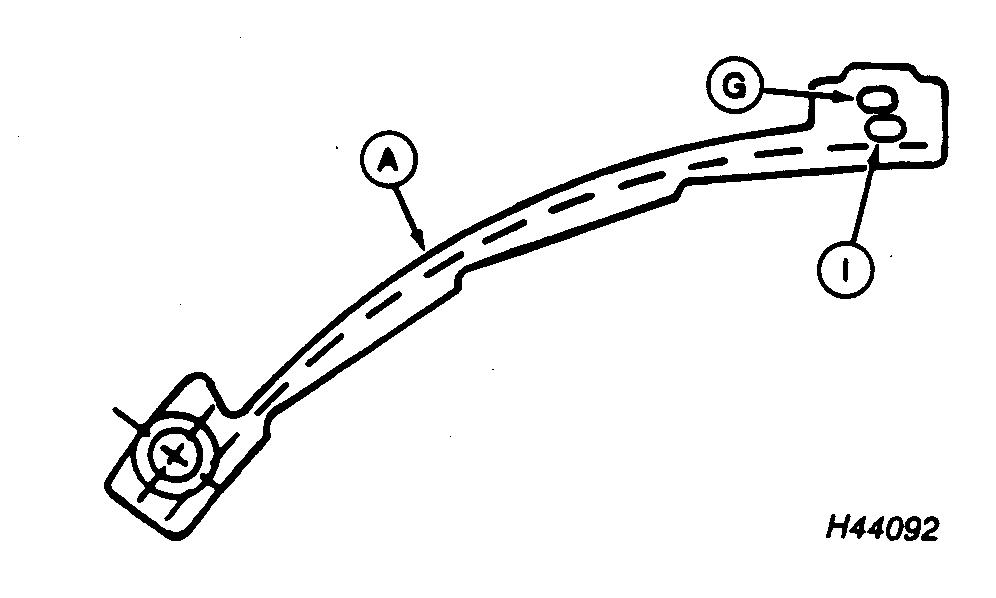
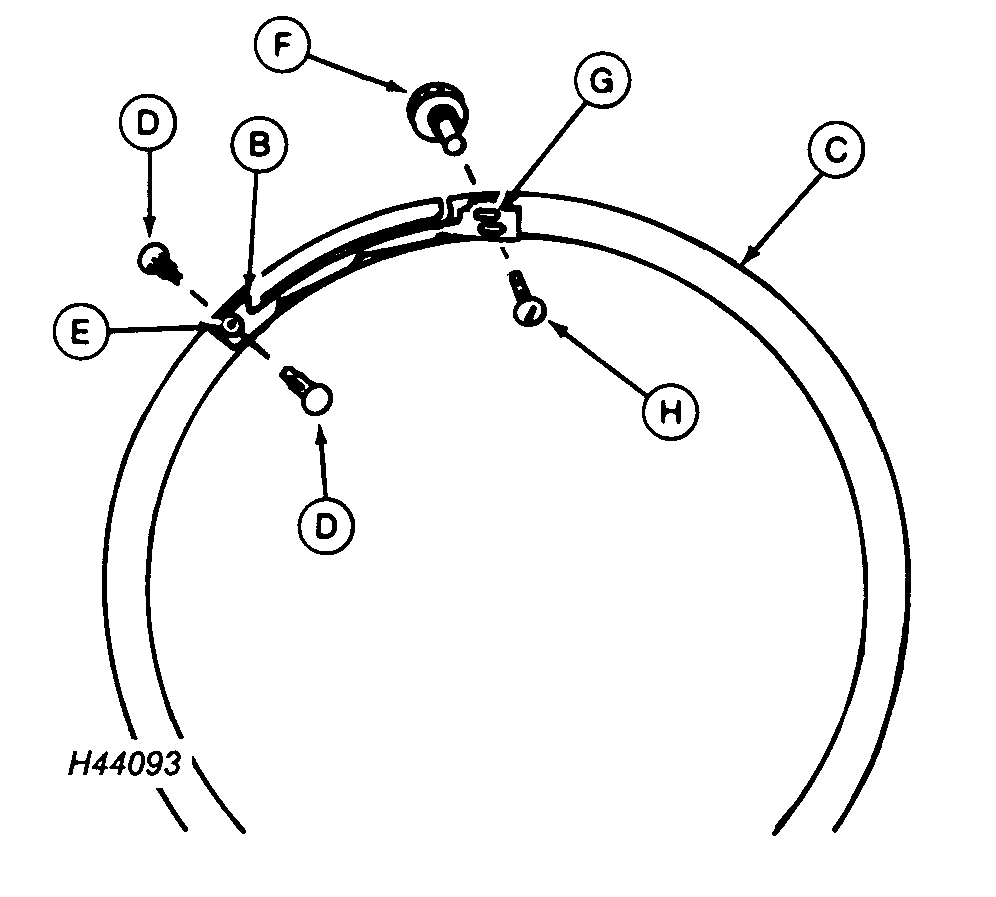
Installing Double Eliminator for Sweet Corn and Edible-Beans-Flat Type Seed DiskNOTE: Double eliminator (A) is used to displace any extra seeds carried in vacuum hole. "Saw-tooth design" gradually covers part of vacuum hole. Hole (G) is used for edible beans and hole (I) is used for sweet corn. 1. Open vacuum meter. See ACCESSING THE VACUUM METER in this section. 2. Remove meter from hopper. Save wing nuts for reassembly of meter. 3. Install double eliminator (B) in housing (C). 4. Insert dual-lock fasteners (D) through housing and hole (E) of double eliminator (B). 5. Insert cam nut (F) into rear of housing at hole (G). Install screw (H) through double eliminator and into cam nut (F). DO NOT tighten.
|
|
AG,OUO6074,1184 -19-04AUG00-1/2 |
|
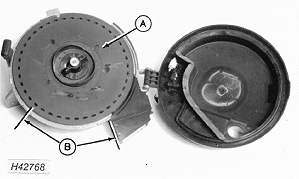
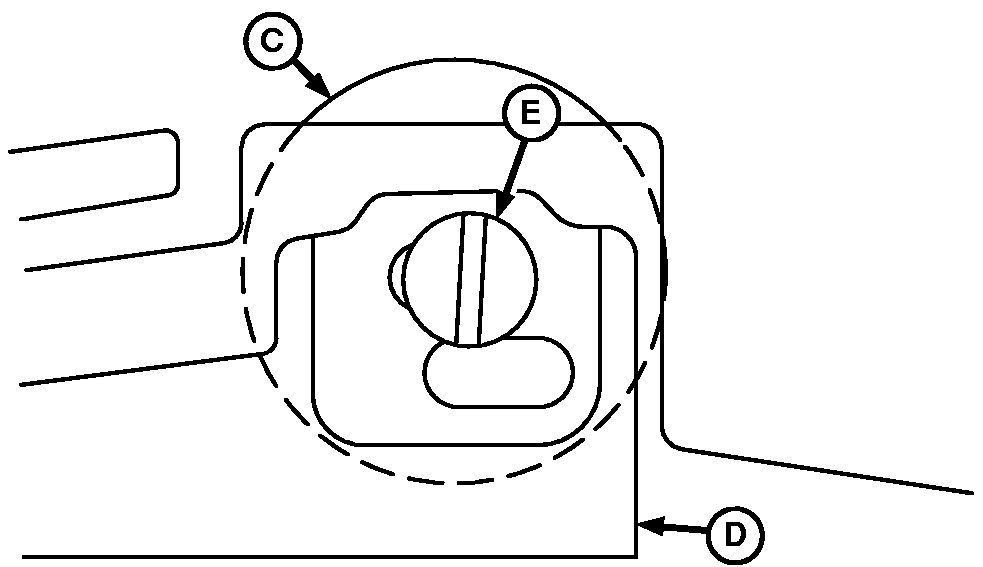
6. Install sweet corn or edible-bean disk (A) and attach with hub handle. NOTE: Seed disk should turn smoothly with light contact or small gap between seed disk and housing. Turn seed disk by hand and check gap between seed disk and housing. Seed should NOT leak around circumference of meter. 7. Turn seed disk by hand and check gap between seed disk and meter housing in section (B). If disk turns too hard or if seed leaks through gap, adjust hub position. See ADJUSTING METER HUB in this section. 8. Turn cam nut (C) to increase or decrease vacuum hole coverage. The object is to cause double eliminator (D) to knock doubles off disk but not knock singles off. When double eliminator is in position, tighten screw (E). Set all rows the same. 9. Close meter and attach to hopper using wing nuts previously removed. |
|
AG,OUO6074,1184 -19-04AUG00-2/2 |