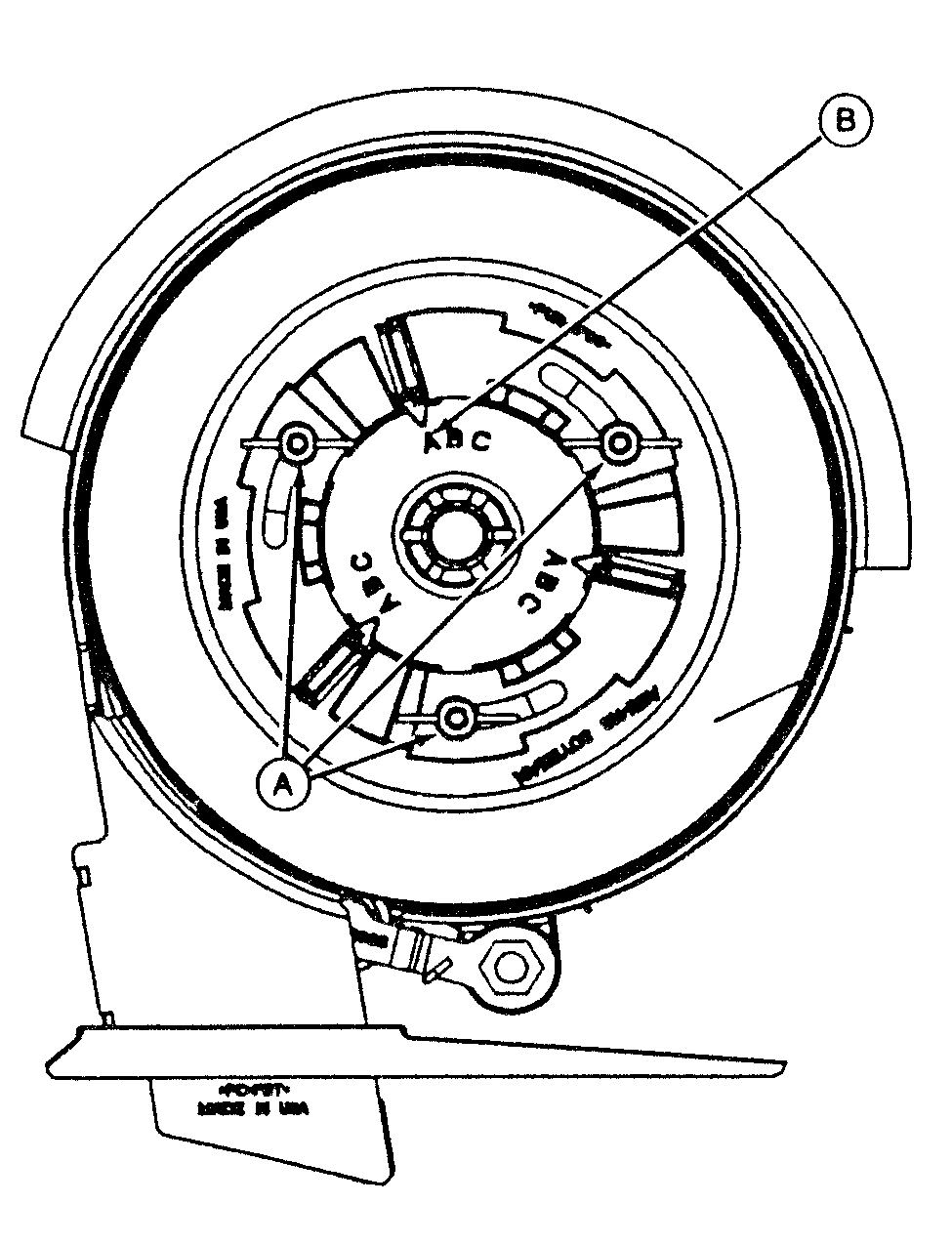
Setting Radial Bean MeterIMPORTANT: Meter cannot be adjusted when bowl is full. Seed inside bowl prevents bowl cover from moving in. Hopper/meter should be placed on its side and seed shaken down to create room for bowl cover. Bowl should turn with minimal resistance when cells are filled with seed. If bowl is difficult to turn, soybeans may be passing beneath bowl. Reduce setting by one position (C to B, or B to A), and check population in the field. See Checking Seed Population section. Loosen nuts (A) and align indicator with the corresponding letter (B) listed according to soybean size.
Settings above are approximate for a given seed size. Operator should check population, and adjust setting to get best population control. Selecting next larger seed size will result in a slightly greater population. Selecting next smaller seed size will result in a slightly lower population. NOTE: If a combination of seed sizes exists, meter should be set for smaller instead of larger sized seed. This will prevent damage to seed meter and hub caused by seeds wedged between bowl and meter housing. For non-commercial or "bin run" seed, use the following method to determine proper A-B-C setting. |
|
AG,OUO6074,1268 -19-04AUG00-1/2 |
|
Remove meter from bottom of hopper. Fill meter with seed and spin meter for one full revolution. Scribe a mark on meter bowl and meter housing. Turn meter five full revolutions until scribed marks line up again. Count seeds that have been metered.
Addition of a 6 mL (3/8 T.) of graphite per bushel of soybeans into hopper is recommended for extending life of meter. Addition of 120 mL (1/2 cup) of talc over top of each hopper full of seeds may improve population during humid planting conditions. |
|||||||||
AG,OUO6074,1268 -19-04AUG00-2/2 |