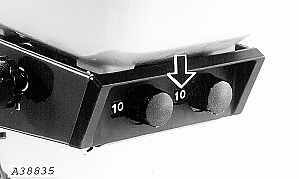
Calibrating Insecticide/Herbicide MeterIf it should ever become necessary to recalibrate the granular meter on insecticide/herbicide hopper, proceed as follows: 1. Turn knob on rear of hopper to a setting of "10". 2. Remove hopper and turn it upside down on a flat surface. |
|
AG,OUO6074,1305 -19-04AUG00-1/5 |
|
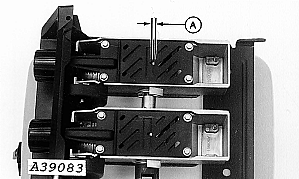
3. Measure the V-notch opening (A) on the meter gate. The opening should be set to a specified width. Specification
|
|
AG,OUO6074,1305 -19-04AUG00-2/5 |
|
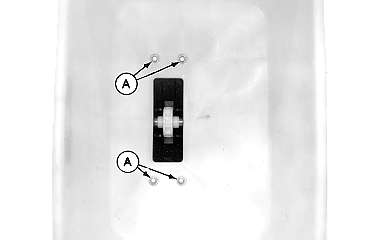
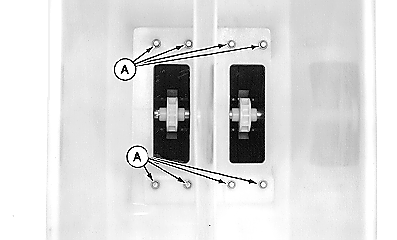
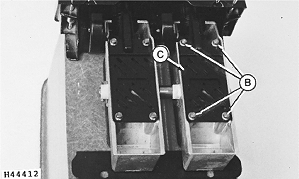
4. Remove four M6 x 20 cap screws (A) securing meter to hopper (eight cap screws if two meters are used). Remove meter(s) from bottom of hopper. 5. Remove four M6 x 16 cap screws (B). Remove gate cover (C).
|
|
AG,OUO6074,1305 -19-04AUG00-3/5 |
|
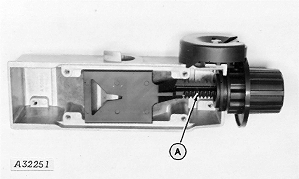
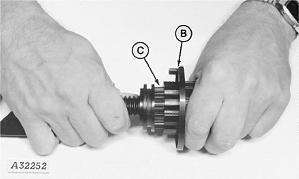
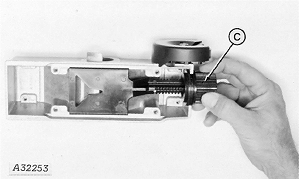
6. Remove entire plastic gate assembly (A) from aluminum housing. 7. Work knob (B) back and forth while pulling apart to remove knob from splined nut (C). 8. Turn nut (C) until V-notch opening is to specification. Specification
|
|
AG,OUO6074,1305 -19-04AUG00-4/5 |
|
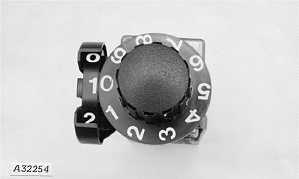
9. Replace the knob on nut so the number "0" lines up with the number "1" on cam follower. The meter should have a setting of "10". 10. Seat knob to flange on nut. 11. Install gate cover with cap screws previously removed. 12. Install meter on bottom of hopper and attach with cap screws previously removed. |
|
AG,OUO6074,1305 -19-04AUG00-5/5 |