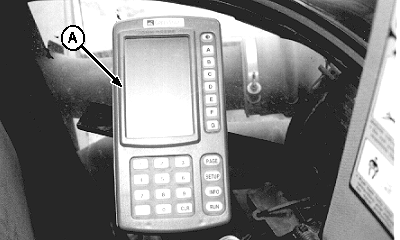
Monitor/Control System ComponentsThe following components make up the monitor/control system. · GREENSTAR ™ Display Console (A) NOTE: Display console is powered by attaching cable to tractor convenience outlet located in the cab. Operator is informed of seed cart activity by observing display screen(s). System, display and operator changes are made using function keys (PAGE, SETUP, INFO, RUN). Cart functions are selected and/or turned ON and OFF using lettered keys. Follow on-screen directions to use lettered keys; their functions change from mode-to-mode and screen-to-screen. Display can be set to read out in English or Metric units of measure. Operator entries must be made in the same units of measure as display readout. Equipment and product specific information is entered using numbered keys. Hi-lited settings (displayed in an arrow) are operator adjustable. Follow on-screen directions to revise settings. "CLR" button is used to clear mis-keyed digits. NOTE: Console operating software is housed in SEEDSTAR ™ controller, located on the air cart. Tractor Radar setting, units-of-measure and language selection are stored within display console. If a new or different display console is used with the cart, tractor radar setting must be retrieved from the old display and manually entered into new or recalibrated and stored. Units-of-measure and language selection will need to be reset on new display if different than factory defaults. Numbers shown in regular text display are either factory entered defaults or system generated totals or readings that cannot be altered by the operator. |
|
|
GREENSTAR is a trademark of Deere & Company | AG,OUO6023,1086 -19-21JUL00-1/7 |
|
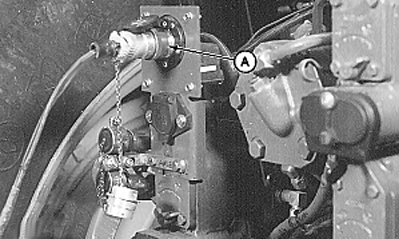
· Communications Cable Information and data exchanged between the display console and controller passes through communications cable (A), connected at the rear of the tractor. Cart controller is powered through this cable.
|
|
AG,OUO6023,1086 -19-21JUL00-2/7 |
|
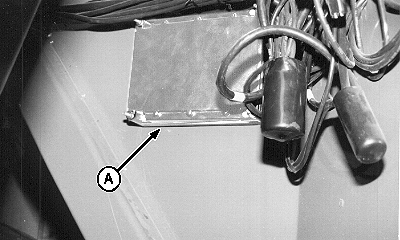
· SEEDSTAR ™ Controller SEEDSTAR ™ controller (A) is located on the air cart. Contained within the controller is: Display software used by the cab-mounted GREENSTAR ™ console. A microprocessor, that takes impulse signals from function sensors, translates them into communication language and sends to the tractor-mounted console for display to the operator. NOTE: When cart is equipped with middle tank or variable rate options, standard controller is replaced with an expanded controller containing software to operate and monitor these functions. Factory defaults and operator entered settings are stored in the controller's nonvolatile memory. |
|
|
SEEDSTAR is a trademark of Deere & Company. | AG,OUO6023,1086 -19-21JUL00-3/7 |
|
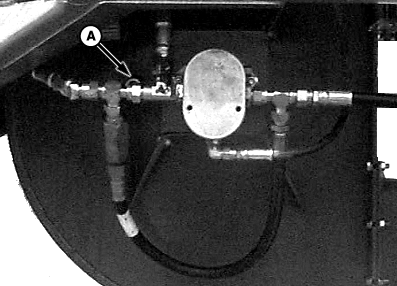
· Fan Speed Sensor Fan speed sensor (A) sends a signal to the cart controller to display fan speed in revolutions-per-minute (RPM) on the tractor-mounted console. This signal is also compared to the fan speed setting entered in the controller and illuminates the fan speed indicator lights. Fan speed indicator lights are a set-up feature, not an operational display.
|
|
AG,OUO6023,1086 -19-21JUL00-4/7 |
|
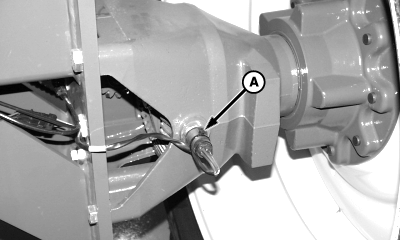
· Ground Speed Sensor Ground speed sensor (A) sends a signal to the cart controller to display ground speed in kilometers-per-hour (km/h) [miles-per-hour (mph)] on the tractor-mounted console. Accumulated area is also recorded from this sensor's signal.
|
|
AG,OUO6023,1086 -19-21JUL00-5/7 |
|
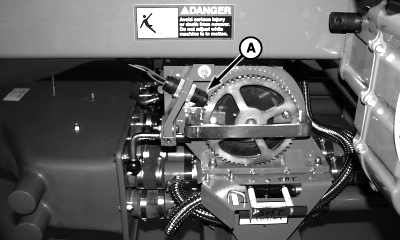
· Meter Speed Sensors Meter speed sensor(s) (A) send signal(s) to the cart controller where it is used by the microprocessor to calculate and display application rate on tractor-mounted console. Meter area feature also uses this signal for recording and calculation.
|
|
AG,OUO6023,1086 -19-21JUL00-6/7 |
|
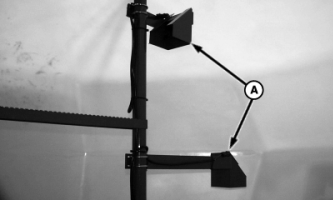
· Product Level Sensors In-tank sensors (A) send signals to the cart controller to display product level on the tractor-mounted console. Signals from all three sensors are used to illuminate tank filling indicator lights.
|
|
AG,OUO6023,1086 -19-21JUL00-7/7 |