Using Field/Flow Calculator-GREENSTAR™ Display
|
|
Field Calculator
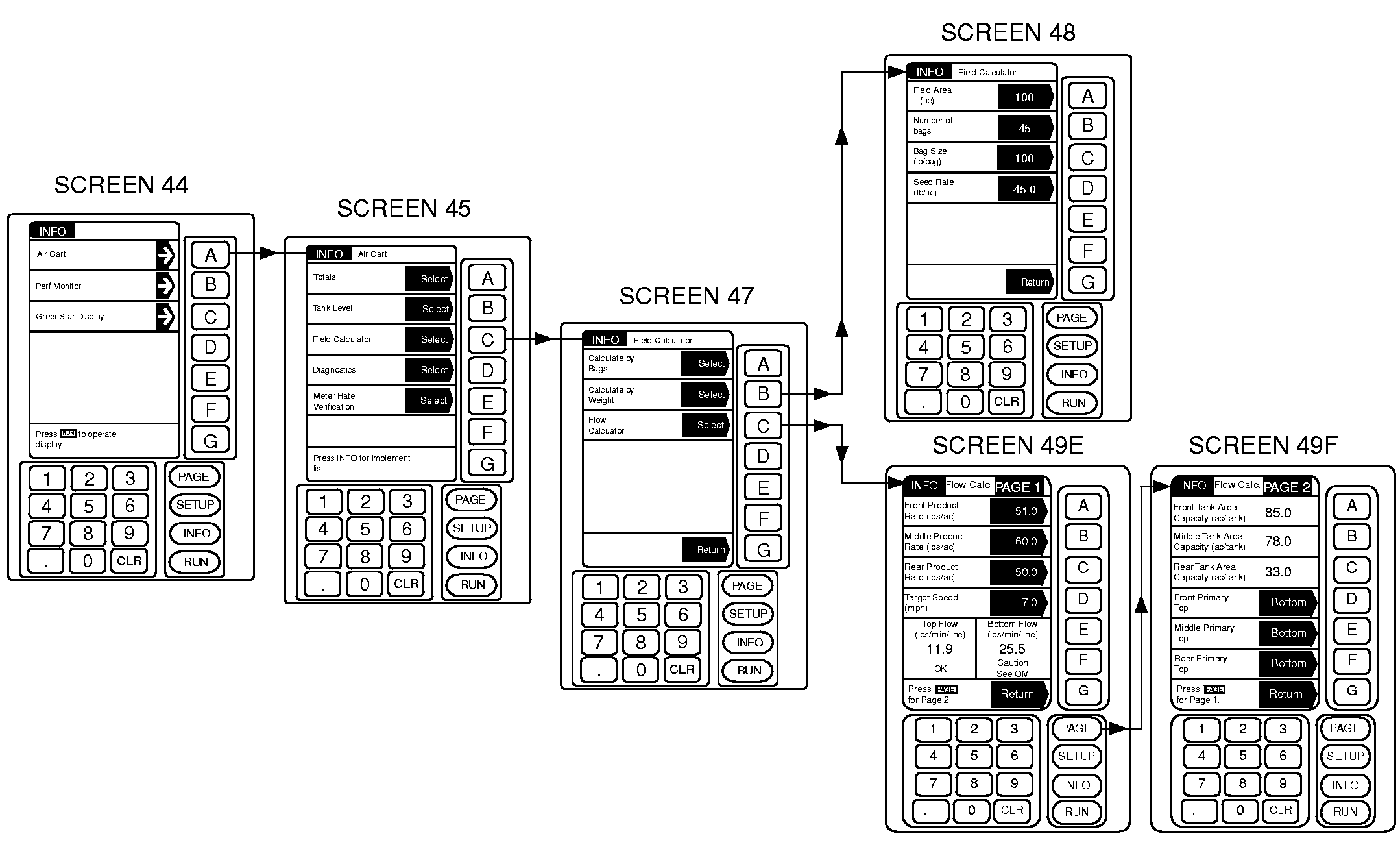
Field calculator features two methods of determining how much product is needed. Enter Air Cart INFO mode, Field Calculator function. · Calculate by Bags- 1. Enter Bag Size and Seed Rate as constant values. 2. Changing value of Field Area or Seed Rate updates total Number of Bags required. · Calculate by Weight- 1. Enter Seed Rate as a constant value. 2. Changing value of Field Area updates Total Seed Weight required. |
Flow Calculator
IMPORTANT: Flow calculator will not function until meter set-up has been completed at least once. The Flow Calculator predicts the weight of product-per-minute-per-primary and verifies the ability of the air system to achieve the application rate requirements based on this prediction. It also displays the area covered per tank based on the entered Product Rate. NOTE: Default values are obtained from meter set-up. Enter Air Cart INFO mode, Flow Calculator function. 1. Push PAGE to go to page 2. 2. Set up each tank primary for top or bottom. |
|
GREENSTAR is a trademark of Deere & Company. | AG,OUO6023,1120 -19-21JUL00-1/2 |
|
3. Push PAGE to go to page 1. 4. Enter target product rate for each tank. 5. Top Flow (lbs/min/line) or Bottom Flow (lbs/min/line) on page one will show calculated product flow and one of the following three messages:
|
If message reads "OK", the product rates entered are acceptable. If message reads "Caution See OM", the product rates entered may cause blockage and are not recommended. A lower product rate should be used. If message reads "High See OM", the product rates entered are not acceptable. A lower product rate or slower seeding speed must be used. |
AG,OUO6023,1120 -19-21JUL00-2/2 |