Air Cart Set-Up Mode-Calibrate Meters
|
AG,OUO6023,1144 -19-21JUL00-1/7 |
|
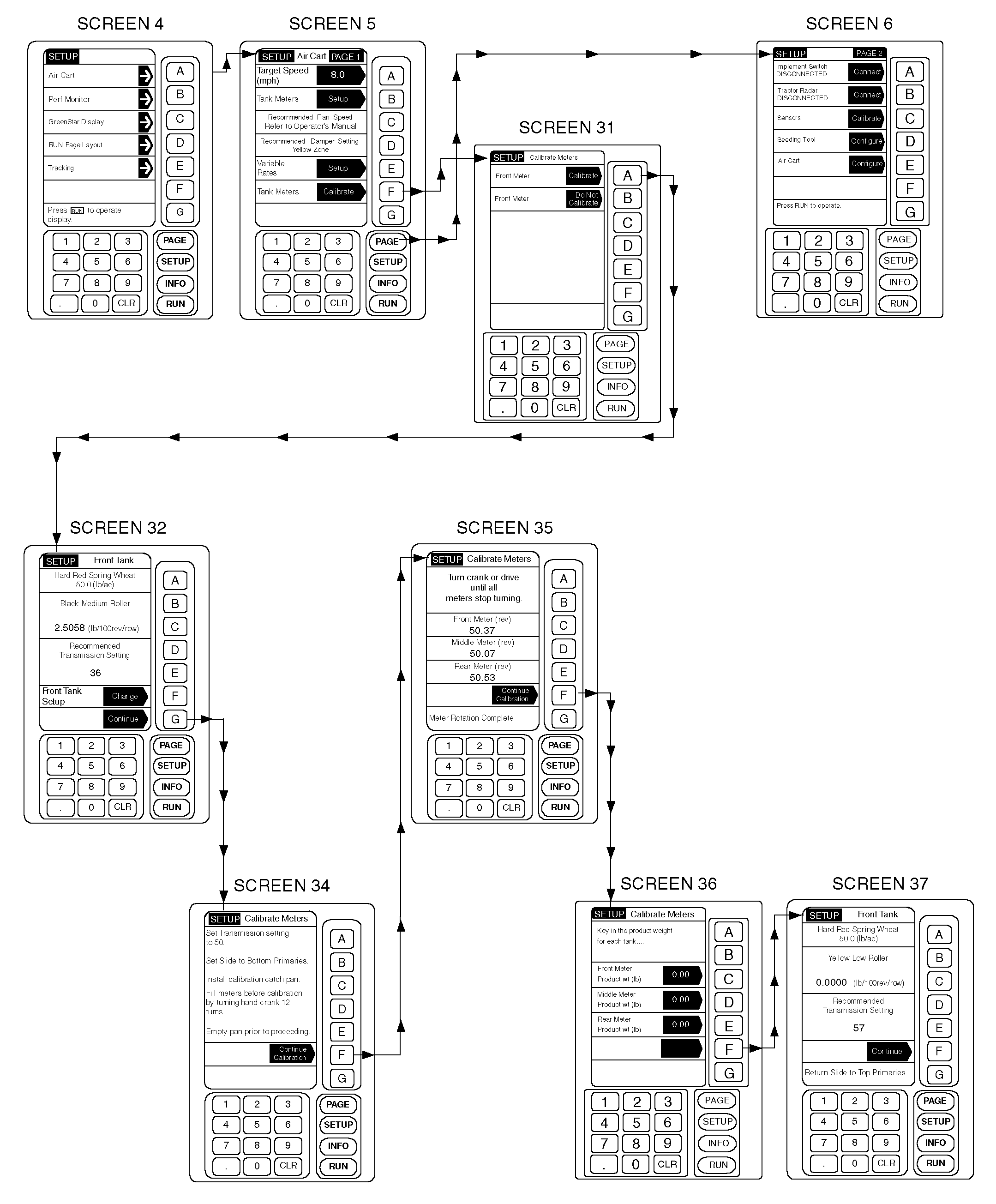
IMPORTANT: Certain products, such as some cereal grains, can settle in the bottom of the tank after filling or transport. This may alter product flow during initial calibration. In such cases, it may be advisable to recalibrate the meter after seeding first 2 hectares (five acres). This will ensure a consistent product flow into the meter during calibration, and yield the most accurate transmission setting. 1. From any screen press SETUP. 2. From the list given, choose Air Cart. 3. From Air Cart Setup Page 1, press key F to advance to the calibration screen. |
4. Press key A to calibrate the front meter, press key B to decline. This determines whether or not the front tank clutch will be engaged when calibration begins. Make sure only the desired meter is selected. Otherwise, product will plug or spill out of the other meter(s) unnecessarily. NOTE: An extra catch pan is required if more than one tank is calibrated at once. 5. A summary screen is displayed for the tank meter selected for calibration. If the tank meter setup shown is correct, press key G to continue. If not, press key F and see AIR CART SET-UP MODE-TANK METER SET-UP, Steps 4-15. 6. Repeat Steps 4 and 5 for all tanks. |
AG,OUO6023,1144 -19-21JUL00-2/7 |
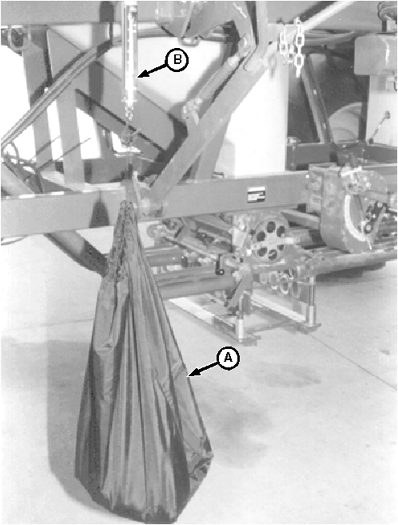
|
7. Hang empty bag (A) from scale (B) and reset scale to "0" (zero) by turning knob on top of scale. Setting scale to "0" (zero) will ensure that measured weight is of collected sample only, and does not include the weight of the bag. NOTE: Make sure there is sufficient product in tank to collect a measurable sample. Product should cover all meter inlets and not be heaped to one side. Half-width disconnect handles must be fully down for accurate meter calibration. 8. Follow on-screen instructions:
|
|
AG,OUO6023,1144 -19-21JUL00-3/7 |
|
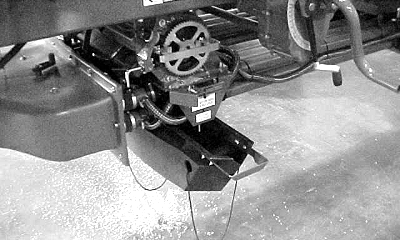
Remove cover plate from bottom of manifold. Slide collection pan, squared end first, in from left hand side of manifold using the provided rails.
|
|
AG,OUO6023,1144 -19-21JUL00-4/7 |
|
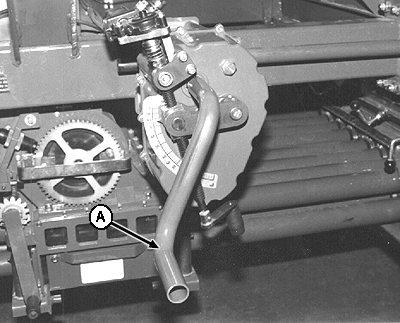
NOTE: On two-tank carts, crank handle is factory installed on front transmission. On carts with optional middle tank, crank handle is installed on middle-tank transmission. Leave crank handle in factory installed position to avoid contacting frame or other components during meter calibration. Noting starting point, turn crank handle (A) counterclockwise counting 12 full 360° turns. All transmissions and driveshafts turn when crank handle is turned.
|
|
AG,OUO6023,1144 -19-21JUL00-5/7 |
|
IMPORTANT: Turning crank handle clockwise will result in an inaccurate meter calibration. NOTE: Check product level occasionally; do not overfill pan. Turn crank handle (A) counterclockwise or drive the tractor ahead until all meters have stopped turning. All transmissions and driveshafts turn when crank handle is turned. 10. Remove the catch pan and pour contents into collection bag.
|
|
AG,OUO6023,1144 -19-21JUL00-6/7 |
|
Hang filled collection bag (A) from scale (B) and weigh product. 11. Press key F to continue calibration. A screen is presented that provides additional instructions. Follow instructions on screen.
12. Press key F to continue the calibration. 13. Review each meters summary screen for recommended transmission setting. Set transmission setting for each meter calibrated, if the cart is not equipped with the variable rate option. Variable rate transmissions will adjust when seeding begins. An advisory message will display if no valid transmission setting can deliver product at previously entered target rate. |
|
AG,OUO6023,1144 -19-21JUL00-7/7 |