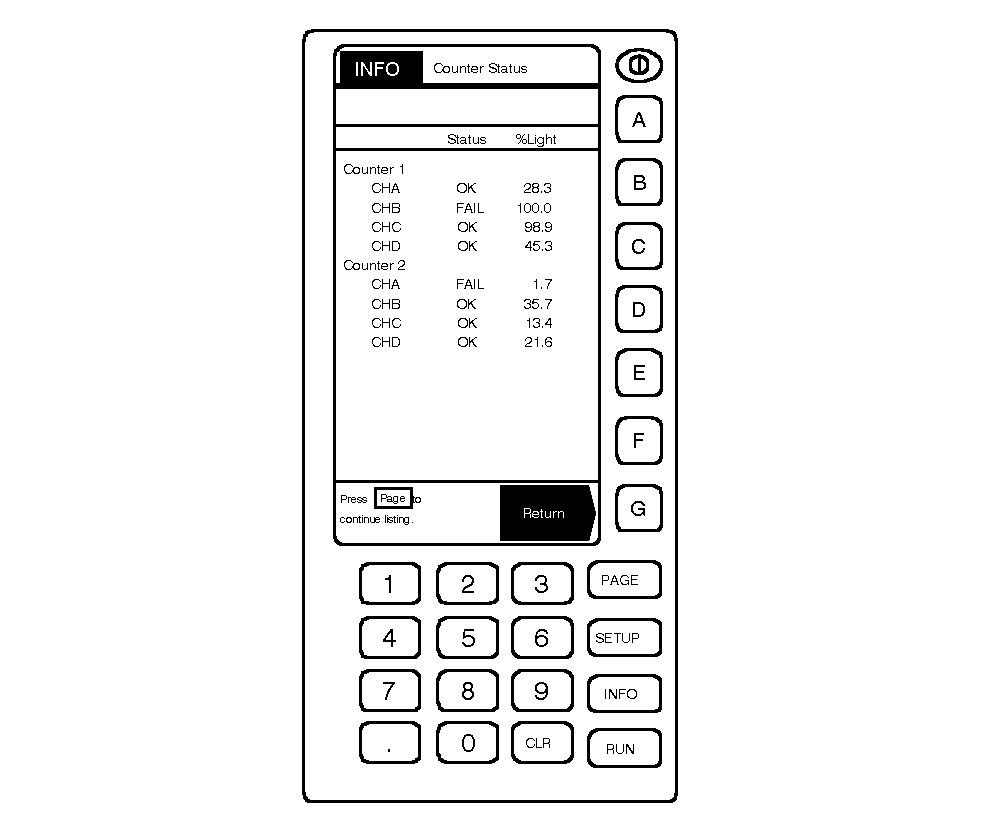
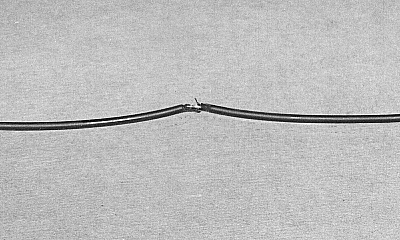
Checking Fiber Optic CablesA damaged fiber optic cable can be identified using the "Counter Status" screen of the GREENSTAR ™ display. Percent Light (% Light) reading shows how much signal light is being lost between the sensor and controller. A 0-10% reading indicates that a full light signal is being seen. A 100% reading shows that not enough light is being seen at the controller to effectively operate. Cable connections at the controller should be inspected. Press PAGE to check status of other sensors. Significant breaks or damage to the cables may have a red glow from escaping light. "FAIL" status and % Light readings are explained below: |
|
| Status | Reading | Problem/Solution |
|---|---|---|
| FAIL | Number other than 0 or 100% (may fluctuate wildly) | Inspect for disconnected or cut cables. Attach or repair cables. |
| Ambient light entering cable can cause readings other than 100% in FAIL mode. Inspect and repair cables. | ||
| FAIL | 100% | Dirty or disconnected sensor. Clean sensor and connector end. Inspect and repair cable. |
| Sensors incorrectly connected to controller(s), or connected out of sequence (open connector). | ||
| Attach sensors in proper order. | ||
| FAIL | 0% | Electrical circuit or electrical connection problem. |
| Check electrical connections. |
|
GREENSTAR is a trademark of Deere & Company. | AG,OUO6023,1165 -19-21JUL00-1/2 |
|
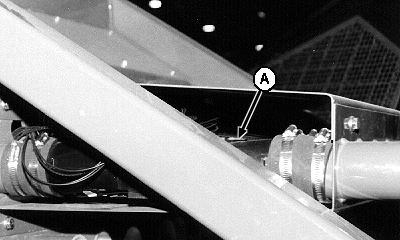
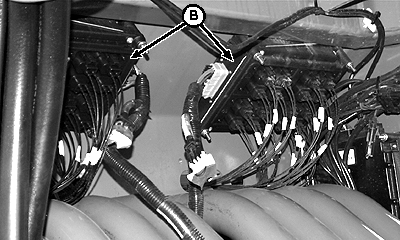
Check fiber optic cables between seed counter sensor (A) and count controllers (B) as indicated on the "status" screen. Check that cables are plugged into controllers and not cracked or damaged. Repair or replace as necessary.
|
|
AG,OUO6023,1165 -19-21JUL00-2/2 |