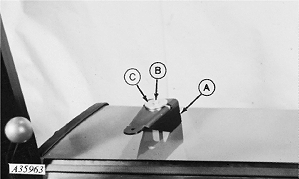
Install GREENSTAR™ Display-30-60 Series Open-Station Tractors1. Drill hole in right fender and attach bracket (A) with 3/8 x 3-1/2 in. cap screw (B) and 0.391 x 2 x 0.22 in. washer (C) and 3/8 in. nut. Order from Parts:
|
|
|
GREENSTAR is a trademark of Deere & Company. | AG,OUO6023,983 -19-21JUL00-1/8 |
|
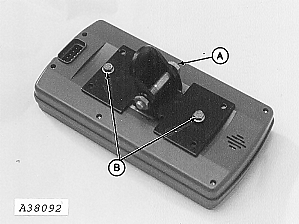
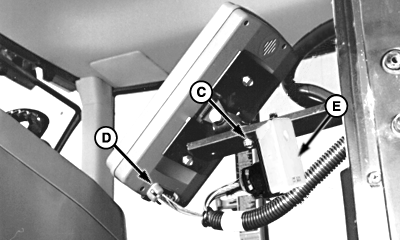
2. Attach monitor bracket to pivot with M10 x 60 cap screw and nut (A). 3. Attach bracket to monitor with two M6 x 16 cap screws (B). 4. Install monitor to mounting bracket with M6 x 20 cap screw and nut (C). 5. Install lead end from monitor harness into monitor at (D). 6. Fasten terminator (E) to underside of mounting bracket with tie strap.
|
|
AG,OUO6023,983 -19-21JUL00-2/8 |
|
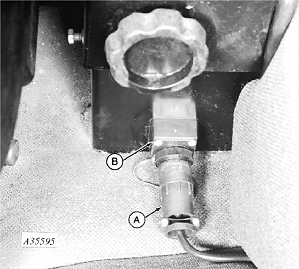
NOTE: If tractor is not equipped with a convenience outlet or 6 pin program connector, order BA28418, Voltage Suppression bundle. Voltage Suppression bundle is needed on John Deere 50 Series (or older) tractors. Bundle can also be used to install a voltage protected convenience outlet in tractors built by other manufacturers. Refer to instructions included with bundle for wiring details. 7. Carefully push monitor power connector (A) into convenience outlet (B) and turn collar clockwise. If tractor is equipped with Voltage Suppression bundle, TVP (Transient Voltage Protection) module must be plugged into harness lead to protect monitor and control system. See PROTECT MONITOR AND CONTROL SYSTEM FROM HIGH VOLTAGE in Preparing the Tractor-General section for further information. |
|
AG,OUO6023,983 -19-21JUL00-3/8 |
|
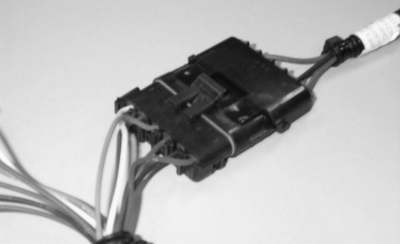
8. Connect 6-pin connector. |
|
AG,OUO6023,983 -19-21JUL00-4/8 |
|
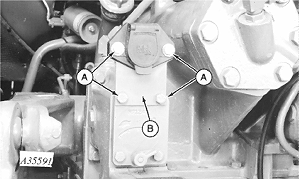
9. Remove four cap screws (A) and two nuts and SAVE for reuse. 10. Remove connector mounting plate (B) and DISCARD.
|
|
AG,OUO6023,983 -19-21JUL00-5/8 |
|
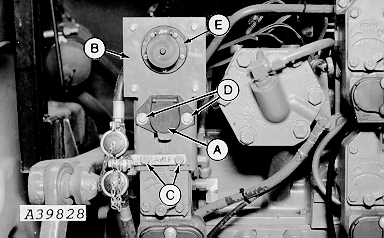
11. Install 7-pin connector (A) through slot in bracket (B). 12. Mount bracket (B) (legs to front) to tractor SCV with two cap screws (C) previously removed. 13. Install two cap screws (D) and nuts previously removed through connector (A) to bracket (B). 14. Install plug assembly (E) on bracket (B) with M6 x 16 screws. |
|
AG,OUO6023,983 -19-21JUL00-6/8 |
|
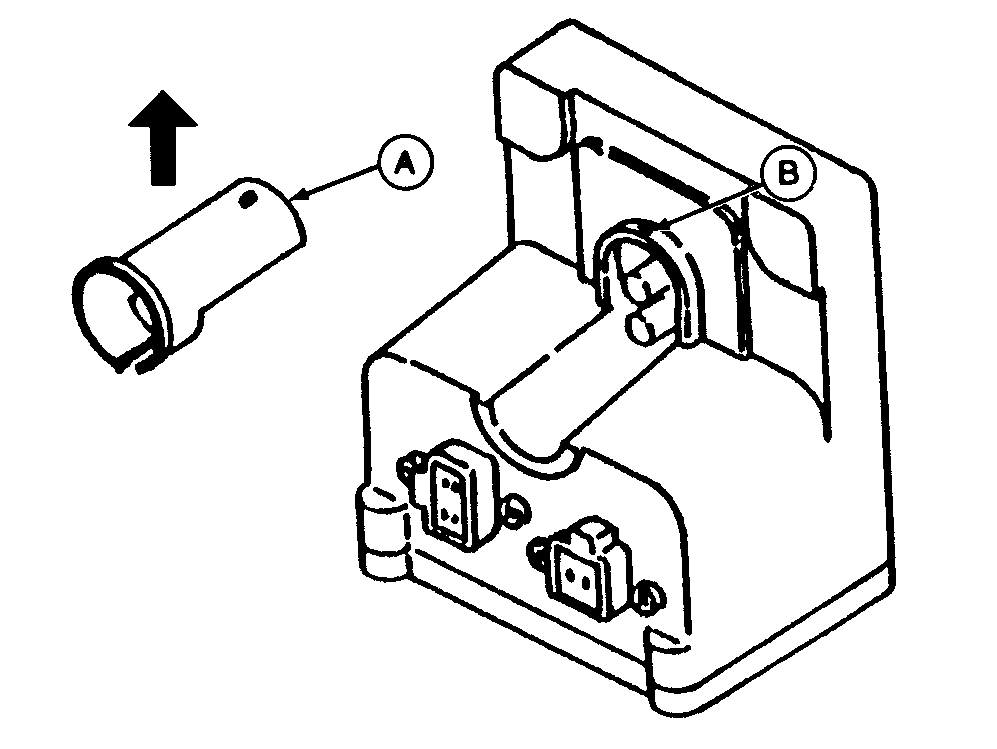
NOTE: Cover (A) for 4-pin connector can be removed to simplify connection of red and black wires to terminals. 15. To remove cover, lift rear portion to remove from pin (B), then lift straight up in direction of arrow.
|
|
AG,OUO6023,983 -19-21JUL00-7/8 |
|
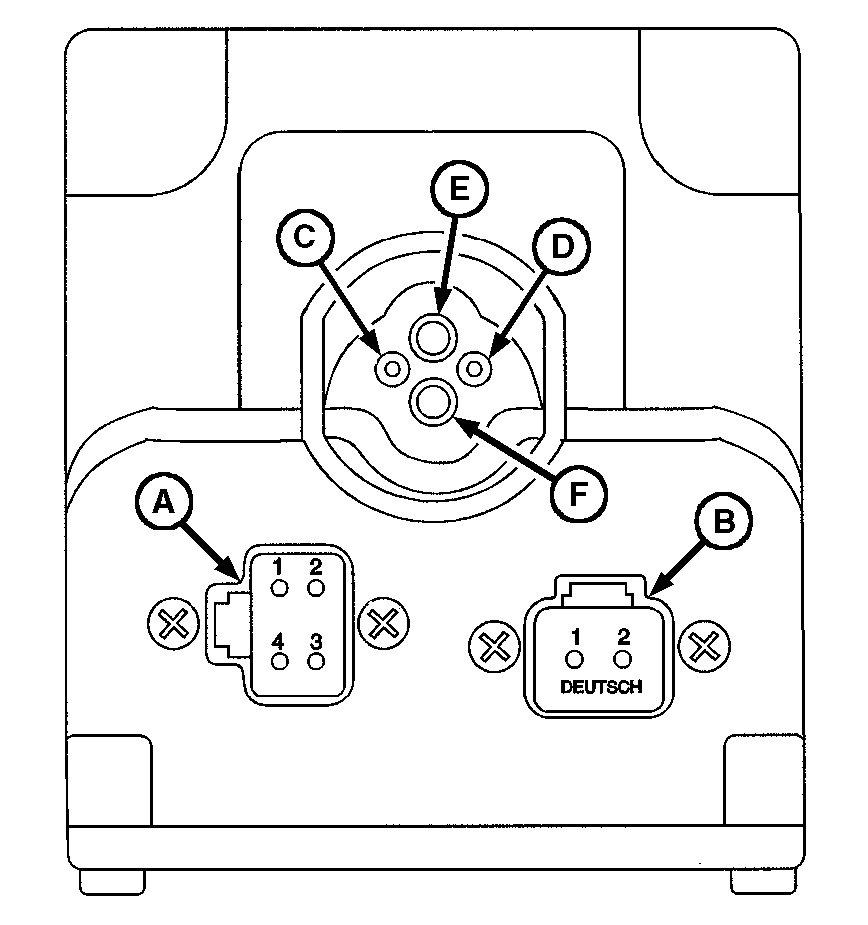
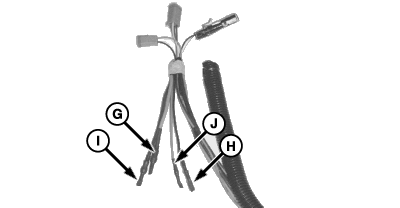
16. Connect 4-pin plug to connector (A) and 2-pin plug to connector (B). 17. The ISO Implement connector must have the 2 red and 2 black wires hooked-up to the top four sockets. These wires come tucked behind the protective wire conduit. 18. Cut the tape wrapped around these wires and remove the shrink-wrap. NOTE: Positive and negative symbols are molded into the lip of the box as a guide showing where the insert wires. NOTE: To connect wires, insert wire end firmly into terminal. Properly connected wire will remain connected when wire is gently pulled. 19. Connect large red wire (G) to terminal (E), small black (H) to terminal (D), large black (I ) to terminal (F) and small red (J) to terminal (C).
|
|
AG,OUO6023,983 -19-21JUL00-8/8 |