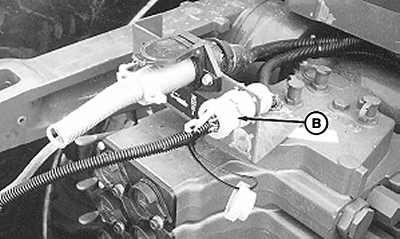
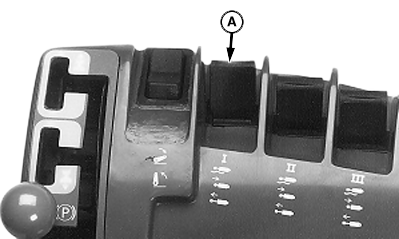
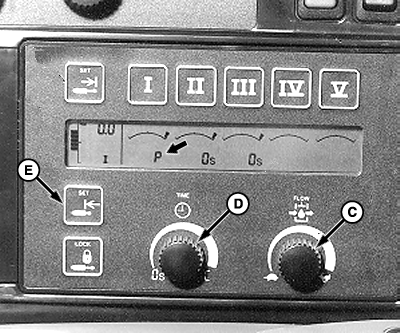
Setting, Adjusting and Operating TOUCHSET™ Depth Control-8000 and 9000 Series TractorsIMPORTANT: If set-up panel does not display "P" at start-up, either the wiring connector is improperly attached or hoses are reversed at couplers. These conditions must be corrected for proper operation. NOTE: SCV is restored to normal operation whenever tractor is started with TOUCHSET ™ depth control wiring harness disconnected. When 9-pin connector (B) is plugged in, the letter "P" will be displayed on the TOUCHSET ™ monitor for SCV I. Adjusting: NOTE: If implement goes beyond depth settings, flow rate is too high. If implement does not operate as described, see your John Deere dealer. Set flow rate to rabbit or fast position using flow rate knob (C). Speed at which implement raises and lowers can be adjusted as needed. Set detent time from 3 to 6. Time can be adjusted faster or slower as needed using time detent knob (D). Setting: Set depth by pushing SCV I lever (A) forward to lower implement to desired working depth, and then push lower limit touch switch (E).
|
|
|
TOUCHSET is a trademark of Deere & Company | OUO6023,0000055 -19-08SEP00-1/2 |
|
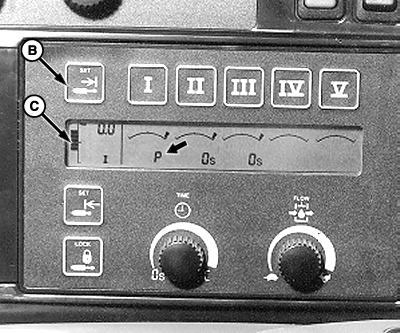
IMPORTANT: Raise limit can be set anywhere from just out of the ground (so tools skim the surface and remove tire tracks) to full up position. Keep in mind that the higher the frame rises, the longer it takes to lower to operating depth. Set raise limit somewhere short of full up position for efficient operation and level return to work depth. To set upper limit, pull back on SCV I lever (A) until reaching desired raised position. Push upper limit touch switch (B). Bar graph (C) shows upper and lower settings. Operating: NOTE: If using open SCV for pressure bleed-off hose place SCV control in "FLOAT" position for precise depth control. Raise implement to upper set point, by pulling SCV I lever (A) rearward into "DETENT" position and releasing. Lower implement to lower set point, by pushing SCV I lever (A) forward into "DETENT" position and releasing. Raise machine to full-up transport position or rephase depth control cylinders, by holding SCV I lever in rearward "DETENT" position. Readjust set points, by selecting an SCV number (I-V). SCV monitor will enter adjustment mode. Adjustment mode remains activated for 20 seconds. Raise or lower implement to desired working depth, then push upper or lower limit touch switch as needed. Use SCV II lever to lower wings and fully extend cylinders. |
|
OUO6023,0000055 -19-08SEP00-2/2 |