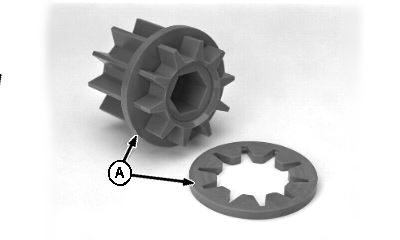
Customizing Meter SegmentsThrough the use of fine tuning rings (A), each meter segment is customized to proportionately reduce product delivery to agree with the number of secondary ports to which it is supplying product. Each tuning ring effectively reduces the segment's product carrying area by one-twelfth.
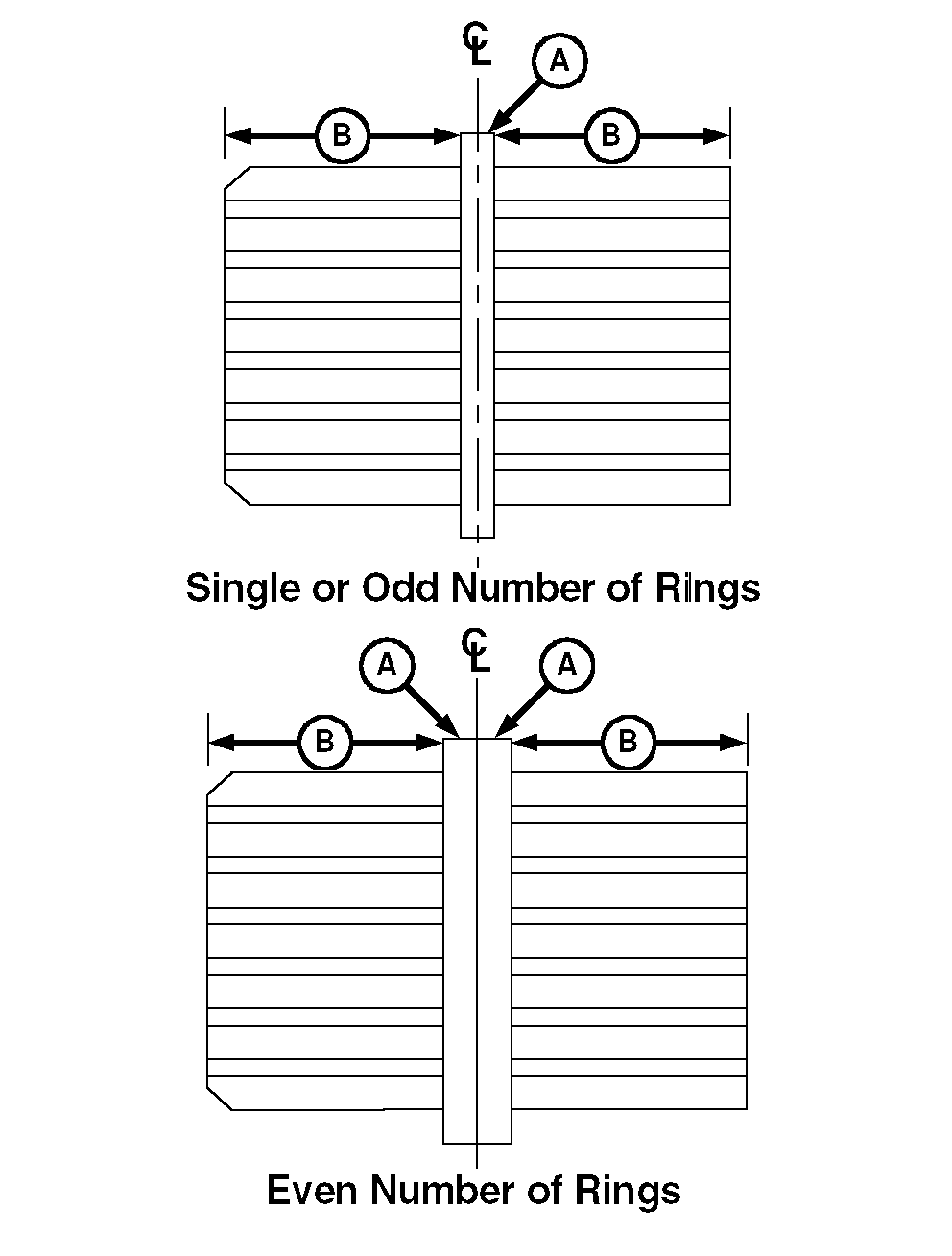
NOTE: One end of the meter segment is beveled to accept fine tuning rings. Tuning rings need to be centered on the segment for even product distribution. When a single ring or an odd number of rings are needed: Install first ring at the middle of the segment, dividing it into equal halves (B); then install additional ring(s), keeping segment equally divided. With an even number of rings, install so ring seam is on segment centerline with same number of rings on both sides for equal distribution. Refer to METER CARTRIDGE/SEEDING TOOL DIAGRAMS in this section to confirm that meter cartridge has been properly customized for your seeding tool application. To install fine tuning rings: 1. Remove snap ring and bearing plate from beveled end of segment. 2. Soak rings in hot water first and position on beveled end of segment; then drive on with installation tool, A61656. |
|
AG,OUO6023,1049 -19-21JUL00-1/1 |