Set-Up Mode-Standard GREENSTAR® Performance Monitor
|
|
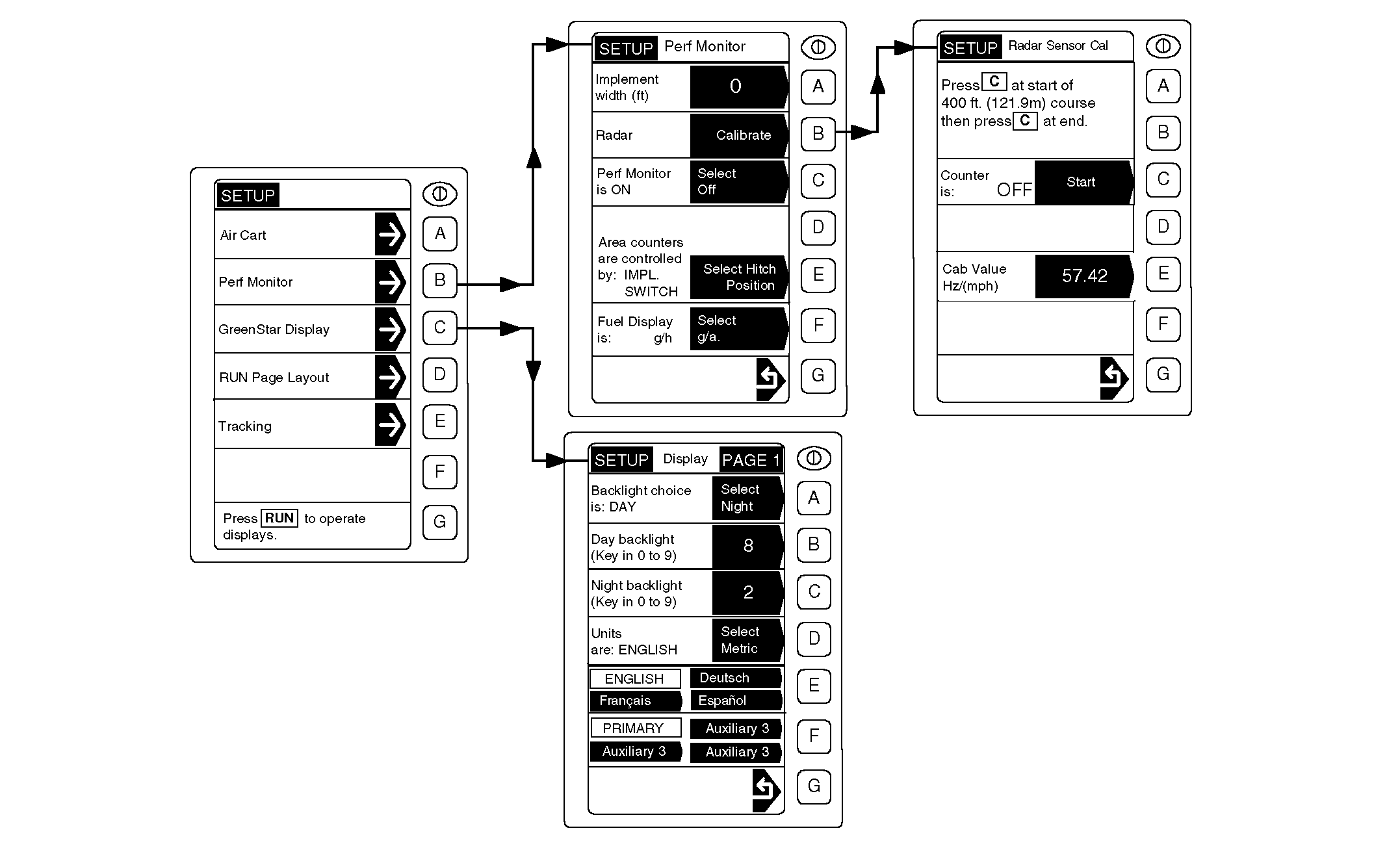
IMPORTANT: Perf (Performance) Monitor is not active when connected to the 1910 Commodity Air Cart. Standard GREENSTAR ® Display includes Perf (Performance) Monitor that keeps its own records on implement and tractor operations. IMPORTANT: Implement width must be exact. Incorrect entry will cause hectares or acres to be incorrect. Enter Implement Width and select controlling device (Hitch Position or Implement Switch) to activate Area counters. Entries made here are different than those made when setting up a 1910 Air Cart. Fuel Display can be selected to show in gallons-per-hour or gallons-per-acre, or in Metric equivalents of liters-per-hour or liters-per-hectare. |
If equipped, Radar is calibrated using the performance monitor. Refer to SET-UP MODE-CALIBRATE TRACTOR RADAR SENSOR in this section for detailed information on procedure. Screen readability is adjusted by entering GREENSTAR ® Display Set-Up. See SET-UP MODE-ADJUST DISPLAY CONTRACT AND BACKLIGHT in this section for detailed information. English or Metric units and display language are also changed in "Adjust Display". Refer to SET-UP MODE-CHANGING READOUT LANGUAGE AND UNITS-OF-MEASURE in this section for procedure. |
|
GREENSTAR is a trademark of Deere & Company. | AG,OUO6023,1091 -19-21JUL00-1/1 |