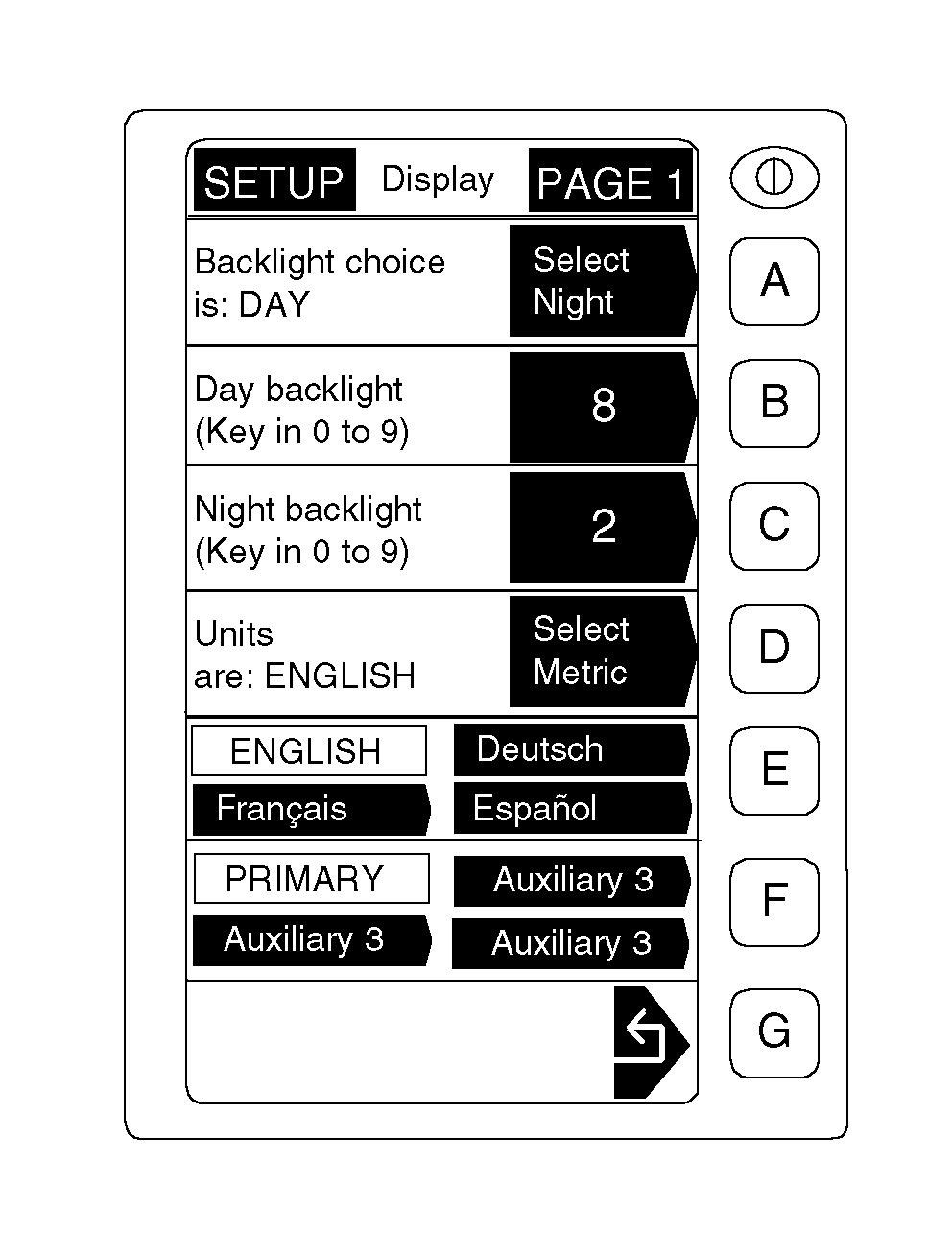
Changing Readout Language and Units-of-Measure-GREENSTAR® DisplayDisplay can be set to read out in English or Metric units-of-measure. NOTE: Newer displays (PF80162 and later) have language choice available. Depending on the system software, display may be reset to read out in languages other than English. Currently only English and Spanish are available for standard GREENSTAR ® display. Air Cart screens and related optional devices (Seed Counter, Blockage) are also available in English and Spanish. 1. From any screen press SETUP. 2. Select GREENSTAR ® Display. NOTE: The option in the shaded arrow is what becomes selected if this button is pushed. The unshaded area is the current selection. 3. Press key D to toggle between ENGLISH and METRIC units. 4. Press key E to toggle between languages. 5. Press key G to return to the SETUP screen. NOTE: Operator entries must be made in the same units of measure as display readout. |
|
|
GREENSTAR is a trademark of Deere & Company. | AG,OUO6023,1093 -19-21JUL00-1/1 |