Set-Up Mode-Variable Rate
|
AG,OUO6023,1117 -19-21JUL00-1/2 |
|
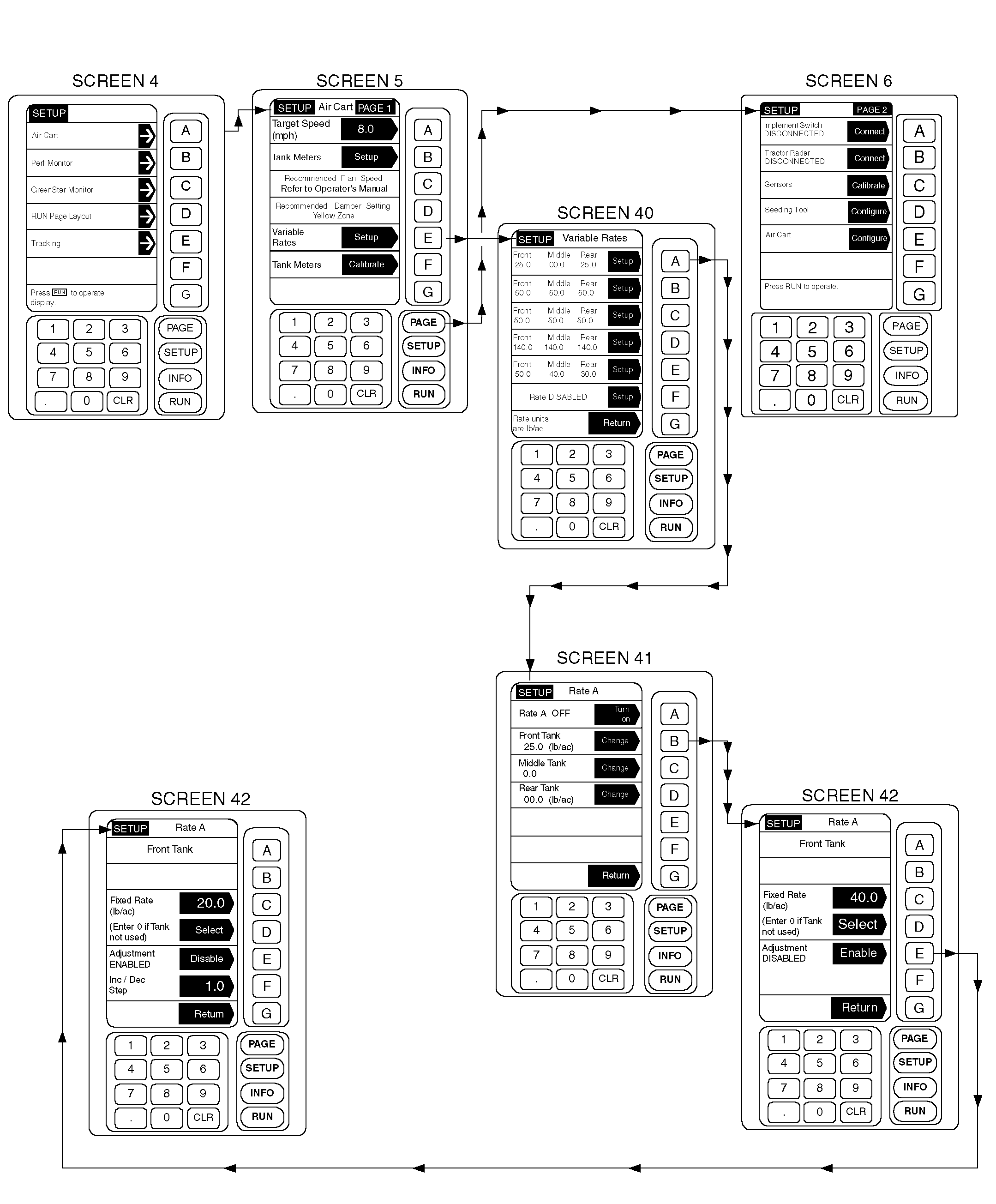
Variable rate set-up is a menu building process where up to six different application rate combinations are entered into memory. Memory entries are recalled and selected from the menu in RUN mode. When a rate change is desired, the operator selects a new combination of rate(s) from the menu, which changes the transmission speed setting to achieve the desired application rate(s). 1. Press SETUP; then select Air Cart. 2. From Air Cart Setup Page 1, press key E to setup variable rates. The Setup Variable Rates screen is where the rates are defined. If no rates are defined, a "No Rates Defined" message will be displayed on the RUN screen. 3. To define a rate, press key A-F. 4. Press key B-D to setup or change the target application rate for one of the tanks. |
5. Press key C, enter a fixed rate, and press key C to accept. Press key D to select this rate and enable it. 6. Press key E to enable the adjustment feature. This option allows adjustment of the target rate from the run page. When this option is enabled, a minimum step value must be entered. Press key F to enter value. 7. Repeat Steps 4-6 for each tank. 8. Press key A to turn the rate ON. This will allow the rate to be selected from the RUN screen. 9. Press key G to return. 10. For each desired rate or set of rates, repeat steps 3 through 9. 11. Press key G to return to the Air Cart Setup Page 1. |
AG,OUO6023,1117 -19-21JUL00-2/2 |