INFO (Information) Mode-Seed Counter
|
AG,OUO6023,1123 -19-21JUL00-1/2 |
|
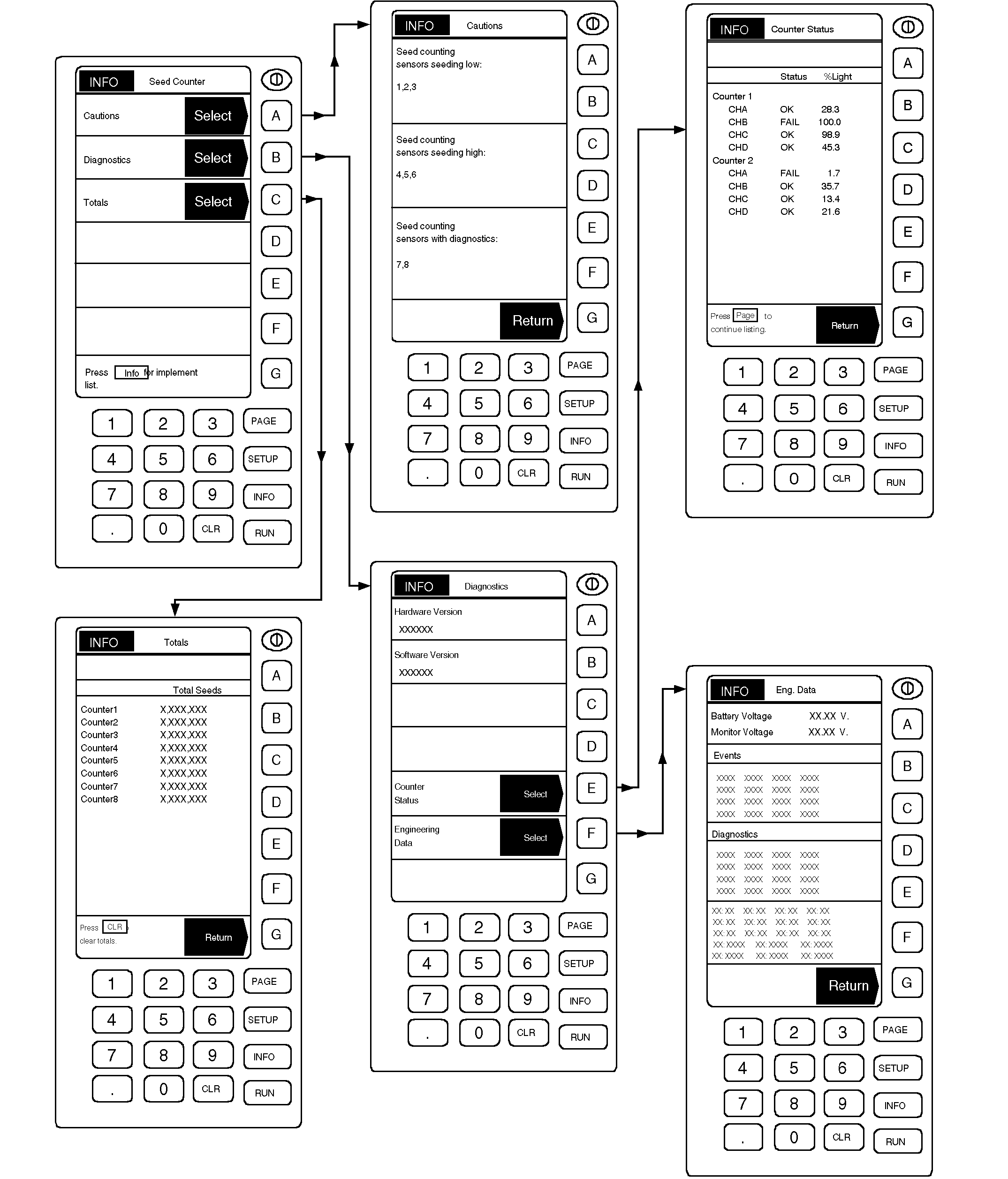
Seed counter INFO mode is a multi-purpose mode that displays diagnostic information similar to standard system and also identifies specific problem runs and sensors using "Cautions" selection. Seed count "Totals" (per sensor) are also viewed in INFO mode. When a seed counter related caution message is displayed on the bottom of RUN Page 1, enter INFO mode and "Cautions" to get specific information on what runs or sensors caused the message to display. If necessary, use PAGE key to review entire caution listing. "Seed counting sensors with diagnostics" indicates that these sensors are no longer counting seeds accurately. Message can reflect a dirty lens that needs cleaning, a damaged fiber optic cable, a failed sensor or failed controller. Take corrective action accordingly. Entering Diagnostic mode reveals version numbers of software and hardware in use, counter status |
information, and engineering data, including battery and monitor voltage.
Software/Hardware version numbers and Events/Diagnostic codes are historical records and should not be altered. Battery and monitor voltage can be checked if a low power problem is suspected. Counter status display shows sensor status by channel. Take corrective action for any sensor showing "FAIL" status. Entering Totals mode shows the total number of seeds counted by each sensor. Press CLR (clear) to reset totals to 0 (zero). |
AG,OUO6023,1123 -19-21JUL00-2/2 |