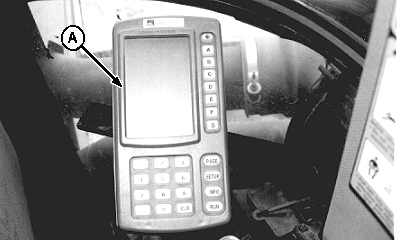
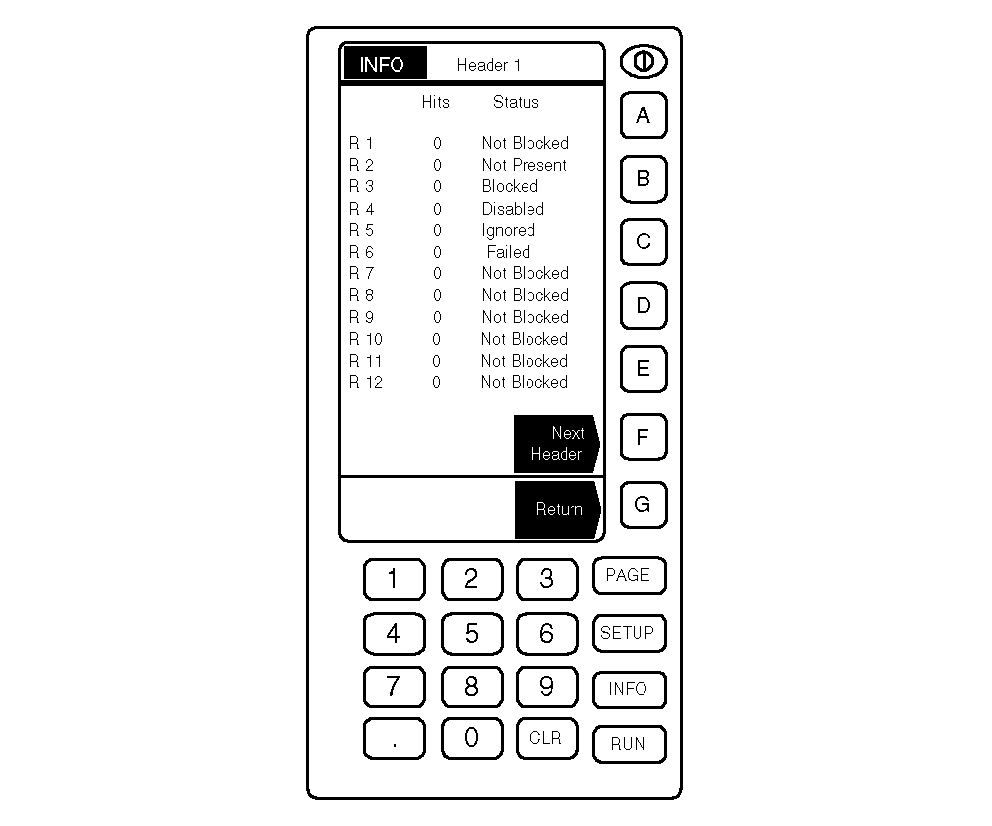
Testing Blockage SensorsGREENSTAR ® display console (A) can be used to test blockage sensors. 1. Press INFO to go to the Information Section of the monitor. 2. Press key B or C for Air Cart Blockage. 1. Press key B for Diagnostics. 2. Press key E for Sensor Information. 3. Press key A for Hit Counters. Header 1 will be displayed at the top of the page. The status of each sensor is displayed as BLOCKED, NOT BLOCKED, IGNORED or NOT PRESENT. NOTE: Tapping on an undetected (NOT PRESENT) sensor will not advance the hit count. 4. This page also displays "Hits" for each of the sensors. This feature allows the user to lightly tap on the side of each sensor to verify that it is working. This also allows the user to verify the numbering of each sensor. Press key F to advance to the next header. 5. Press key G to return. |
|
|
GREENSTAR is a trademark of Deere & Company | AG,OUO6023,1160 -19-21JUL00-1/1 |