30-55 Series Utility Tractors—Console Installation
-
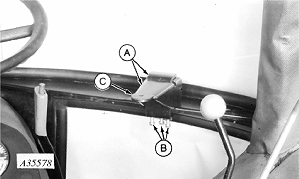
A35578-UN-08APR93A - Brackets
B - Cap Screws
C - Rubber Washer
Assemble brackets (A) and attach to window ledge with cap screws (B). -
Place rubber washer (C) over hole.
-
Attach monitor to bracket.
-
Install monitor harness and radar harness into grommet.
-
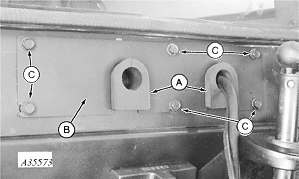
A35573-UN-08APR93A - Grommets
B - Rear Plate
C - Screws
Install grommets (A) into rear plate (B) as illustrated. -
Attach rear plate to cab with six 5/16 x 7/8 in. screws (C).
-
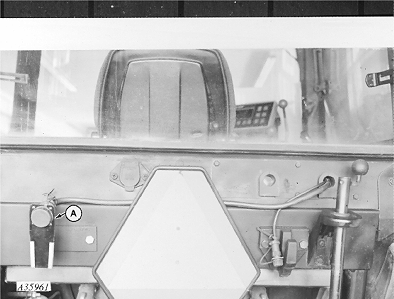
A35961-UN-09AUG93A - Harness
Install monitor harness (A) as illustrated. -
Connect monitor power harness to 12 volt power source. If tractor is equipped with a 2-pin convenience outlet, order AA37254 to convert 2-pin to a 3-pin outlet. If tractor is not equipped with a convenience outlet, order AA37247.
|
AG,OUO1074,851-19-20000301 |