8000 Series Tractors—Console Installation
-
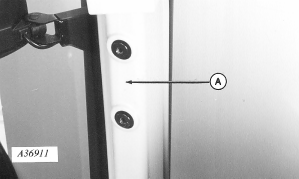
A36911-UN-26APR95A - RH Front Post
Unscrew plastic covers from right-hand front post (A) and remove. (Already removed in illustration.) -
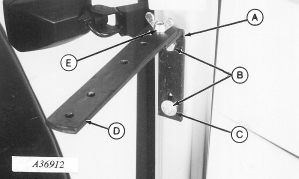
A36912-UN-26APR95A - “L” Bracket
B - Cap Screws
C - Flat Washer
D - Monitor Strap
E - Wing Nut
Install “L” bracket (A) on front post with two M10 x 20 cap screws (B) with flat washer (C) on lower cap screw. -
Install monitor strap (D) with M10 x 30 round head bolt and wing nut (E), with strap hole spacing as shown.
-
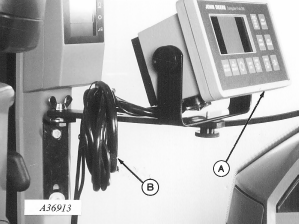
A36913-UN-26APR95A - Monitor
B - Excess Harness
Mount monitor (A) to strap as illustrated. -
Coil excess harness (B) around strap.
-
Route monitor harness along right window and behind instrument panel.
-
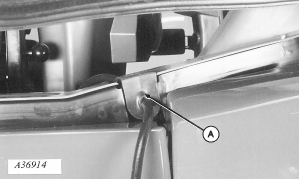
A36914-UN-26APR95A - Grommet
Remove existing right-hand side grommet. Install harness in new grommet (provided) and install grommet (A). -
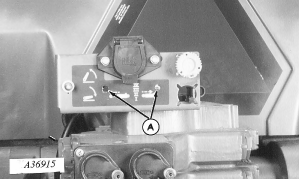
A36915-UN-26APR95A - Holes
Cut holes (A) in decal. -
Remove two cap screws attaching 7-pin connector and discard.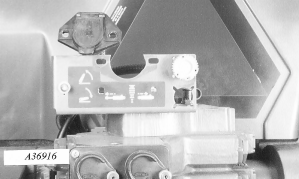
A36916-UN-26APR95 -
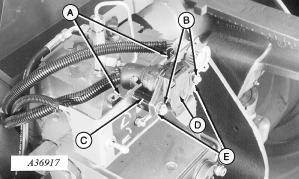
A36917-UN-26APR95A - Sockets
B - Cap Screws
C - Spacer
D - 7-Pin Connector
E - Plastic Connector
Install sockets (A) with M8 x 16 round head bolts, flat washers and nuts. DO NOT tighten until all hardware is in place. -
Install two M8 x 55 cap screws (B), spacer (C), and 7-pin connector (D) with flat washers against connector plastic (E) and nuts. Tighten hardware.
-
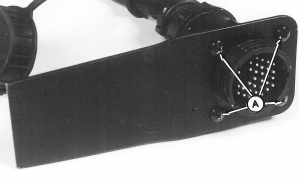
A36948-UN-26APR95A - Self-tapping Screws
Attach harness to connector spade using four self-tapping screws (A). -
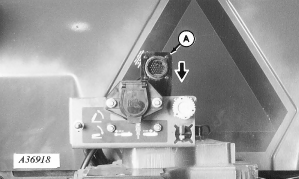
A36918-UN-26APR95A - Connector Spade
Install connector spade (A) into socket and push down to seat. -
NOTE: Harness may be installed in rear outlet.
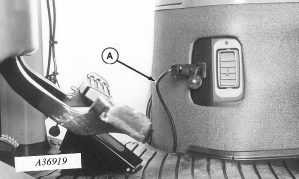
A36919-UN-26APR95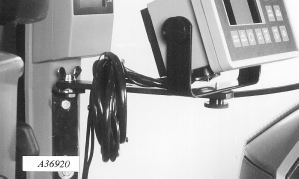
A36920-UN-26APR95A - Harness
Install monitor power harness (A) into front convenience outlet if equipped. -
Route harness under floor mat.
-
Nylon tie excess main and power harness to monitor strap.
-
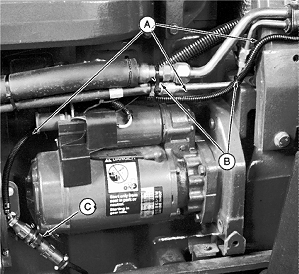
A35323-UN-03DEC92A - Harness
B - Tie Straps
C - Harness Connection
Route harness (A) along air conditioner lines and behind starter. -
Attach harness to lines with tie straps (B).
-
 CAUTION: Avoid looking directly into the sensor face of radar
to prevent possible eye damage from microwave signal emitted from
radar sensor.
CAUTION: Avoid looking directly into the sensor face of radar
to prevent possible eye damage from microwave signal emitted from
radar sensor.NOTE: Once radar is connected to tractor harness, radar supplies tractor instrumentation and radar signal is available for monitor from 2-pin connector at right-hand console.
Connect signal harness to radar harness at (C).
|
AG,OUO1074,865-19-20000301 |