Monitoring Population and Seed Spacing
A52083-UN-28MAR03
A52087-UN-28MAR03
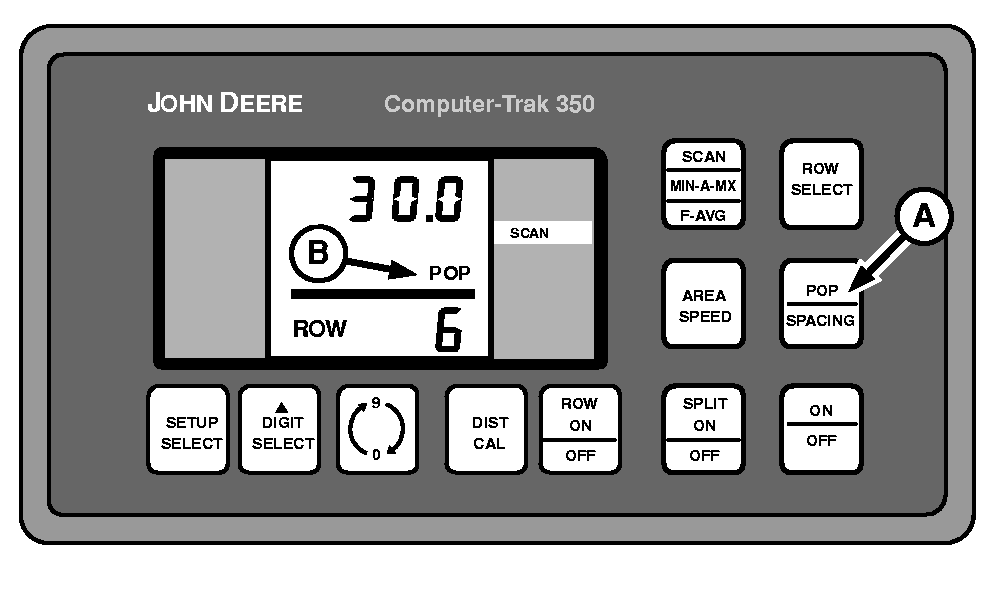
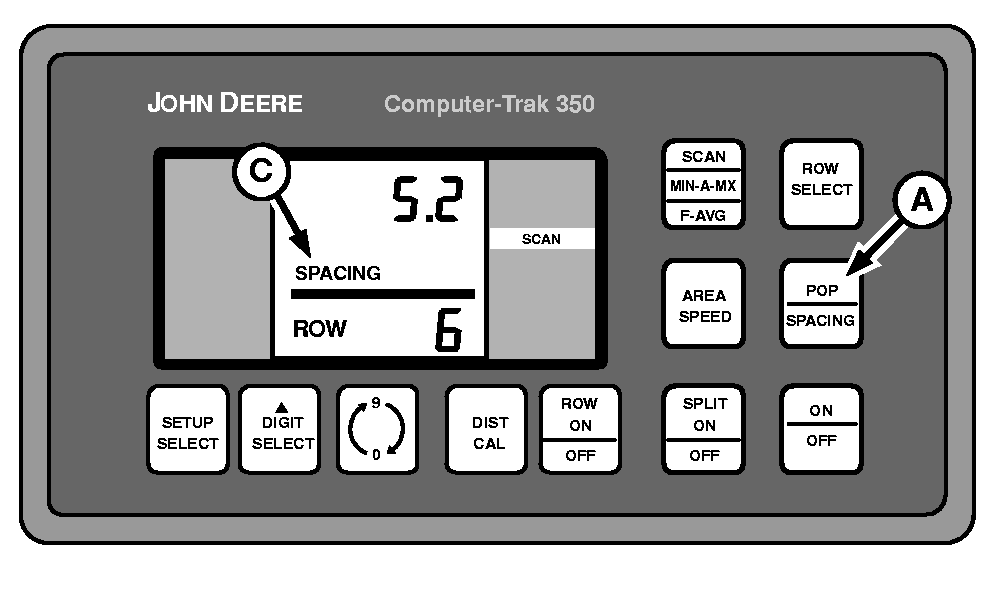
A - POP/SPACING Switch
B - POP
C - SPACING
During field operation, the population/seed spacing of each row is monitored in sequence.NOTE: When planting begins, there will be a slight hesitation before the monitor begins counting up. This is normal and occurs in order to eliminate start up errors.
When operation begins, the monitor receives signals from the radar sensor and seed sensors.
NOTE: For example, a 76 cm (30 in) row traveling approximately 27.4 m (90 ft) covers 1/200th of an acre.
During the initial 1/200th acre per row, the monitor counts up to the actual population. Each row is then monitored in sequence.
Press POP/SPACING switch (A) to display either population or seed spacing during any monitoring function (SCAN, MIN-AVG-MAX, F-AVG, or ROW SELECT).
When population is displayed, it is indicated by “POP” (B) on screen. When seed spacing is displayed, it is indicated by “SPACING” (C) on screen.
Scan Function
A49818-UN-09AUG02
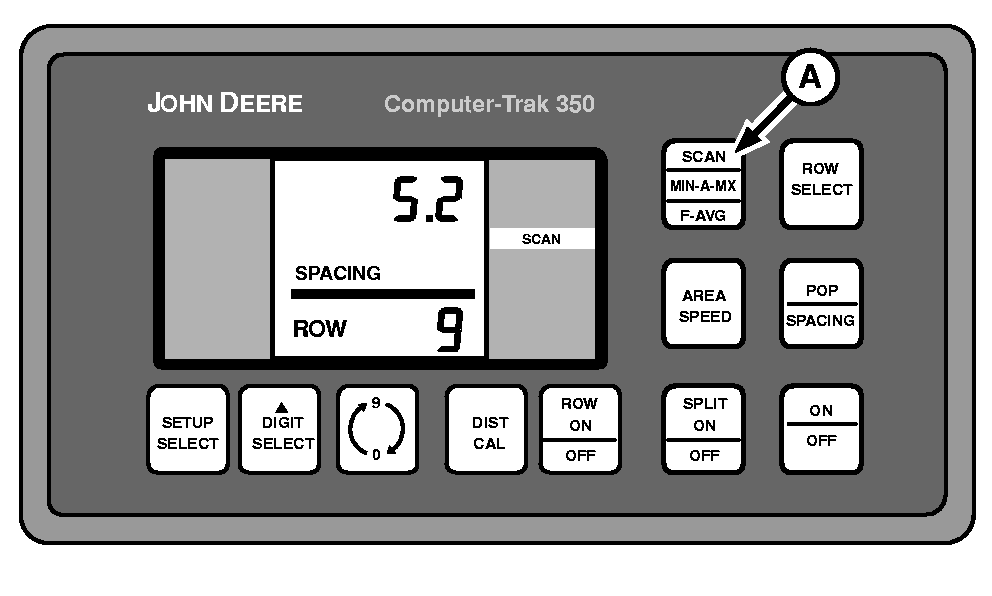
A - SCAN, MN-A-MX, F-AVG Switch
Press SCAN, MN-A-MX, F-AVG switch (A) repeatedly until SCAN is displayed in right-hand column.Each row will be scanned and displayed in sequence. Readout may be either population or seed spacing depending on selection.
Minimum, Average, Maximum Function
A52084-UN-28MAR03
A52085-UN-28MAR03
A52086-UN-28MAR03
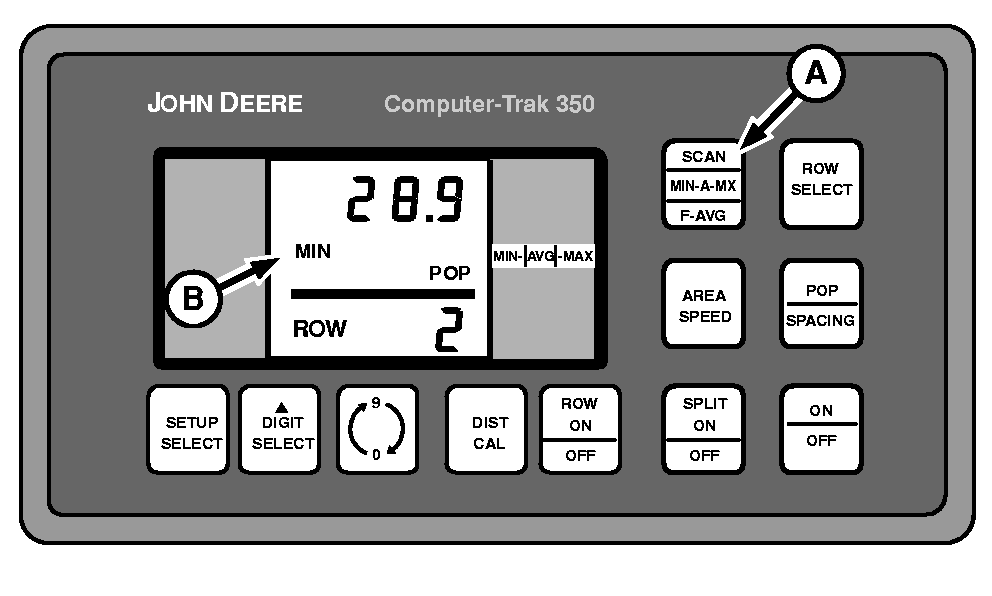
A - SCAN, MN-A-MX, F-AVG Switch
B - MIN
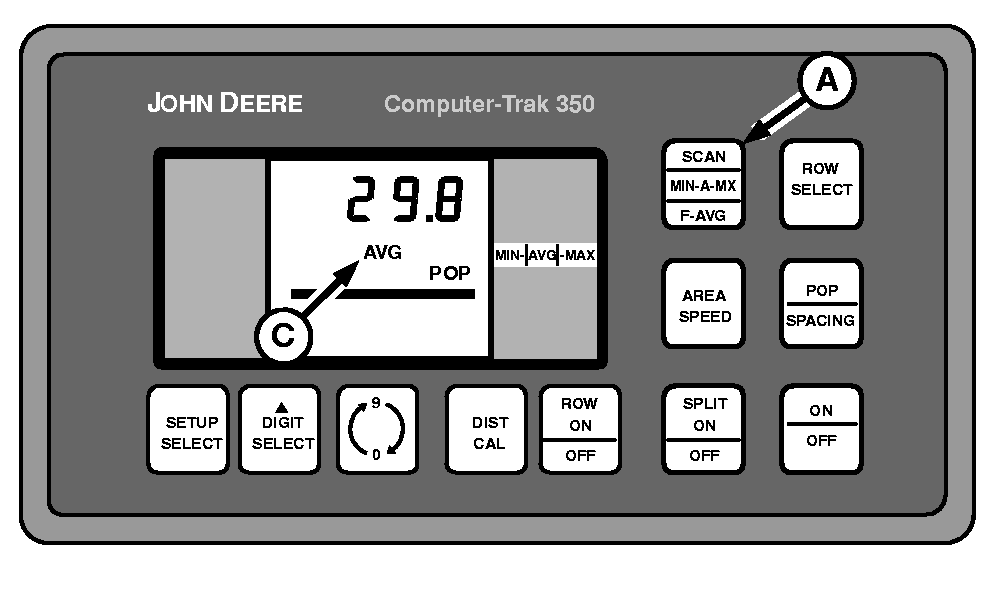
C - AVG
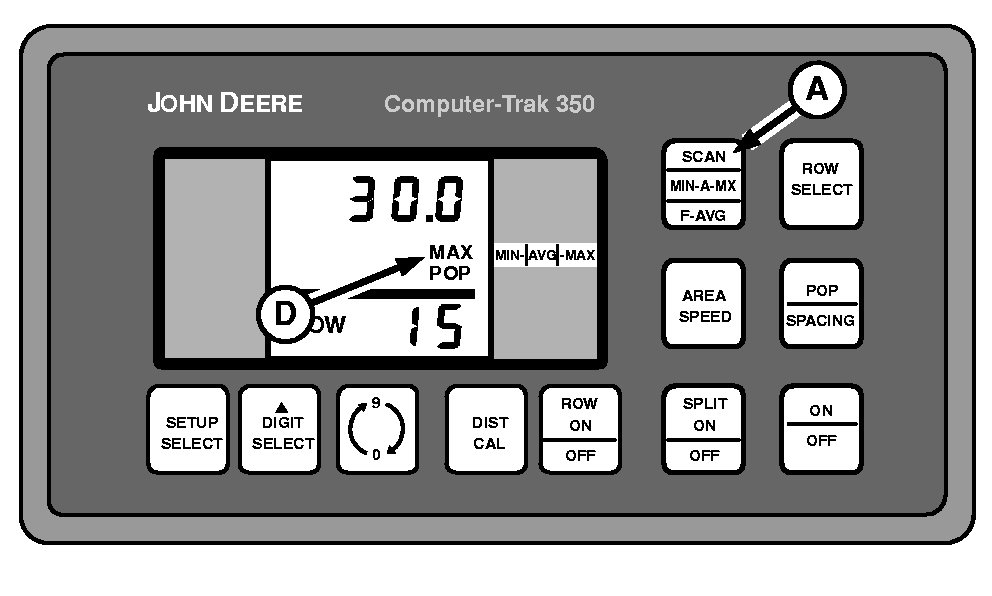
D - MAX
Press MN-A-MX switch repeatedly until MIN-AVG-MAX is displayed in right-hand column.Screen will repeatedly scroll through three different displays. Readout may be either population or seed spacing depending on selection.
- MIN (B) screen displays the row number with the lowest current reading.
- AVG (C) screen displays average reading of all rows.
- MAX (D) screen displays the row number with the highest current reading.
Fast Average Function
A52088-UN-28MAR03
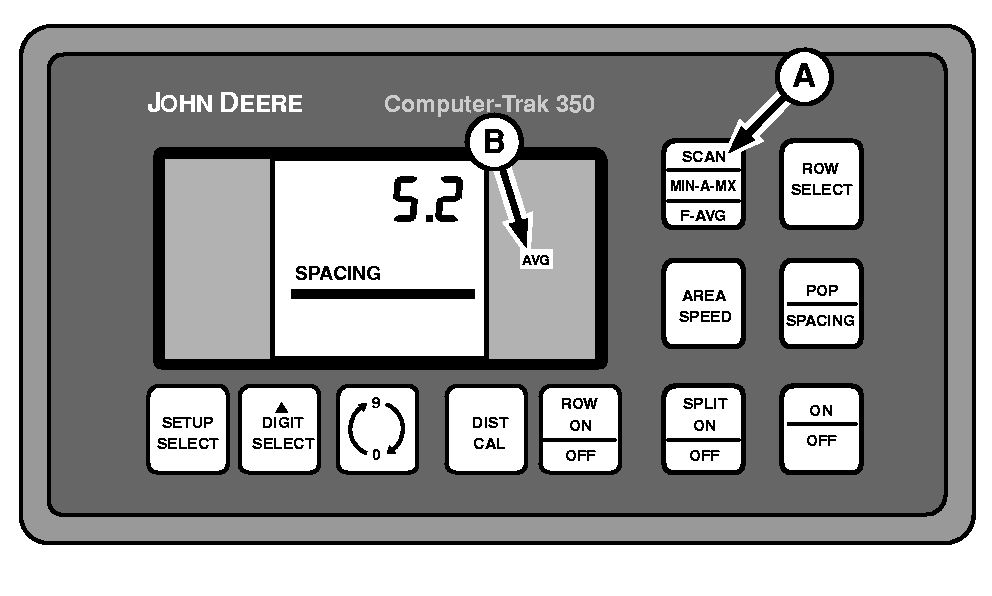
A - MN-A-MX Switch
B - AVG
Press MN-A-MX switch (A) repeatedly until AVG (B) is displayed in right-hand column.Fast Average monitors the average seed count across all rows each second OR after counting a predetermined number of seeds across all rows, whichever takes longer. The predetermined number is entered through setup mode. See F-AVG (FAST AVERAGE) in COMPUTER TRAK 350/450 Monitor Setup section.
Row Select Function
A49603-UN-26JUL02
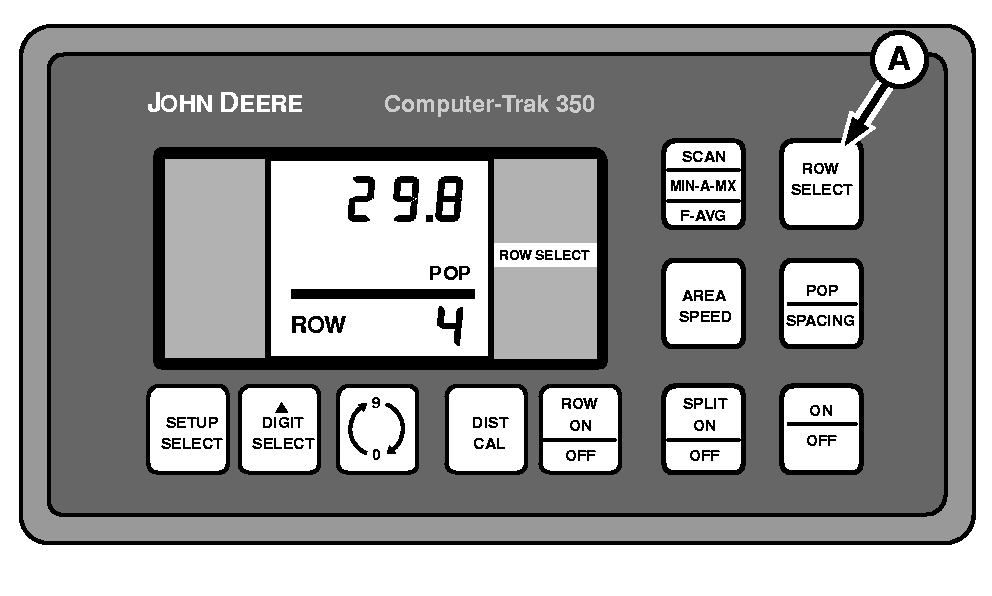
A - ROW SELECT Switch
Press ROW SELECT switch to lock monitor display onto one row. Row number can be changed by pressing ROW SELECT switch repeatedly, until desired row number is displayed. Monitor will continue to display a single row until another function is selected.|
COMPUTER TRAK is a trademark of Deere & Company |
OUO6074,0000703-19-20030325 |