Split On/Off
NOTE: Deactivated rows are not selectable when split row is activated.
A49807-UN-08AUG02
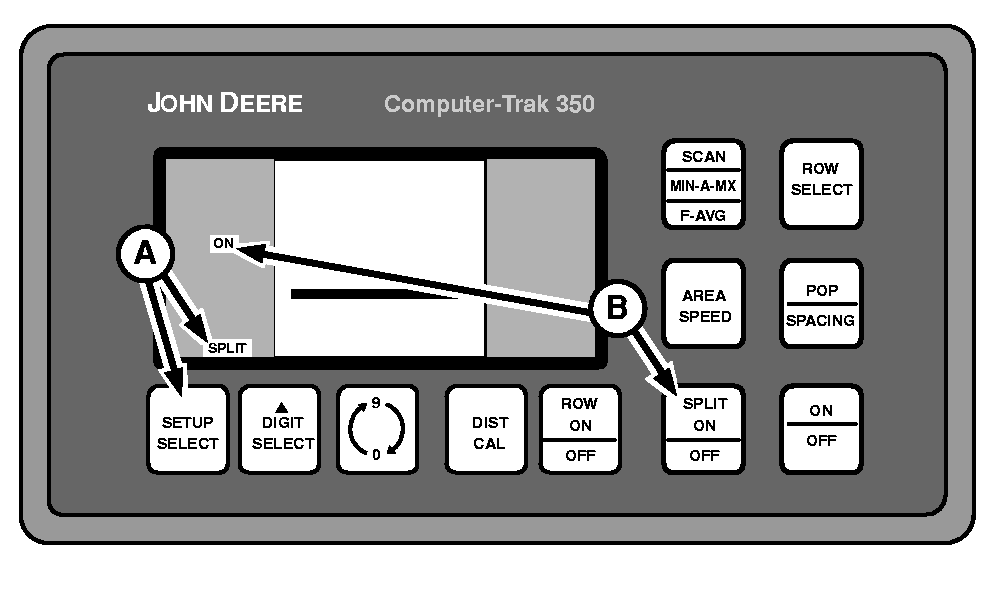
Split Feature On—Setup Mode
A49808-UN-08AUG02
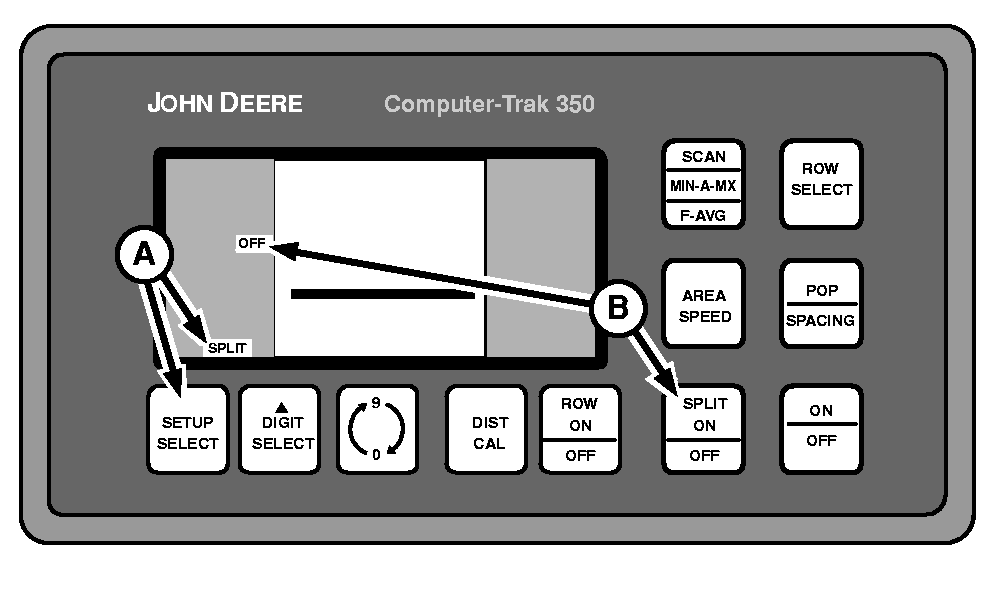
Split Feature Off—Setup Mode
A52078-UN-24MAR03
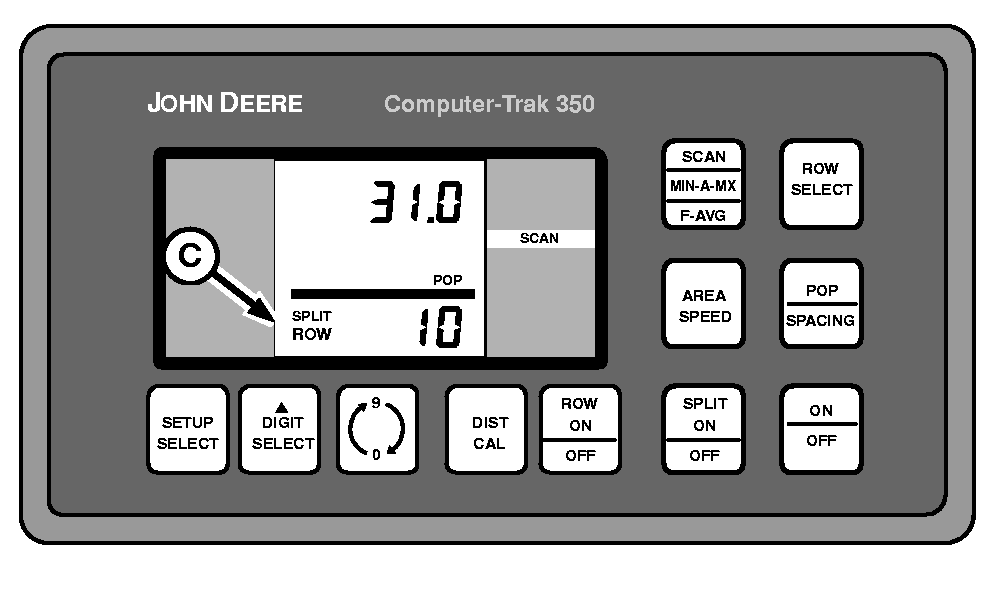
Split Row Activated—Operating Mode
A - SETUP/SELECT Switch
B - SPLIT ON/OFF Switch
C - Split Rows Activated
Activation of split row feature allows seed sensors on every other row to be ignored with the touch of a button.When split is activated it has the following effects:
- Shuts off unused seed sensors for split row applications
- Monitors (displays) only the rows with active seed sensors
- Keeps row width correct
-
Repeatedly press SETUP/SELECT switch (A) until SPLIT is displayed on lower left-hand column.
-
Press SPLIT ON/OFF switch (B) to toggle between feature ON and feature OFF.
-
Return to operating mode and press SPLIT ON/OFF switch to activate (C) and deactivate split row operation. This switch will only function during operating mode if split feature is turned ON in setup mode.
Two conditions exist when split feature is on and activated:
- Machines with an even number of rows: When SPLIT is activated, all “odd” rows are turned off.
- Machines with an odd number of rows: When SPLIT is activated, all “even” rows are turned off.
|
COMPUTER TRAK is a trademark of Deere & Company |
OUO6074,0000707-19-20030325 |