Speed Set Mode
IMPORTANT: Speed Set Mode is only required if radar input has failed.
A49616-UN-26JUL02
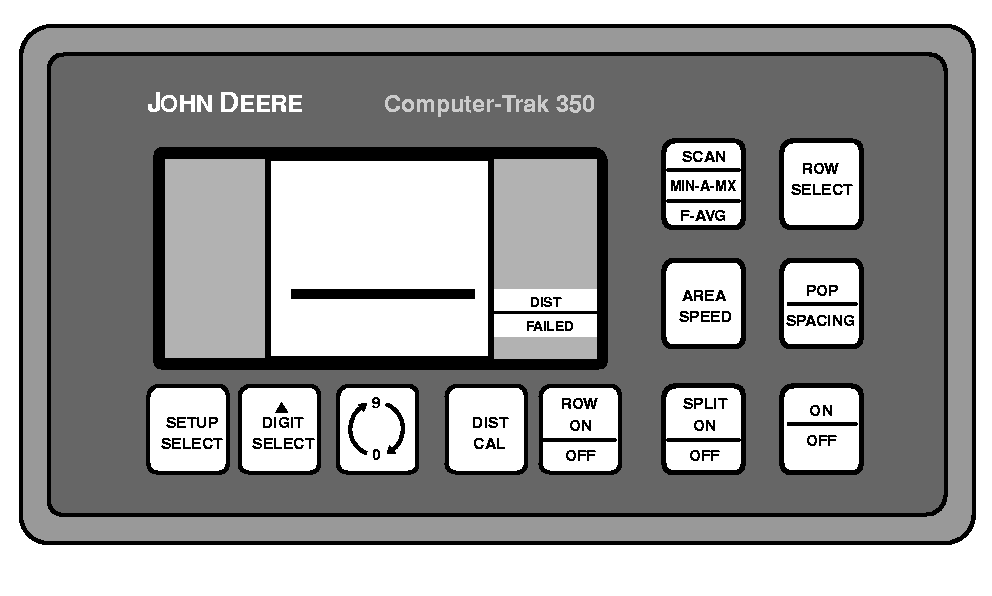
While in this mode, even though actual populations may remain accurate at slower and faster speeds, the monitor is going to show fluctuating populations because it assumes the machine is traveling at a constant speed. Displayed population will only be close to actual population when actual ground speed matches set speed.
Speed Set Mode is deactivated each time monitor is powered off.
-
NOTE: Speed Set Mode is deactivated each time monitor is powered off.
A52103-UN-27MAR03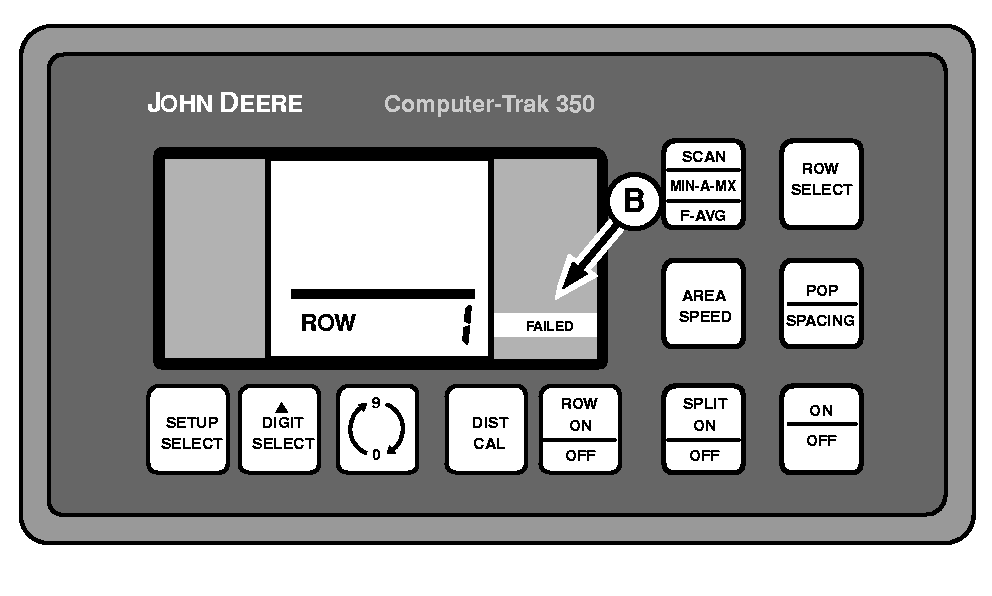
A52104-UN-27MAR03A - SPLIT ON/OFF Switch
B - ROW FAILED Screen
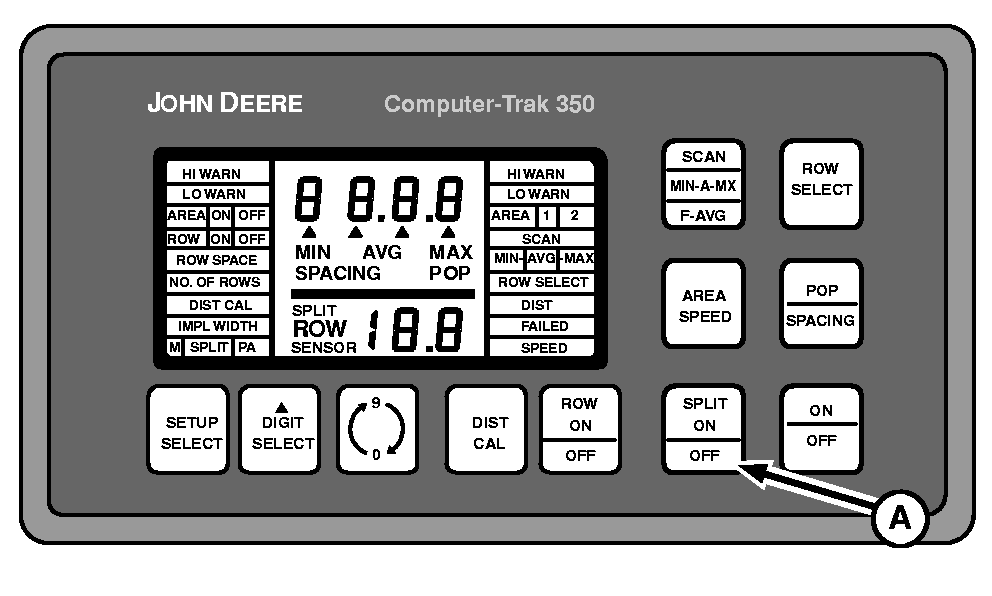
To enter Speed Set Mode, hold SPLIT ON/OFF switch (A) while turning monitor on. A full display screen will be displayed for a few seconds and then the ROW FAILED screen (B) will display. -
A49619-UN-26JUL02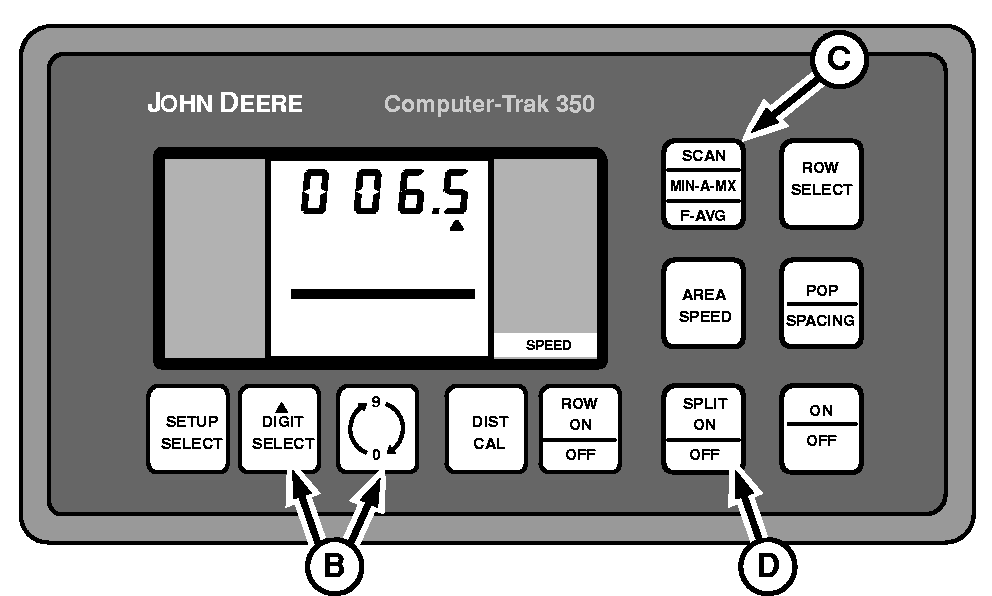
A52105-UN-27MAR03A - SETUP SELECT Switch
B - DIGIT SELECT and 0-9 Switches
C - SCAN Switch
D - SPLIT ON/OFF Switch
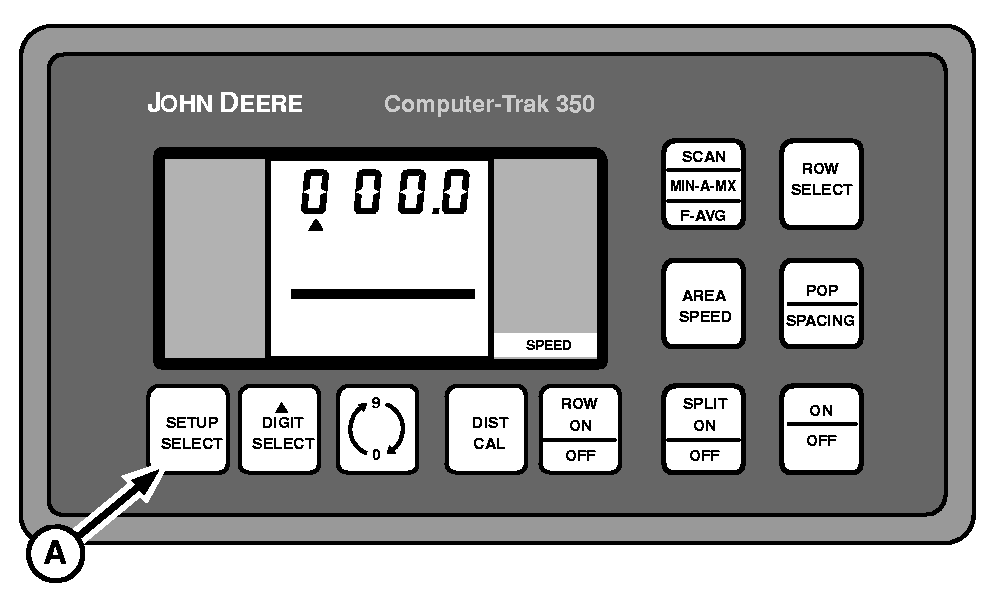
Release SPLIT ON/OFF switch and press SETUP SELECT switch (A). SPEED screen will be the first displayed. “SPEED” will be displayed in lower right-hand corner. -
Use DIGIT SELECT and 0-9 switches (B) to enter expected planting speed.
-
Press SCAN switch (C) to begin monitoring seed flow.
-
If power is lost to monitor for any reason, hold SPLIT ON/OFF switch (D) for one second while powering monitor on to re-enter Speed Set Mode. Previously entered speed is stored in memory and will not have to be re-entered.
|
COMPUTER TRAK is a trademark of Deere & Company |
OUO6074,000070A-19-20030326 |