Seed Counter Mode
A52106-UN-27MAR03
A49622-UN-26JUL02
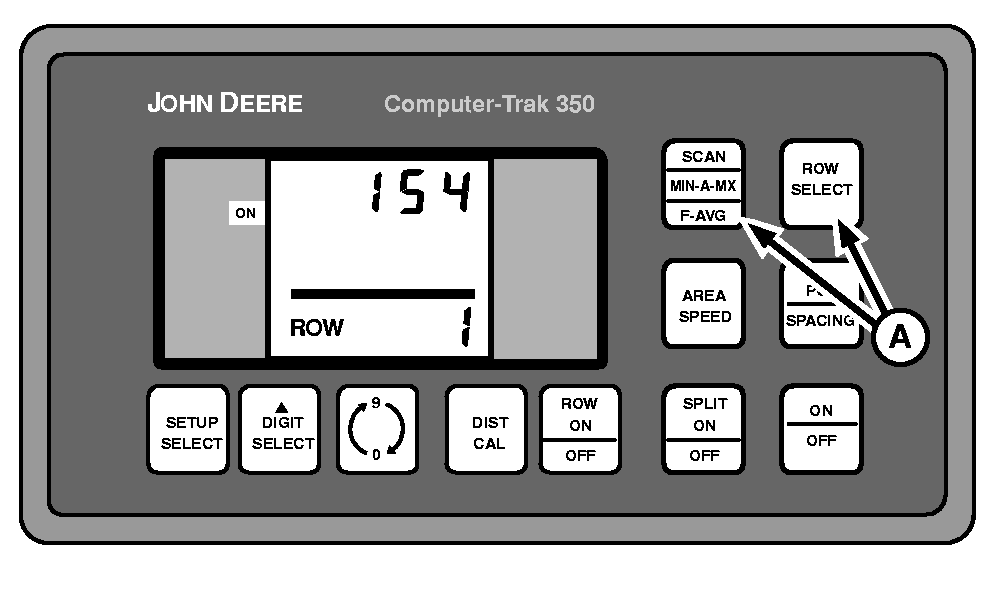
A - SCAN and ROW SELECT
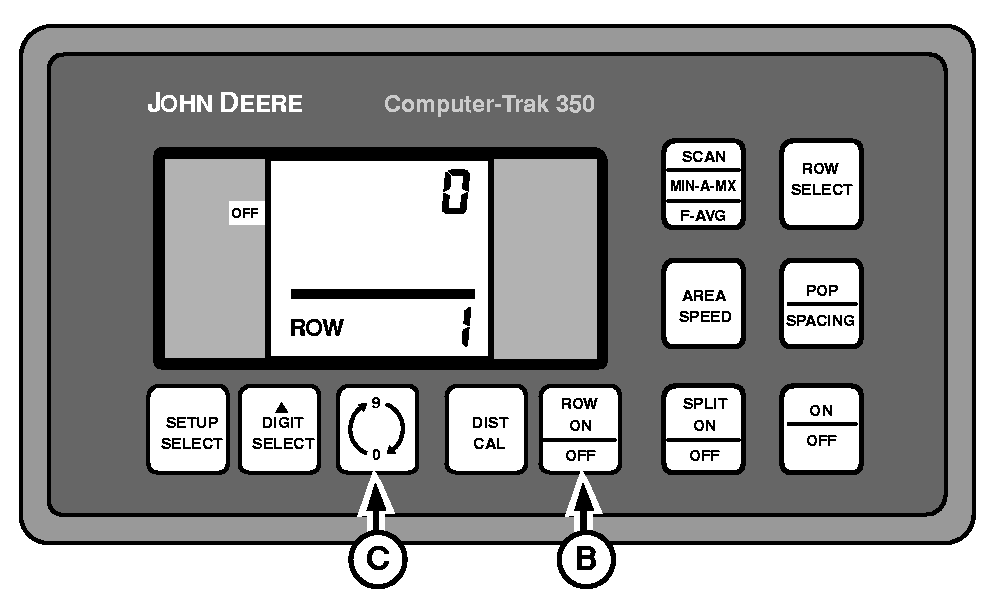
B - ROW ON/OFF Switch
C - 0-9 Switch
Seed Count Mode allows the operator to view the number of seeds that pass a single row sensor.To enter this mode, press SCAN and ROW SELECT (A) simultaneously.
ROW ON/OFF switch (B) turns seed counter ON and OFF.
The 0-9 switch (C) has two functions:
- Resets the accumulated count when seed counter is ON
- Changes the row number selected when seed counter is OFF
To exit this mode push either SCAN, ROW SELECT, AREA SPEED, POP/SPACING or SETUP SELECT switches. Row failures will be displayed while in this mode, but HI-LO warnings will not. The DIST FAILED function is inoperative in this mode. If a ROW FAILURE occurs, the Seed Count Mode will be automatically exited.
|
COMPUTER TRAK is a trademark of Deere & Company |
OUO6074,000070B-19-20030326 |