Monitor History (Planter Mode)
A49614-UN-26JUL02
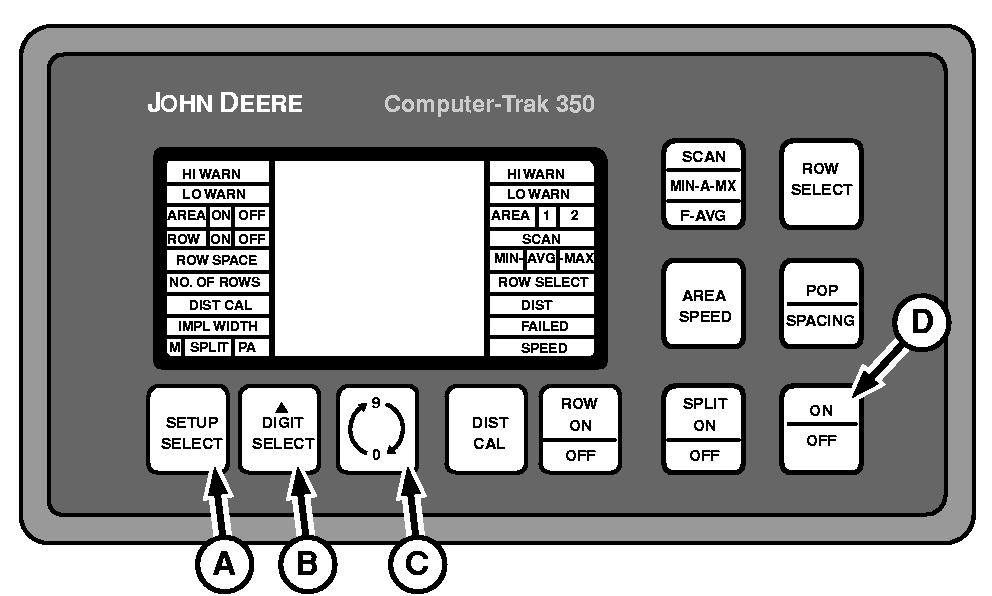
A - Setup Select
B - Digit Select
C - 0-9 Switch
D - Power Up
There is some data stored in the consoles permanent memory.To access this data, press and hold SETUP SELECT (A), DIGIT SELECT (B), and 0-9 (C) switches simultaneously. While holding all three switches press ON/OFF switch (D). After powering up release all switches.
A52117-UN-28MAR03
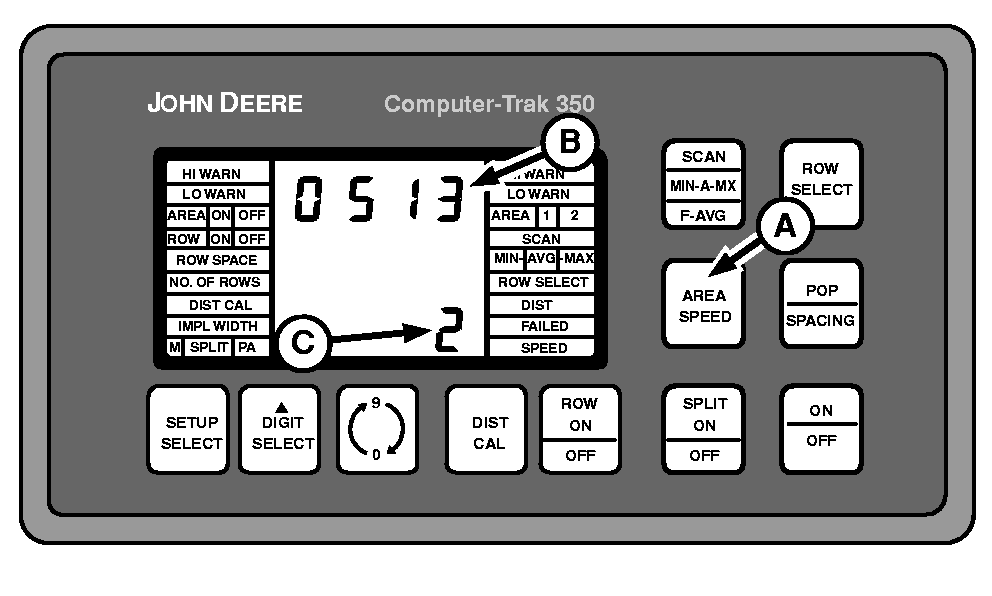
A - AREA SPEED Switch
B - Upper Display
C - Lower Display
Press AREA SPEED switch (A). The upper display (B) will show total acres accumulated up to 9,999 acres. The lower display (C) will show number of times total acres have reached 10,000. Display at right shows 20,513 total acres accumulated.|
COMPUTER TRAK is a trademark of Deere & Company |
OUO6074,0000711-19-20030327 |