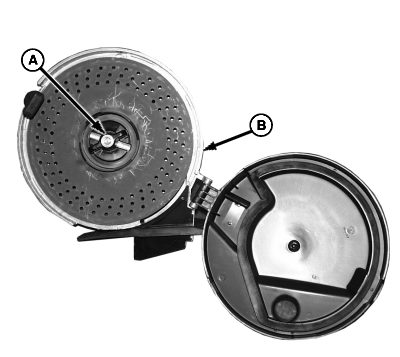
Adjusting Meter HubIf gap is too large or disk turns too hard, adjust meter hub as follows: 1. Open vacuum meter. See ACCESSING THE VACUUM METER in this section.2. Turn hub handle (A) counterclockwise. Remove seed disk from housing (B).
|
|
OUO6074,00008A0 -19-07APR04-1/3 |
|
3.
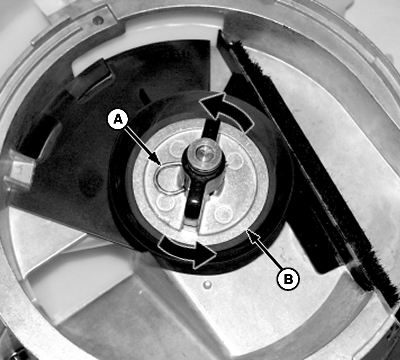
Remove spring locking pin (A).
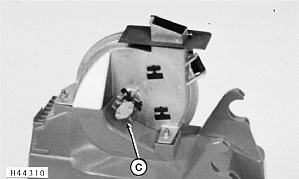
4. Adjust hub (B) as follows: a. Hold meter drive (C). b. Turn hub clockwise to move seed disk closer to meter housing or counterclockwise to move seed disk further from meter housing. 5. Turn hub until slot aligns with hole in shaft and install spring locking pin (A).
|
|
OUO6074,00008A0 -19-07APR04-2/3 |
|
6.
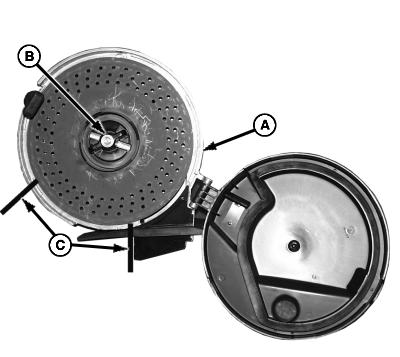
Fit seed disk into housing (A). Hold seed disk stationary and rotate hub handle (B).
NOTE: Seed disk should turn smoothly with light contact between seed disk and meter housing (A). Seed should not leak around circumference of meter. When planting small seed such as sorghum or sugar beets, seed disk must lightly contact meter housing to prevent seed leakage. 7. Turn seed disk by hand and check gap between seed disk and meter housing in section (C). If disk turns too hard or if seed leaks through gap, repeat procedure.
|
|
OUO6074,00008A0 -19-07APR04-3/3 |