Installing CCS Control Console-8000/9000, 8000/9000 TEN and 8020/9020 Series Tractors
1.
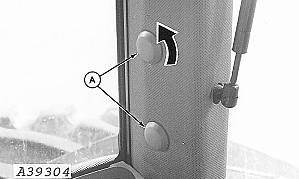
Unscrew plastic covers (A) from right-hand rear post to remove.
A-Covers
|
|
|
|
OUO6023,0001749 -19-08FEB05-1/5
|
|
2.
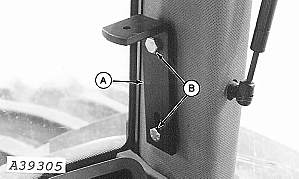
Install L-bracket (A) on post with two M10 x 20 cap screws (B).
A-L-Bracket
B-Cap Screws
|
|
|
|
OUO6023,0001749 -19-08FEB05-2/5
|
|
3.
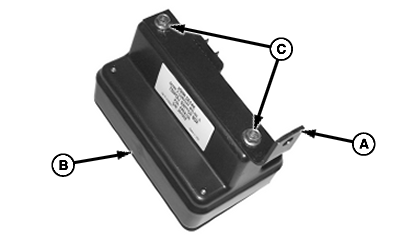
Attach bracket (A) to back of control console (B) with two M6 x 12 cap screws (C).
A-Bracket
B-Control Console
C-Cap Screws
|
|
|
|
OUO6023,0001749 -19-08FEB05-3/5
|
|
4.
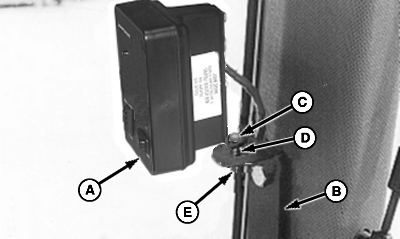
Install control console assembly (A) to L-bracket (B) with M8 x 40 cap screw (C), spacer (D) and hex nut (E). Spacer (D) is placed between console bracket and L-bracket as illustrated.
5.
Connect CCS console harness to CCS concole.
A-Assembly
B-L-Bracket
C-Cap Screw
D-Spacer
E-Hex Nut
|
|
|
|
OUO6023,0001749 -19-08FEB05-4/5
|
|
6.
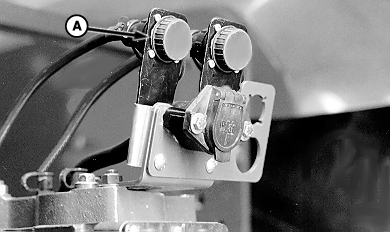
Route CCS console harness (A) to rear of tractor.
|
|
|
|
OUO6023,0001749 -19-08FEB05-5/5
|
|