Setting CCS Row Unit Fan Switch |
|
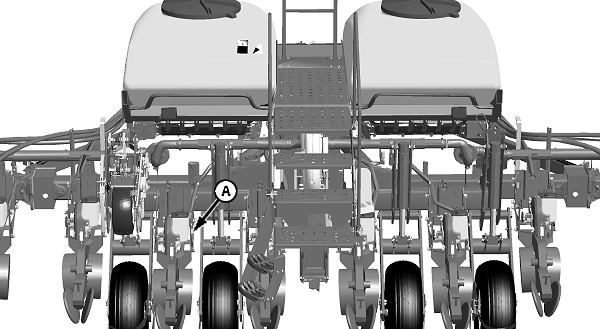
A-Row Unit Switch
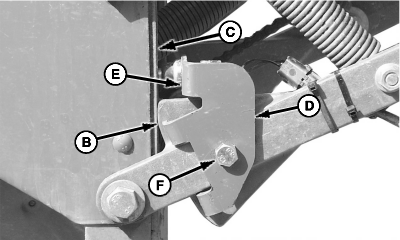
B-Stop
C-Frame
D-Bracket
E-Flat Surface
F-Cap Screw
|
The CCS row unit switch (A) turns the CCS fan on and off as machine is raised and lowered. 1. Raise machine so lower parallel arm stop (B) touches planting unit frame (C).2. Rotate sensor bracket (D) until flat surface (E) is 20 mm (3/4 in.) from planting unit frame. 3. Tighten cap screw (F). 4. Adjust switch so agitator stops rotating in this position. |
|
OUO6074,00008E0 -19-08JUL05-1/1 |