Radar CalibrationIMPORTANT: For best results and most accurate setting, radar calibration should be done in the field (in the type of soil to be planted) with planter attached and all tires inflated to proper pressure. Hard, smooth surfaces are not acceptable for calibration and may produce a "Radar Sensor Calibration Error" message. NOTE: On John Deere 7000/8000/9000 Series and newer tractors with factory installed radar, the Radar Calibration Value is not available on the display. The SEEDSTAR™ monitor receives radar signal through tractor harness at the six pin diagnostic connector. To calibrate the radar, see your Tractor operator's manual. NOTE: The radar can be calibrated with the Standard Display menu when implement harness is not connected or with Planter SETUP menu when implement harness is connected. Changes made in one area will automatically update information in the other. Radar calibration is used to determine the true ground speed of the tractor and planter. The radar calibration values listed in the following table are approximate. The Radar calibration procedure should be performed to ensure accuracy.
If radar calibration value is already known, it can be manually placed into memory. |
|
||||||||||||||
MH81805,00007FC -19-15JUN06-1/4 |
|
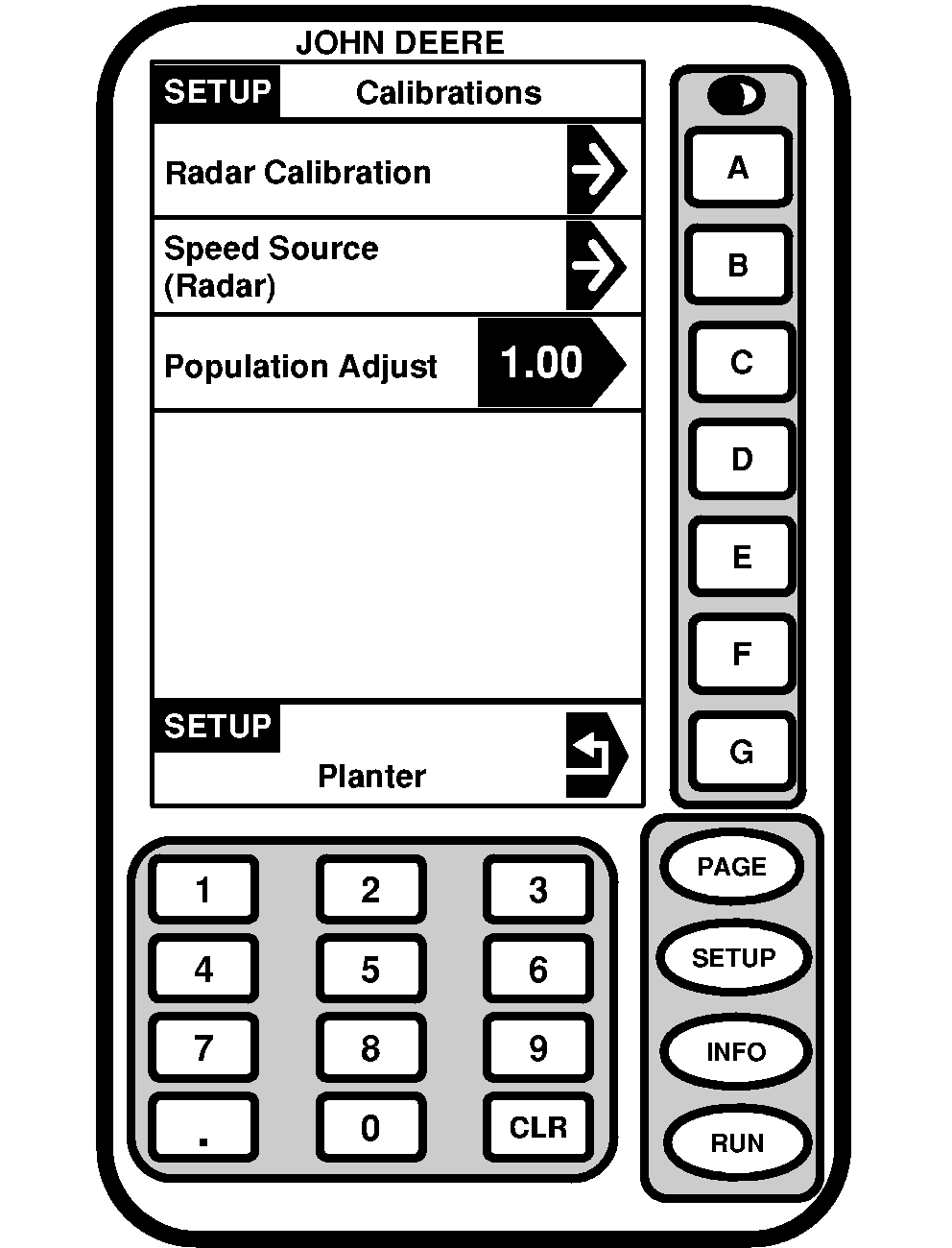
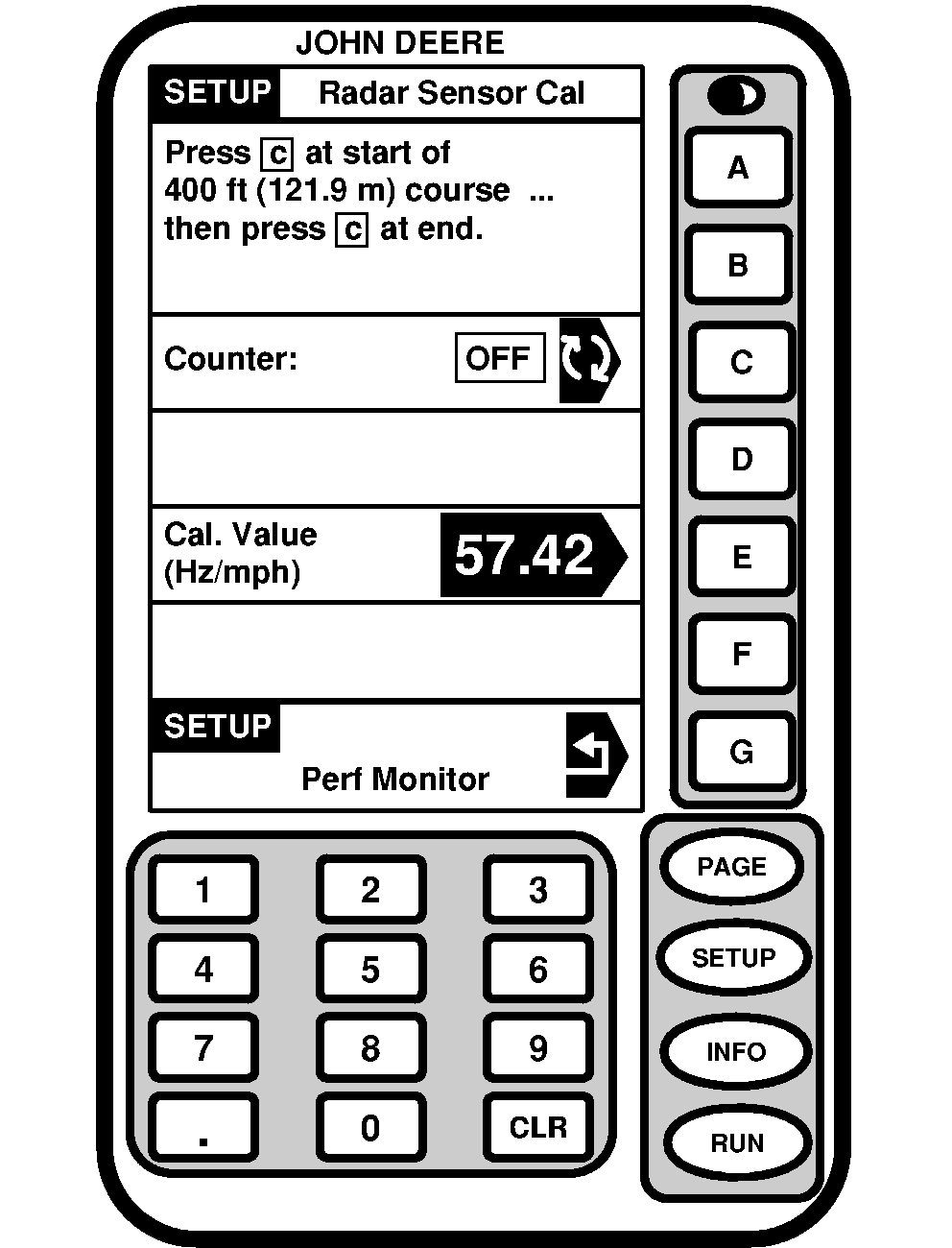
IMPORTANT: GPS speed sources used as radar input must be calibrated using the below procedure to ensure accuracy. GPS speed STARFIRE ™ ITC used for Variable Rate Drive planters may only be used on a John Deere 7000/7010/8000/9000 Series tractor. These tractors have a backup speed source that will automatically switch if GPS speed becomes erratic or lost. GPS cannot be used as a speed source on tractors built by other manufacturers. 1. Press SETUP-Planter-Calibrations-Radar Calibration. 2. Lay out a 122 m (400 ft) straight line course. 3. Driving at approximately 3.2 km/h (2 mph), press key C to start counter as front tractor tires pass the opening marker of the course. Calibration window will show number count during travel. 4. Press key C to stop counter as front tractor tires pass the closing marker of the course to end calibration. "Radar Sensor Calibration Finished" should be displayed along with the radar calibration value. This value is automatically entered into the monitor's memory. Pressing the stop key before the closing marker may produce a "Radar Sensor Calibration Error" message if more feedback signals are needed for calibration. Error message can also display when feedback signal is outside the normal range of 1 Hz to 150 Hz. 5. Write down calibration value, perform calibration two more times, average the three numbers and manually enter the average value in the Calibration Value window. |
|
STARFIRE is a trademark of Deere & Company | MH81805,00007FC -19-15JUN06-2/4 |
| 6. If "Radar Sensor Calibration Error" interrupts the active procedure, check that sensor lens is clean and cable connections are tight; then run test. |
MH81805,00007FC -19-15JUN06-3/4 |
|
7.
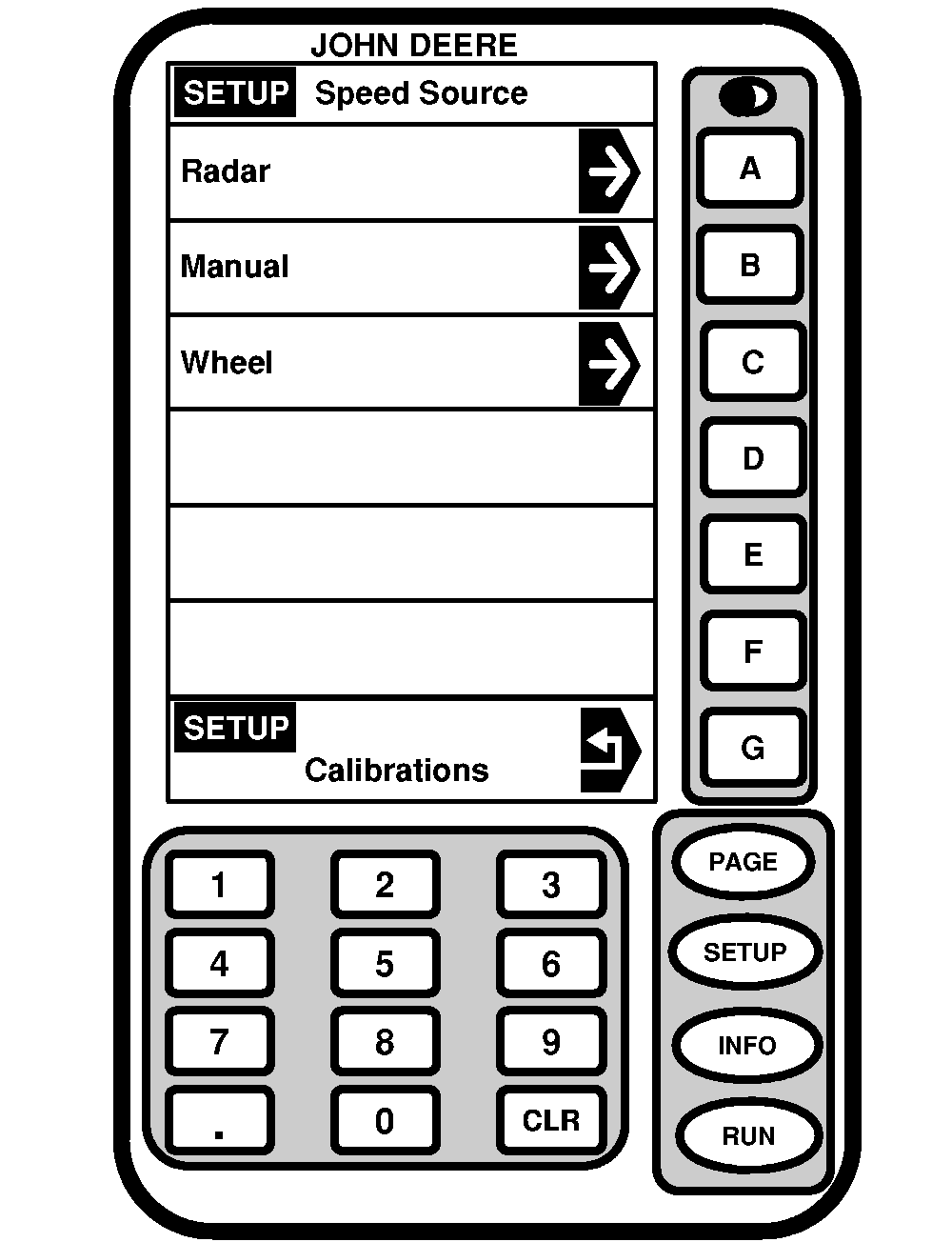
Press SETUP-Planter-Calibrations-Speed Source.
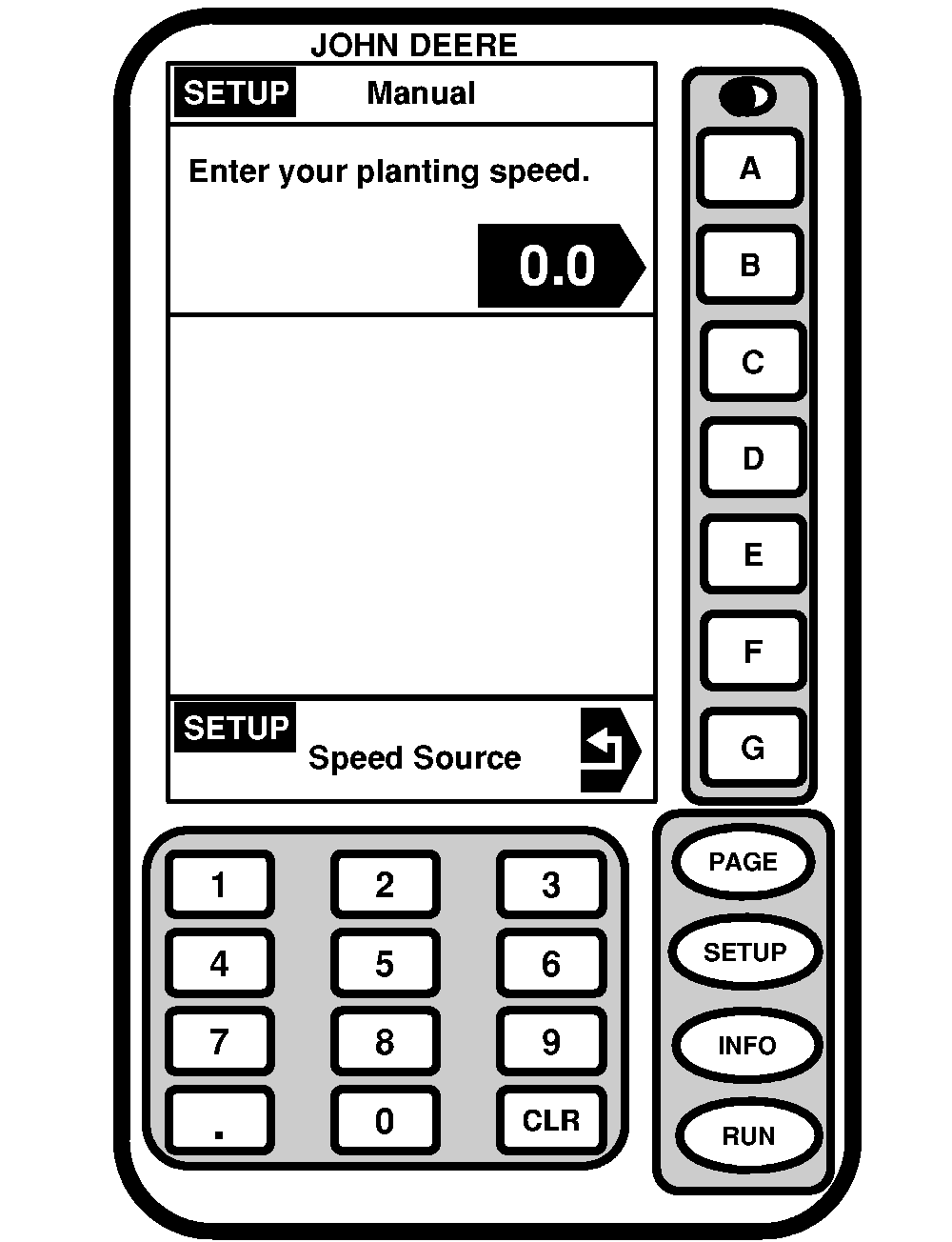
IMPORTANT: When a speed is entered manually, the monitor believes the planter is traveling at that speed at all times. If the actual speed varies, false population warnings may appear and the area counter will not be accurate. Use the radar whenever possible. IMPORTANT: Radar unit must be plugged into harness for manual input to function. If radar is disconnected, speed will read zero in all cases and monitor will not function properly. 8. When the radar will be used as a speed source, press "Radar". If the radar malfunctions or is not used, a planting speed can be entered manually by pressing "Manual" and entering an intended planting speed. "Wheel" option will be available on 8000 and 9000 series tractors. Select this option to use tractor wheel as speed source (even if tractor has radar). This option can be used in very windy or dusty conditions when radar is affected by objects passing in front of beam. |
|
MH81805,00007FC -19-15JUN06-4/4 |