Assign Motor-Rows, Sprockets, and Width DisconnectIMPORTANT: Frame configuration must be completed first or VRD configuration will not be correct. 1. Select Menu >> Planter button >> Configure softkey >> VRD tab. 2. Select Motors: drop down box and enter the number of motors on machine. 3. Select Motor Setup for each motor, one at a time, and enter the following. NOTE: Row number one is always on left side of machine.
4. Select Frame tab. NOTE: Message not displayed on half screen layout. 5. Select Clutch Disconnect Warning check box to enable or disable the partial width alarm. When enabled, a full page warning displays for five seconds whenever a clutch is disengaged, a message is displayed on bottom line of full page run screen, and monitor beeps every 15 seconds as a reminder. |
|

OUO6074,0000FAE -19-18NOV07-1/2 |
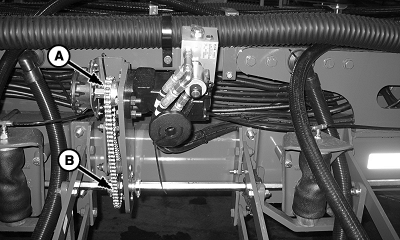
| Machine | Drive Gear (Motor Sprocket) | Driven Gear (Drillshaft Sprocket) |
|---|---|---|
| All 1790 Machines | 18 | 36 |
| 1770NT (12, 16, and 24 Row) with Mechanical Meters and Cable Drive | 27 | 29 |
| All Other Machines and 1770NT Configurations | 18 | 29 |
|
|
OUO6074,0000FAE -19-18NOV07-2/2 |