AlarmsWhen an alarm is active, an on-screen message appears, to notify the operator of the current condition. To enable and disable alarm sensors: 1. Select Menu button >> Drill Application icon >> Function Toggle icon until icon set 2 is displayed >> select Setup icon.2. Select Next Page icon. 3. Checkmarks indicate each sensor as active. Highlight and select to remove checkmark and disable alarms. 4. The following alarms can be enabled and disabled:
|
|


NS43404,000007A -19-17NOV08-1/15 |
|
Alarm Screens
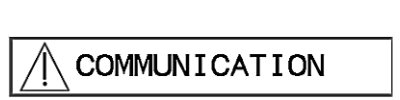
No data communication-Check all cable connections. |
|
NS43404,000007A -19-17NOV08-2/15 |
|
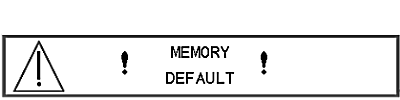
Memory default-Memory has defaulted to factory settings. This is caused by operator error or a faulty circuit board.-Re-enter all settings. If error recurs replace circuit board. |
|
NS43404,000007A -19-17NOV08-3/15 |
|
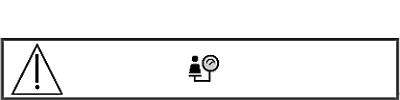
Output values do not match calibration values-Reset calibration and machine values, run calibration test, check output. |
|
NS43404,000007A -19-17NOV08-4/15 |
|
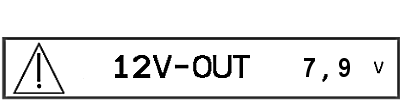
Low or no voltage to electrical system-Check battery, cables, and fuses. |
|
NS43404,000007A -19-17NOV08-5/15 |
|
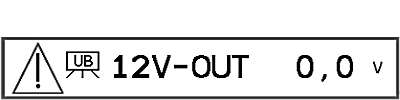
Low or no voltage at controller-Check battery, cables, and sensors. |
|
NS43404,000007A -19-17NOV08-6/15 |
|
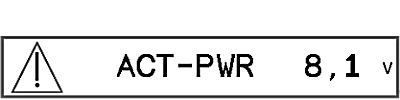
Low operating voltage for motors or hydraulic system-Check battery, cables, and fuses. |
|
NS43404,000007A -19-17NOV08-7/15 |
|
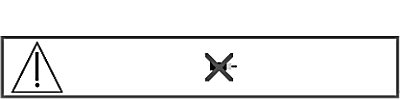
Metering motor not turning-Check cables and fuses. |
|
NS43404,000007A -19-17NOV08-8/15 |
|
NS43404,000007A -19-17NOV08-9/15 |
|
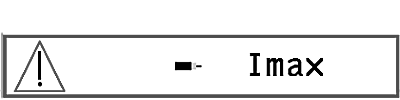
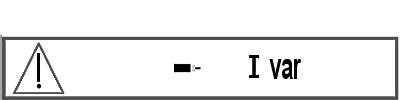
Metering unit drawing high current level-Check motors and cables. Check for seed blockage or restrictions. |
|
NS43404,000007A -19-17NOV08-10/15 |
|
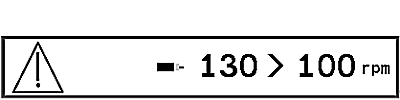
Metering device drive motor speed too high or low-Correct forward drive speed. |
|
NS43404,000007A -19-17NOV08-11/15 |
|
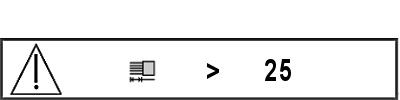
Incorrect metering device settings-Check settings. |
|
NS43404,000007A -19-17NOV08-12/15 |
|
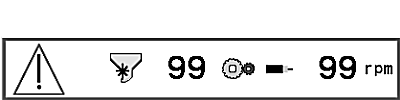
Metering device speed not matched to selected meter record-Check record settings, meter settings, and calibrate as needed. Check meter sensor. |
|
NS43404,000007A -19-17NOV08-13/15 |
|
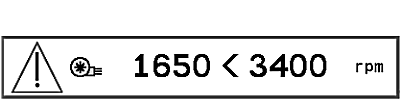
Fan speed too high or low-Adjust fan speed and check min/max value setting. |
|
NS43404,000007A -19-17NOV08-14/15 |
|
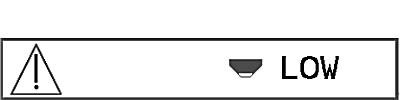
Low seed level in hopper-Press OK key to continue or refill hopper. |
|
NS43404,000007A -19-17NOV08-15/15 |