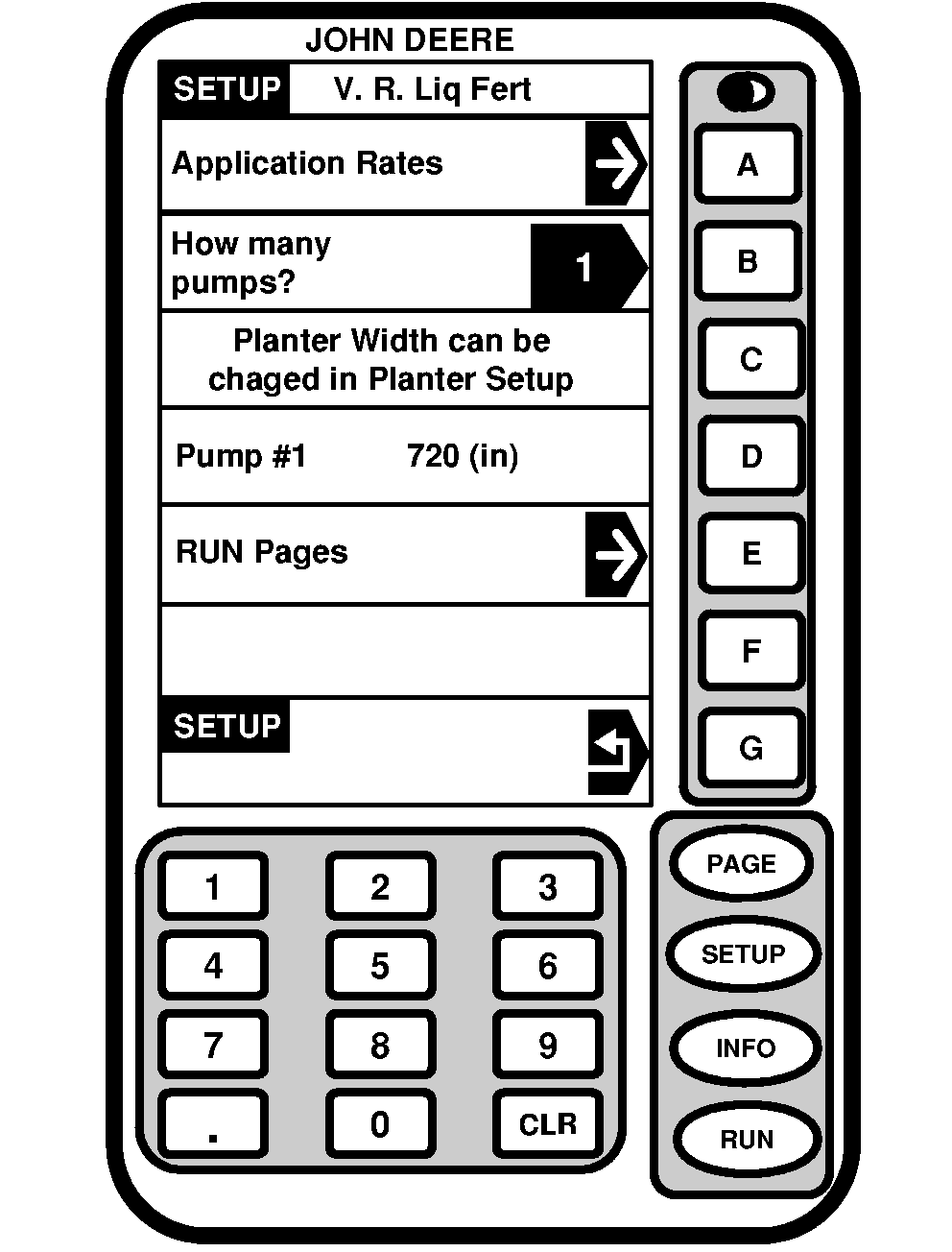
Application Rates1. Select SETUP >> V. R. Liq Fert . 2. Select key B and enter number of pumps on machine.3. Select Application Rates option. |
|
OUO6074,0001077 -19-13NOV07-1/3 |
|
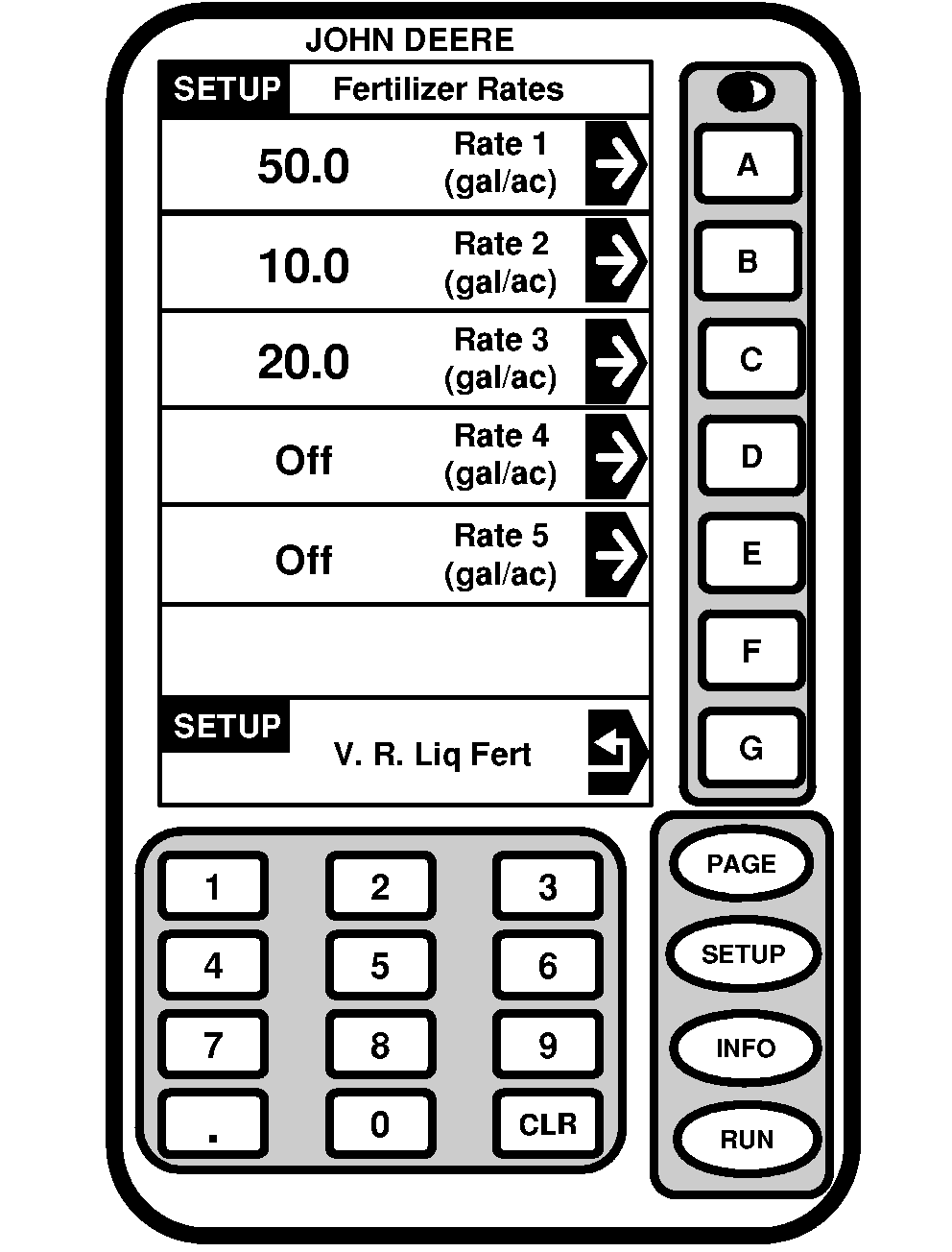
NOTE: If two pumps are entered, setup pumps to apply identical rates or different rates. 4. Select keys A-E to setup rates. |
|
OUO6074,0001077 -19-13NOV07-2/3 |
|
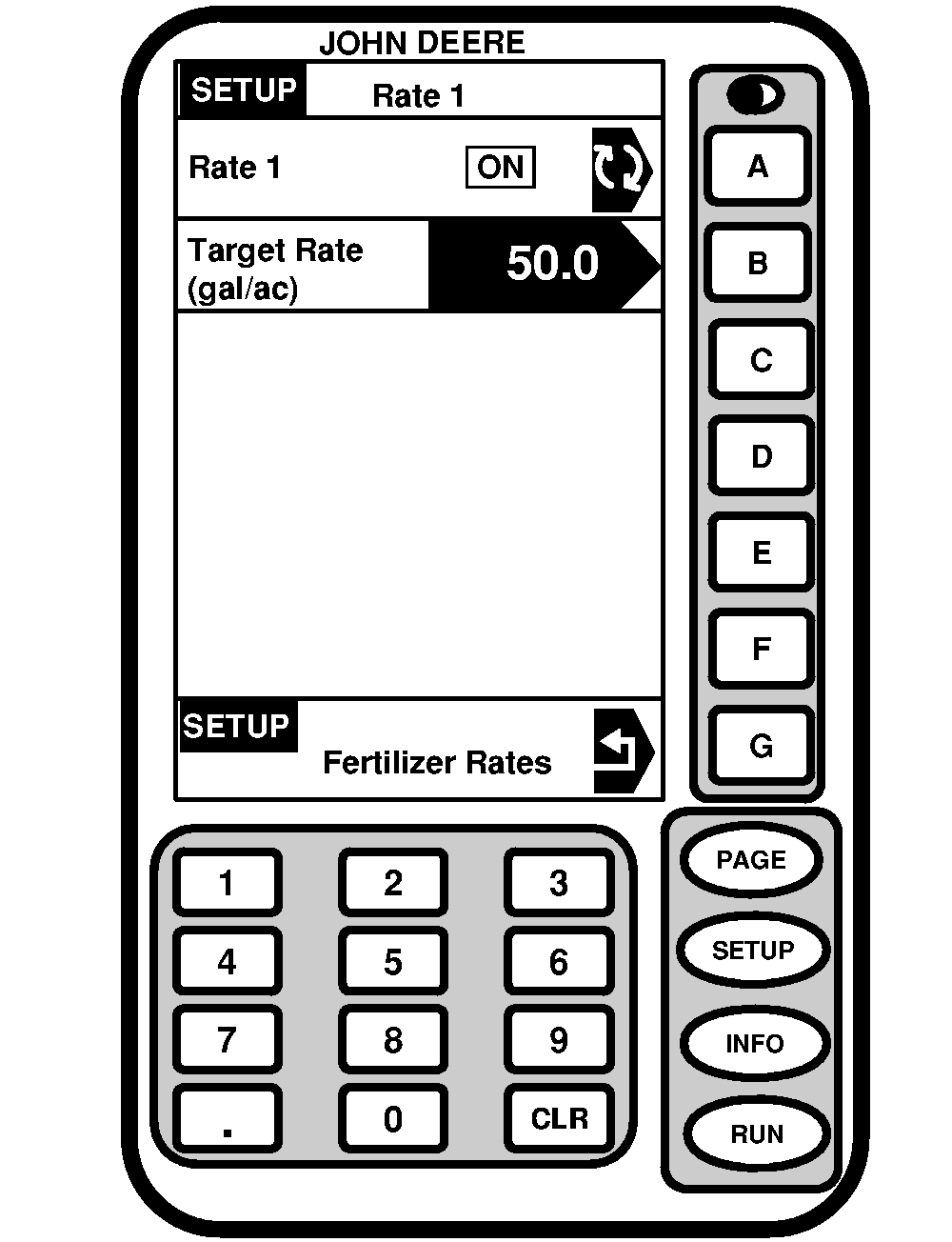
5.
Select key
A
to toggle rate On or Off. The rate is only available as an option on the RUN page if it is turned on.
6. Select key B to enter a rate with numeric keypad. |
|
OUO6074,0001077 -19-13NOV07-3/3 |