Configure 1890 with Dual Row Spacing |
|
|
|
1.
Select primary
Menu
button >>
Blockage
button >>
Blockage Configuration
softkey.
2. Select and check the Yes check box next to 1890. 3. Select Implement Width drop-down box. Select machine width. 4. Select and check the rank or ranks that are Active . 5. Select the Wizard button. 6. Select input box next to active ranks and enter the number of towers that deliver product to that rank. 7. Select Primary Only or All Run blockage. Primary Only blockage contains only one blockage sensor on a secondary hose per tower. 1. Select Next Page button.2. Select input box next to each tower label and enter the sensor number. The sensor number is on a tag at the end of the harness connected to each tower. 3. Select Enter button. All Run blockage contains one blockage sensor on every secondary hose. 1. Select Next Page button.2. Select Serial Number drop-down box next to each tower label and enter serial number of module. Module (A) serial number and tower label (B) are located on each module. |
|

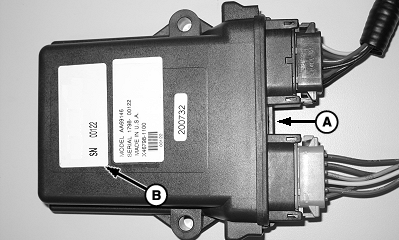
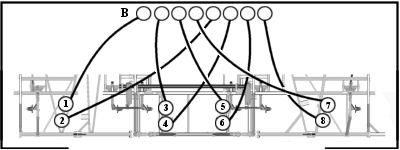
OUO6074,0000001 -19-29MAY09-1/3 |
| 3. Enter number of sensors on each tower in input box. |
OUO6074,0000001 -19-29MAY09-2/3 |
|
4.
Select
Blockage Configuration
button on lower area of screen.
5. Select each tower button to activate or deactivate all sensors on tower. Green is active. An X is inactive. All Run Only: Select individual row buttons to activate or deactivate rows. White is active. An X is inactive. Select Next Page or Previous Page buttons to cycle through screens. Select Enter button when complete.
|
|
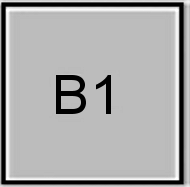
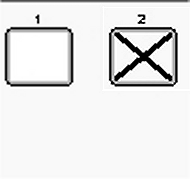
OUO6074,0000001 -19-29MAY09-3/3 |