Use of F-AVG (Fast Average)
NOTE: This is primarily used for grain drills with EPRC (Electronic Population Rate Control) and CCS Seed Metering systems.
NOTE: The monitor is capable of updating every second.
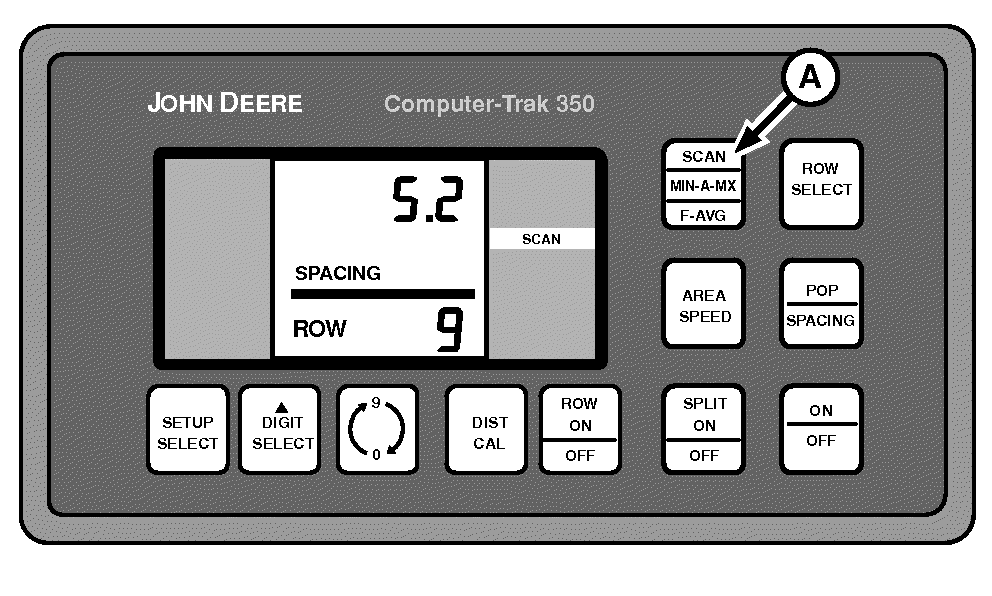
A49818-UN-09AUG02
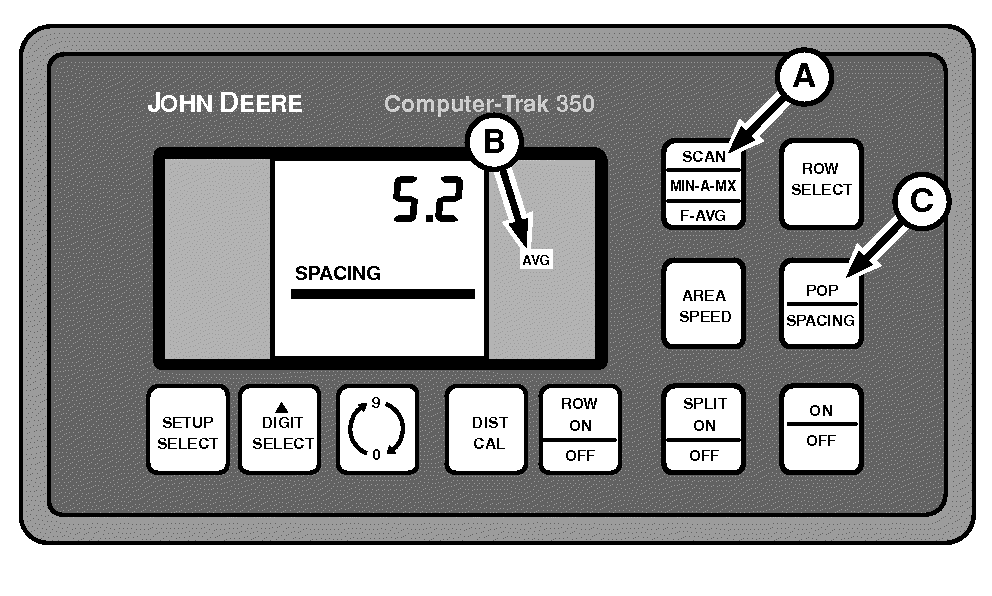
A49819-UN-03SEP02
A - SCAN Switch
B - AVG
C - POP-SPACING Switch
F-AVG (Fast Average) updates the displayed reading faster than standard SCAN, but can fluctuate more. F-AVG works well for EPRC and CCS Seed Metering applications when changing population values based on monitor readings.-
Press SCAN switch (A) until AVG (B) is displayed in right-hand column, to activate Fast Average monitoring.
-
Press POP-SPACING switch (C) to alternate between population and seed spacing readouts.
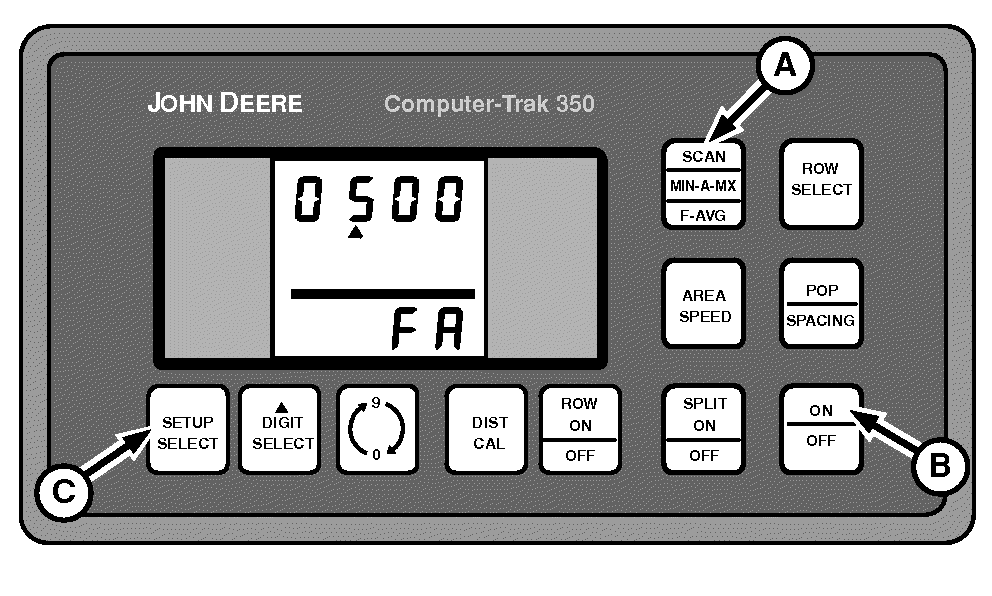
A49820-UN-09AUG02
A - SCAN Switch
B - Power Switch
C - SETUP SELECT Switch
The monitor updates population values every second or after counting a predetermined number of seeds, whichever is greater. To change F-AVG SEED COUNT proceed as follows:-
Turn monitor off.
-
Hold SCAN switch (A) while turning monitor back on.
-
Release SCAN switch.
-
NOTE: Fast average screen remains available in setup mode until monitor is powered off.
Press SETUP SELECT switch (C) until “FA” is displayed on bottom of screen.
-
NOTE: Any number from 50 to 9999 can be entered.
Use DIGIT SELECT and 0-9 switches to enter TOTAL number of seeds that must be counted across ALL rows before fast average screen updates.
Example:
If fast average is set up to count 200 total seeds, the fast average display updates as soon as 200 seeds are counted or after one second, whichever takes longer.
|
OUO6045,00000BF-19-20090310 |