Monitor Area-Speed
NOTE: The monitor only displays a decimal point up to 999.9. Further area readings are displayed as whole numbers (1000, 1001, 1002). If a decimal point is desired, it can be necessary to reset display to 000.0. See AREA COUNTERS 1 AND 2 in ComputerTrak™ 350 Monitor Setup section.
A52090-UN-28MAR03
A52089-UN-28MAR03
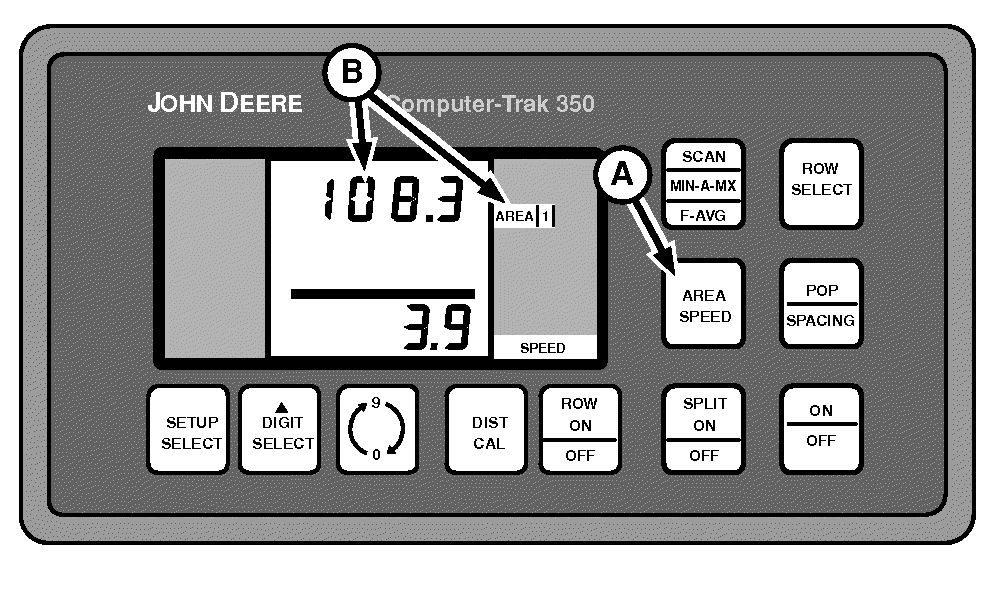
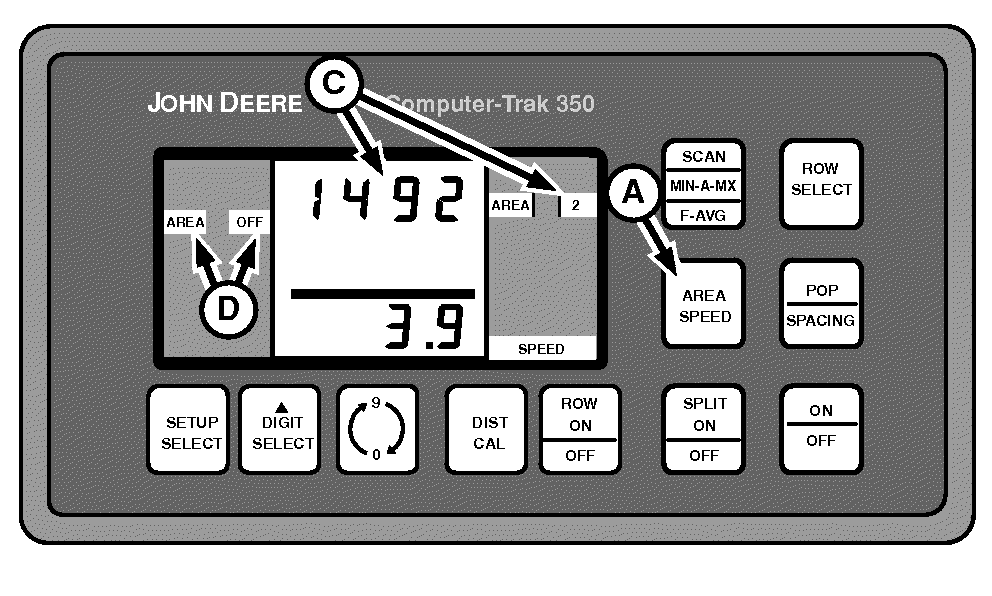
A - AREA SPEED Switch
B - AREA 1
C - AREA 2
D - AREA OFF
Press AREA SPEED switch (A) to toggle between AREA 1 (B) and AREA 2 (C) counters.If area counter is turned off, AREA OFF (D) appears in left-hand column. AREA OFF does not appear in left-hand column when area counter is turned on. To turn area counters on and off or to reset counters, see AREA COUNTERS 1 AND 2 in ComputerTrak™ 350 Monitor Setup section.
|
OUO6045,00000C3-19-20090206 |