Distance Counter Mode
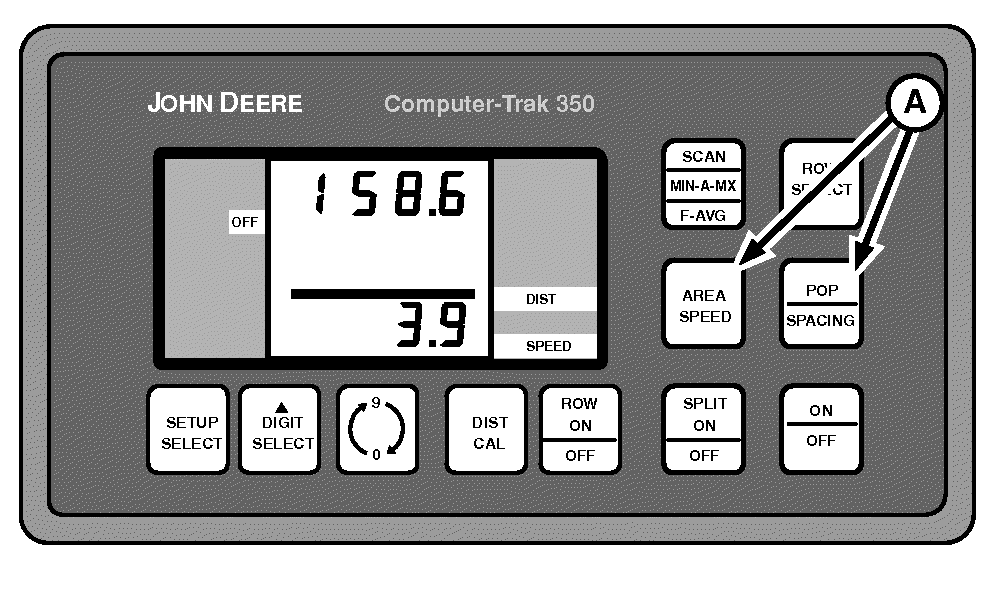
A49623-UN-26JUL02
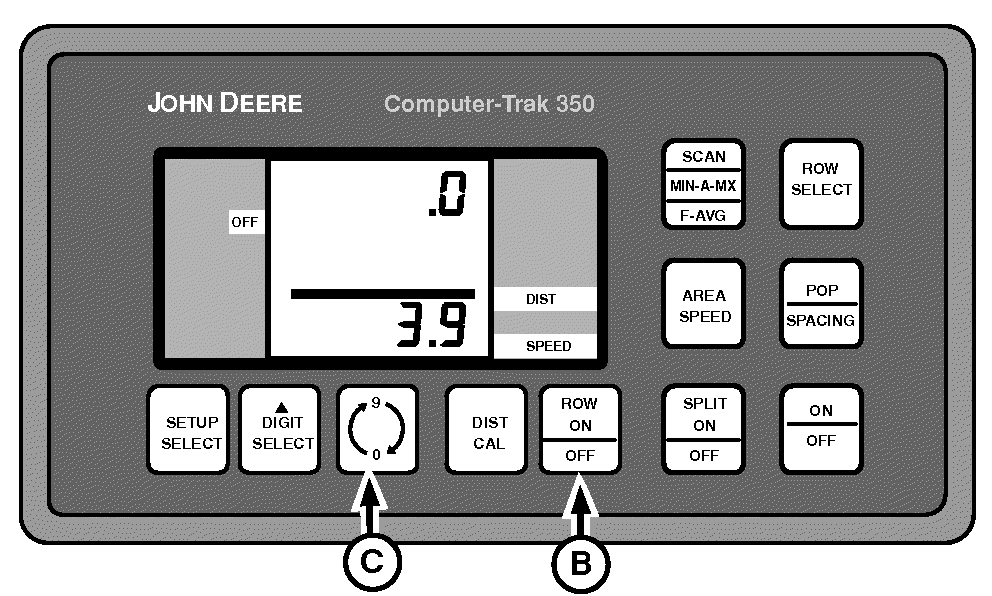
A49624-UN-26JUL02
A - AREA SPEED and POP-SPACING
B - ROW ON-OFF Switch
C - 0-9 Switch
Distance Count Mode allows the operator to measure distance traveled based on radar information.To enter this mode, press AREA SPEED and POP-SPACING (A) simultaneously. DIST and SPEED are displayed in lower right-hand corner of display. Current speed is displayed on bottom portion of screen.
Press ROW ON-OFF switch (B) to turn distance counter ON and OFF.
Press 0-9 switch (C) to reset counter to zero.
To exit this function, press SCAN, ROW SELECT, AREA SPEED, POP-SPACING, or SETUP SELECT.
|
OUO6045,00000C5-19-20090202 |