View the Monitor History (Planter Mode)
A49614-UN-26JUL02
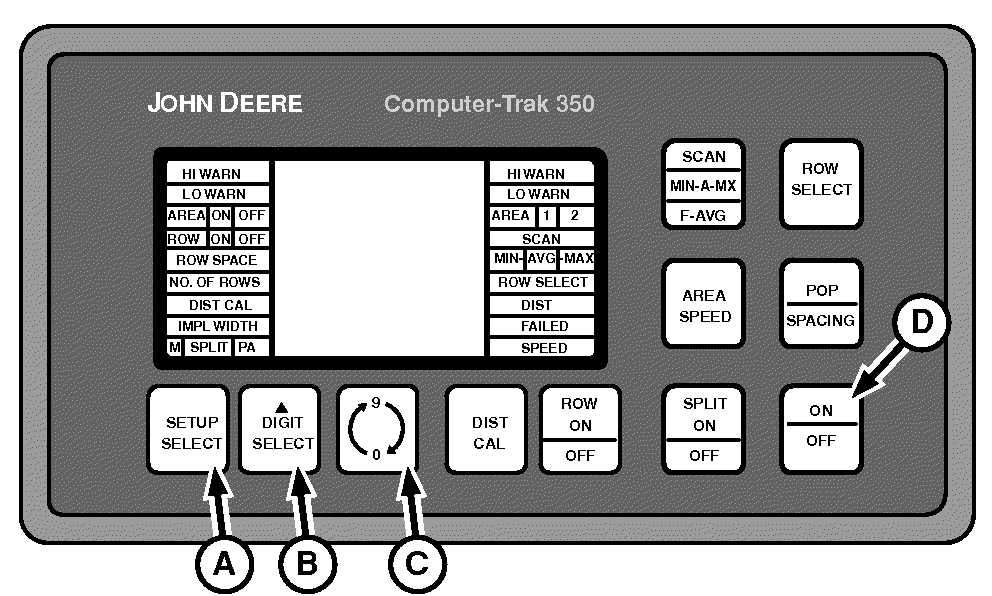
A - Setup Select
B - Digit Select
C - 0-9 Switch
D - On-Off Switch
There is monitor data stored in the permanent memory.Turn off the monitor.
To access stored data, press and hold SETUP SELECT (A), DIGIT SELECT (B), and 0-9 (C) switches simultaneously. While holding all three switches, press ON-OFF switch (D). When the monitor powers on, release all switches.
A52117-UN-28MAR03
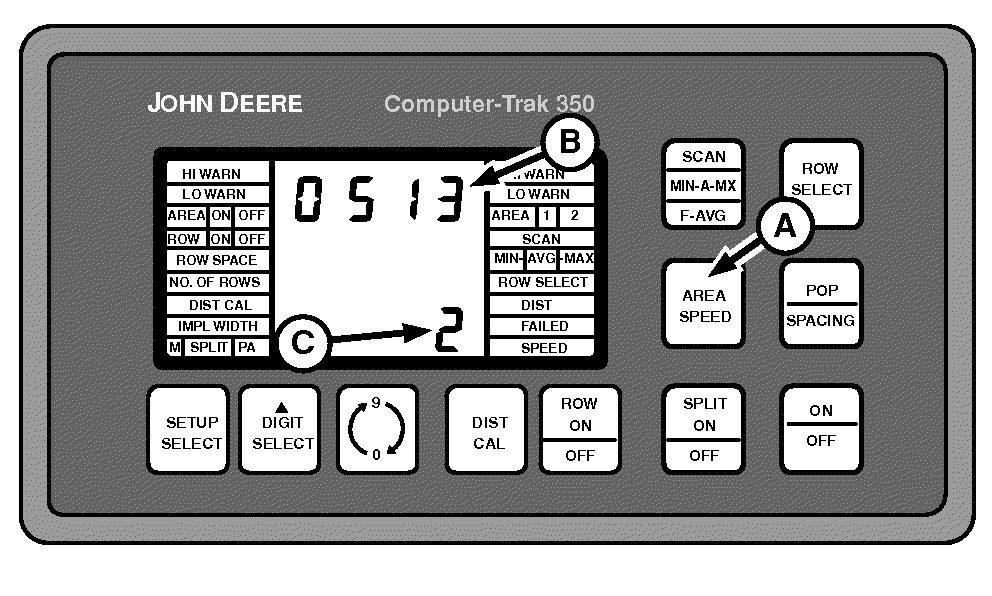
A - AREA SPEED Switch
B - Upper Display
C - Lower Display
Press AREA SPEED switch (A). The upper display (B) shows total area accumulated up to 9 999. The lower display (C) shows the number of times the total area has reached 10 000. The display at right shows 20 513 accumulated.|
OUO6045,00000CC-19-20150716 |