Meter Calibration
-
A71133-UN-11APR11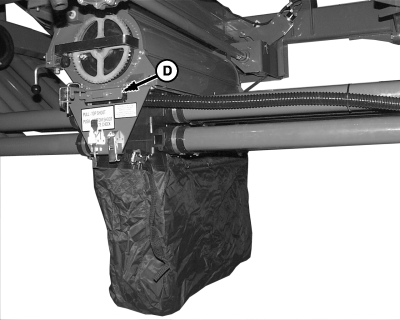
A70723-UN-16FEB11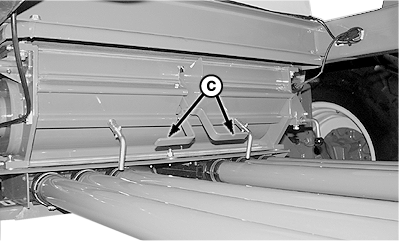
A59867-UN-01APR07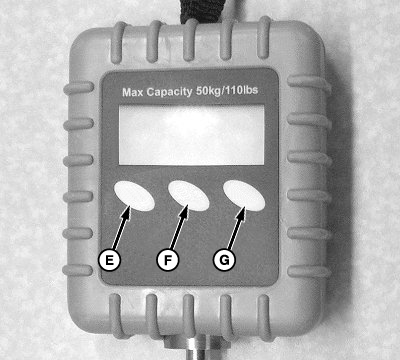
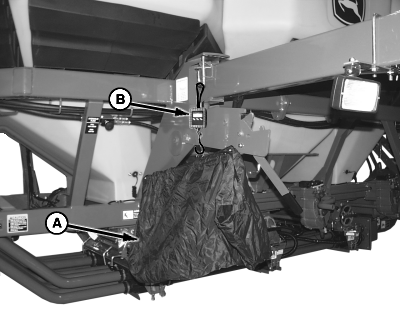
A71134-UN-11APR11A - Collection Bag
B - Scale
C - Half Width Handles
D - Slide
E - ON/OFF
F - ZERO
G - MODE
Set up monitor and meter cartridges before calibration. -
NOTE: To calibrate more than one meter at a time, a separate scale must be used for each meter. Collection bags weigh different amounts and have a different zero reference on scale.
Choose a tank and meter to calibrate.
-
Fill tank with enough product to cover meter inlets completely throughout calibration procedure.
-
For best results, seed for 2 hectares (five acres) before calibration to loosen product in bottom of tank.
-
Turn electric scale ON by pressing button (E).
-
Alter between Kilograms and Pounds by pressing MODE button (G).
-
Hang empty collection bag (A) from scale (B) and press ZERO button (F). If more than one bag and scale are used, label bags and scales as matched sets.
-
Remove cover plate from bottom of meter and install collection bag.
-
Move half width handles (C) to fully lowered position.
-
Set slide (D) to double shoot position.
-
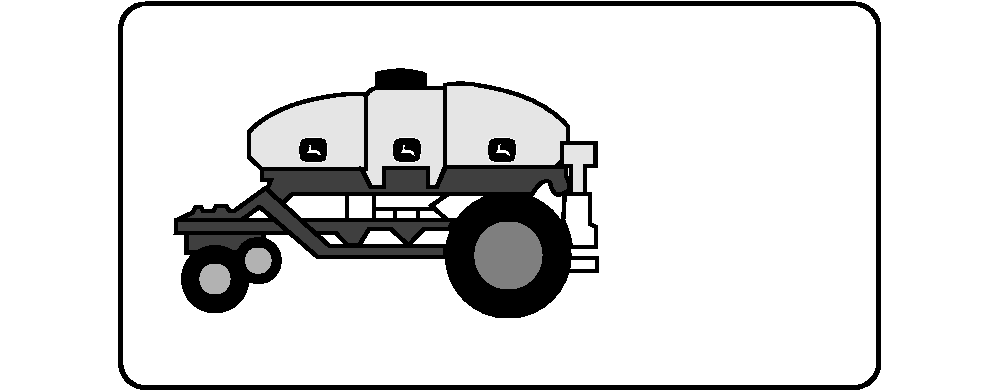
A59671-UN-14JAN08Air Cart Button
A59847-UN-25JAN08Meters Softkey

A59871-UN-01APR07Calibration Button
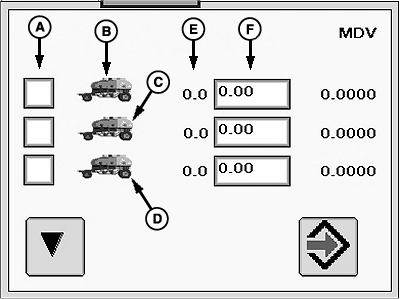
A59866-UN-31MAR07Meter Calibration Screen
A - Meter Calibration
B - Front Tank
C - Middle Tank
D - Rear Tank
E - Number of Meter Rotations
F - Weight Measured in Bag
Select primary Menu button >> Air Cart button >> Meters softkey >> Cal tab. -
Select Meter Calibration (A) check box for the tank being calibrated at this time.
-
Select Calibration button.
-
IMPORTANT: Stand clear to avoid injury. When hydraulic calibration is activated, meter components rotate.
NOTE: Hold calibration switch
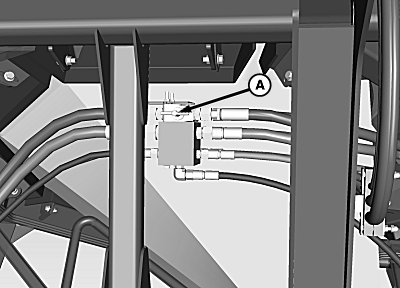
A73111-UN-17OCT11Hydraulic Diverter
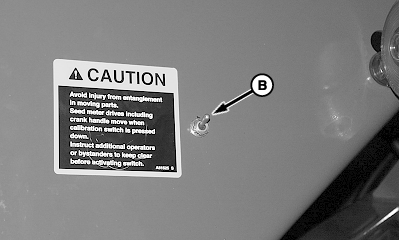
A59869-UN-22JAN08Hydraulic Calibration Switch
A - Hydraulic Diverter
B - Hydraulic Calibration Switch
Activate calibration switch (B) to rotate meter. -
Empty product from calibration bag. Meter is now full of product and ready for calibration.
-
Reinstall calibration bag under meter and select Enter (Continue) button.
-
Activate calibration switch, or drive forward until meter stops turning.
-
A71133-UN-11APR11
A59872-UN-14JAN08Weight Input Box
A - Collection Bag
B - Scale
Hang collection bag (A) on scale (B) and weigh product. -
Select Weight input box next to the tank calibrated and enter bag weight.
-
Select Enter. The Meter Displacement Value (MDV) appears next to input box. The MDV is transferred automatically to the meter setup screen.
-
Select Setup tab.
-
Select the tank that was calibrated from the drop-down.
-
Repeat procedure for other tanks calibrated.
-
Set double shoot slides, half width handles, and hydraulic diverter valve back to original positions.
Screen Area Information
Air Cart - Air Cart
Meters - Meters
Cal - Calibration
MDV - Meter Displacement Value
Setup - Setup
Front - Front
Middle - Middle
Rear - Rear
Custom - Custom
|
LD45720,00004D4-19-20111213 |