Calibrating Insecticide/Herbicide Meter
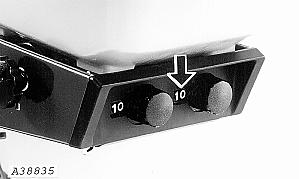
A38835-UN-19DEC95
If it should ever become necessary to recalibrate the granular meter on insecticide/herbicide hopper, proceed as follows:
-
Turn knob on rear of hopper to a setting of "10".
-
Remove hopper and turn it upside down on a flat surface.
-
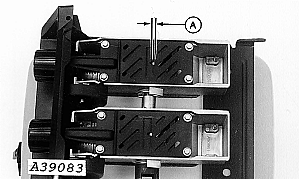
A39083-UN-17JAN96A - V-Notch Opening
Measure the V-notch opening (A) on the meter gate. The opening should be set to a specified width.
If measurement is to specification, the meter is calibrated correctly. If measurement is not to specification, the meter must be recalibrated.Item Measurement Specification V-Notch Opening Width 4 mm (0.160 in.) -
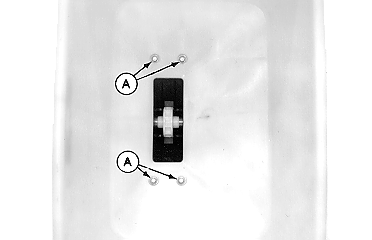
A41132-UN-21APR97Single Meter
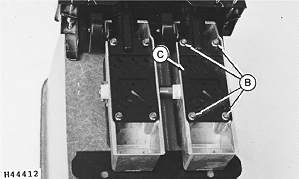
H44412-UN-20MAY92A - Cap Screws, M6 x 20
B - Cap Screws, M6 x 16
C - Cover
Remove four M6 x 20 cap screws (A) securing meter to hopper. Remove meter from bottom of hopper. -
Remove four M6 x 16 cap screws (B). Remove gate cover (C).
-
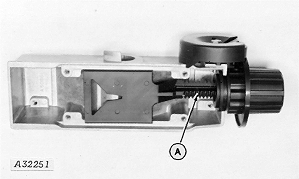
A32251-UN-12OCT88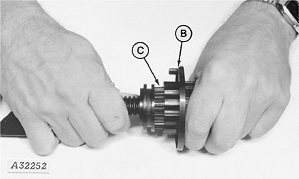
A32252-UN-12OCT88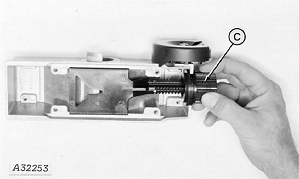
A32253-UN-12OCT88A - Plastic Gate Assembly
B - Knob
C - Nut
Remove entire plastic gate assembly (A) from aluminum housing. -
Work knob (B) back and forth while pulling apart to remove knob from splined nut (C).
-
Turn nut (C) until V-notch opening is to specification.
Item Measurement Specification V-Notch Opening Width 4 mm (0.160 in.) -
Replace the knob on nut so the number “0” lines up with the number “1” on cam follower. The meter should have a setting of “10”.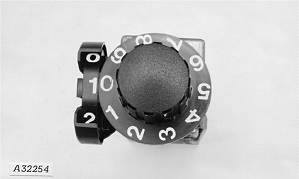
A32254-UN-12OCT88 -
Seat knob to flange on nut.
-
Install gate cover with cap screws previously removed.
-
Install meter on bottom of hopper and attach with cap screws previously removed.
|
AG,OUO6074,1305-19-20050629 |