Adjust Meter Hub
A50298-UN-11OCT02
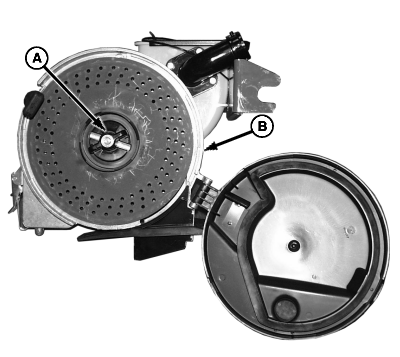
A - Hub Handle
B - Housing
Improve meter accuracy and minimize seed damage with a properly adjusted meter hub. Check this adjustment whenever seed disks are changed. If there is a gap between seed disk and meter housing (B) or if disk is difficult to turn, adjust meter hub as follows.-
Open vacuum meter.
-
Turn hub handle (A) counterclockwise. Remove seed disk.
-
A68171-UN-14JUL10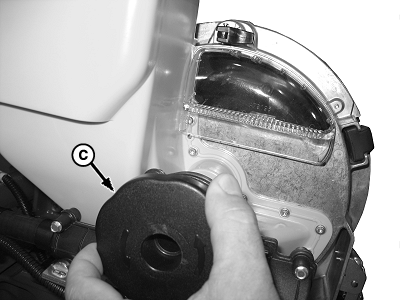
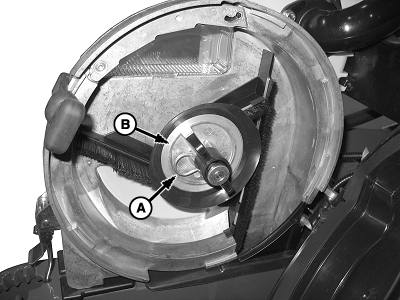
A68172-UN-14JUL10A - Spring Clip
B - Hub
C - Meter Hub Handle
Remove spring clip (A). -
Adjust hub (B).
- Make small adjustments.
- Hold meter hub handle (C).
- Thread hub (B) clockwise to move seed disk closer to meter housing.
- Thread hub (B) counterclockwise to move seed disk away from meter housing.
-
Align slot in hub with hole in shaft and install spring clip (A).
-
A61059-UN-16OCT07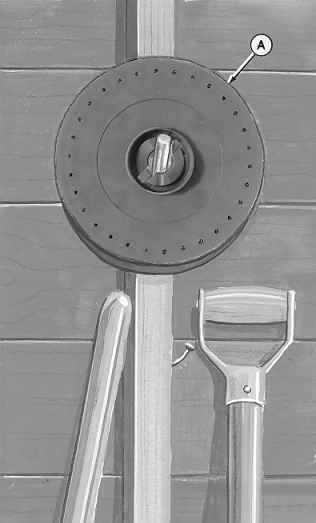
A44241-UN-19NOV97Storage
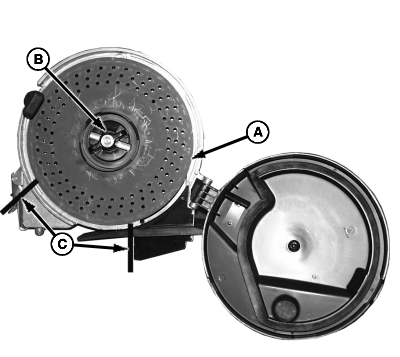
A - Seed Disk
B - Hub Handle
C - Area
Install seed disk (A) and lock hub handle (B). -
Inspect adjustment.
-
Spin and release disk rapidly by hand.
-
Observe distance disk rotates. If disk rotates approximately one revolution and stops, hub is adjusted properly.
-
Repeat hub adjustment until correct.
-
-
IMPORTANT: Avoid warped disks. Do not store disks in meters. Store disks flat on hub or hang on wall from hub. Do not store under heavy items or hang from seed cell. Store away from high heat and sunlight.
Rotate disk slowly by hand and observe disk contact with housing in area (C). If a gap (large enough for seed to wedge between disk and housing) is apparent as disk is rotated, disk replacement is recommended.
|
OUO6045,00006D9-19-20100714 |