Cleaning Out Pro-Series™XP Seed Hoppers and Vacuum Metering Units
 CAUTION: Avoid injury from crushing. Frame control box PLANT-TRANS
switch must be in TRANS position, service locks must be installed
and the following procedure must be followed as outlined.
CAUTION: Avoid injury from crushing. Frame control box PLANT-TRANS
switch must be in TRANS position, service locks must be installed
and the following procedure must be followed as outlined.
Avoid injury from crushing. When procedure is complete, place tractor selective control valve (SCV) in “Neutral” position before PLANT-/TRANS switch is moved to “PLANT” position.
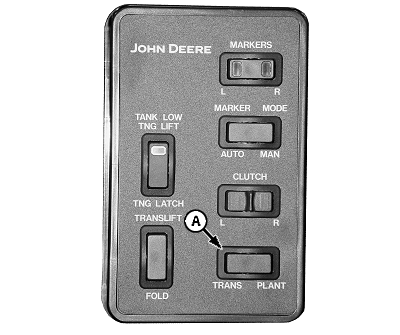
A54595-UN-27JUL04
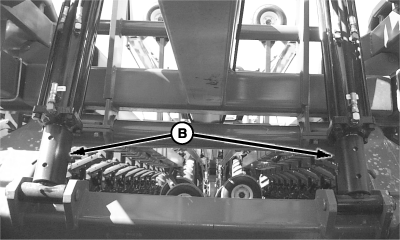
A71110-UN-04APR11
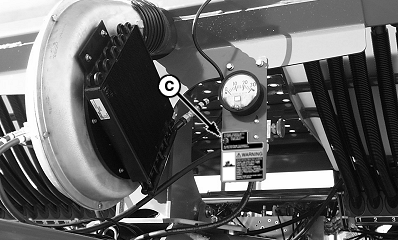
A54397-UN-28JUL04
CCS Fan Switch All DB Series Except DB120
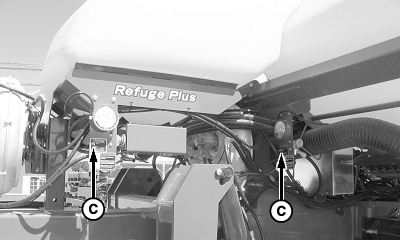
A64621-UN-30APR09
CCS Fan Switches DB120
A - PLANT/TRANS Switch
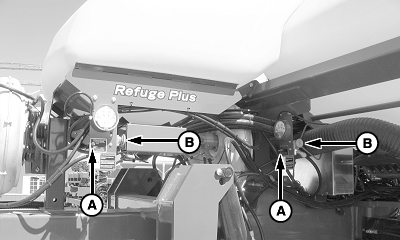
B - Service Locks
C - Purge/Plant Switch
The Purge-Plant switch (C) allows the fan to operate while machine is in a raised position. This enables the operator to clean out the CCS tanks and purge the hoses without climbing in and out of the tractor cab. The following procedure must be completed in the order given to avoid possible injury and machine damage.-
Raise machine.
-
Place tractor in park and apply parking brake.
-
Install wing and centerframe service locks (B).
-
Place (frame control box) Plant-Transport switch (A) in Transport position.
-
NOTE: With frame in raised position, the CCS row unit switch disables CCS fan.
Place SCV lever into frame lower-detent position.
-
Purge-Plant switch should already be in PLANT-TANK CLEANOUT position and should remain in that position for tank cleanout.
-
IMPORTANT: Make sure cleanout doors on CCS tanks are closed prior to folding machine or they can be damaged.
NOTE: Purge-Plant switch must be in PLANT-TANK CLEANOUT position or CCS fan forcefully expels seed from cleanout doors.
Cleanout door (B) is used to even out tanks and for a controlled cleanout.
Cleanout door (D) can not be closed once cleanout has been started.
When cleaning tank for certified seed, remove all seed from tank with stiff bristled 1372 mm (4.5 ft.) handle 203 mm (8 in.) wide broom.
Remove any buildup of seed treatment or talc with stiff bristled 1372 mm (4.5 ft.) handle 203 mm (8 in.) wide broom.
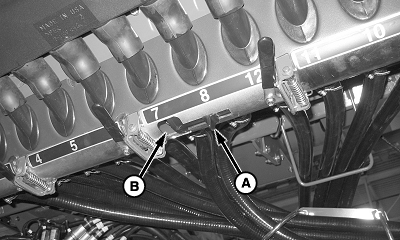
A68219-UN-20JUL10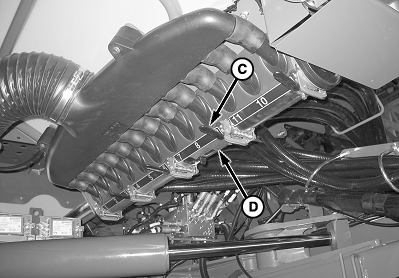
A68218-UN-20JUL10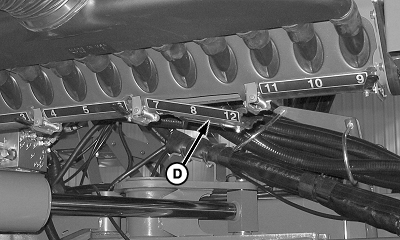
A68220-UN-20JUL10A - Handle
B - Cleanout Door
C - Handle
D - Cleanout Door
Place a container under cleanout doors to catch seed from tank. -
Slide handle (A) to operate cleanout door (B). Once majority of seed has been removed, close door.
-
Rotate lever (C) to open cleanout door (D) to catch remaining seed from tank.
-
Close cleanout door.
-
Repeat for all other cleanout doors.
-
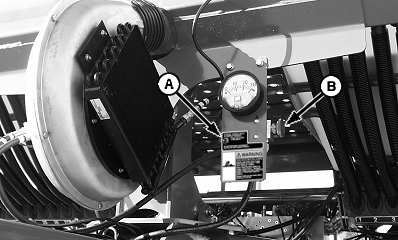
A54379-UN-28MAY04CCS Fan Switch All DB Series Except DB120
A64622-UN-30APR09CCS Fan Switches DB120
A - Purge-Plant Switch
B - CCS Fan Control Knob
Place Purge/Plant switch (A) in PURGE HOSES position. -
Adjust CCS fan control knob (B) until 20 inches of tank pressure is achieved for good delivery hose cleanout.
-
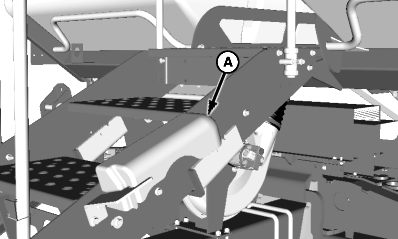
A50099-UN-04SEP02A - Storage Location
Remove seed meter catch pan (A) from storage location. -
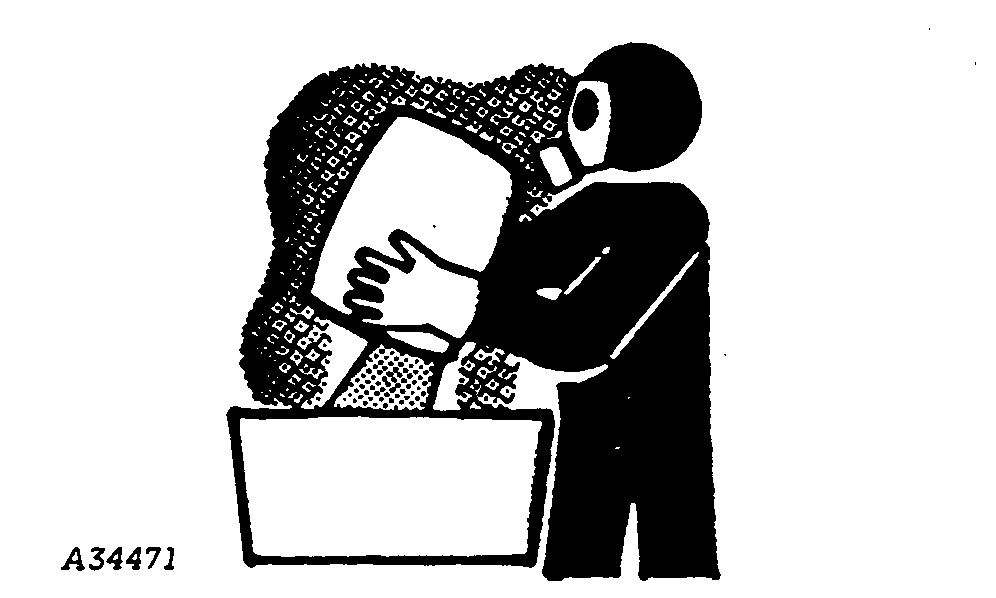
CAUTION: Use caution if using seed treatments when opening meter
doors. Chemical can cause eye, skin, or breathing problems. Wear mask,
gloves, and goggles. Read and follow safety instructions on the chemical
supplier's label.
A34471-UN-11OCT88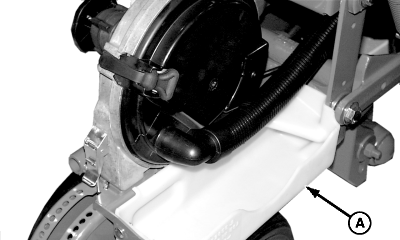
A49902-UN-03DEC02A - Seed Meter Catch Pan
Install seed meter catch pan (A) on row unit as shown, open vacuum meter dome and slowly remove seed disk to purge seed from hose and meter housing. Repeat for all rows. -
Return seed meter catch pan to storage position.
-
CAUTION: Avoid injury from sudden fan start-ups. If switch is
left in PURGE HOSES position, fan will operate any time SCV is activated,
even in folded position.
NOTE: The Purge-Plant switch must be returned to the PLANT-TANK CLEANOUT position for best planter performance.
A54595-UN-27JUL04
A64621-UN-30APR09CCS Fan Switches DB120
A54397-UN-28JUL04CCS Fan Switch All DB Series Except DB120
A71110-UN-04APR11A - PLANT/TRANS Switch
B - Service Locks
C - Purge/Plant Switch
Place Purge-Plant switch (C) in PLANT-TANK CLEANOUT position. -
CAUTION: Avoid injury from crushing. Place tractor selective
control valve (SCV) in Neutral position before PLANT-TRANS switch
(A) is moved to PLANT position.
Place tractor SCV's in “Neutral” position.
-
Remove service locks (B).
-
Place PLANT-TRANS switch (A) in desired position and resume operation.
|
OUO6064,000047F-19-20110419 |