Cleaning Out Delivery Hoses and Vacuum Metering Units
 CAUTION: Avoid injury from crushing. Planter can lower when
CCS fan switch is moved to PLANT/TANK CLEANOUT position. Frame control
box PLANT/TRANS switch must be in TRANS position, service locks must
be installed on frame gauge wheels and lift assist wheels, and the
following procedure must be followed as outlined.
CAUTION: Avoid injury from crushing. Planter can lower when
CCS fan switch is moved to PLANT/TANK CLEANOUT position. Frame control
box PLANT/TRANS switch must be in TRANS position, service locks must
be installed on frame gauge wheels and lift assist wheels, and the
following procedure must be followed as outlined.
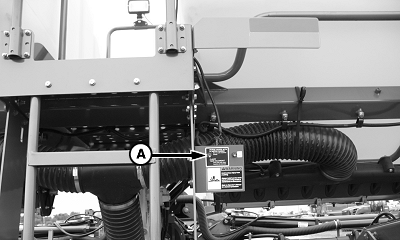
A63283-UN-17SEP08
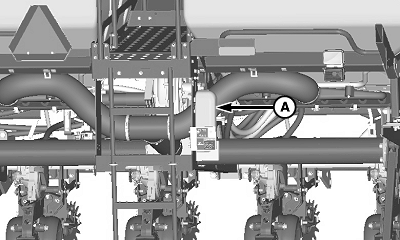
A - Purge/Plant Switch
The Purge/plant switch (A) allows the fan to operate while machine is in a raised position. This enables the operator to clean out the CCS tanks and purge the hoses without climbing in and out of the tractor cab. The following procedure must be completed in the order given to avoid possible injury and machine damage.-
Raise machine and install lift assist wheel cylinder service locks.
-
Place tractor in park.
-
NOTE: With frame in raised position, the CCS row unit switch disables CCS fan.
Place CCS fan hydraulic SCV lever into retract-detent position.
-
Ensure that Purge/Plant switch is in PLANT/TANK CLEANOUT position.
-
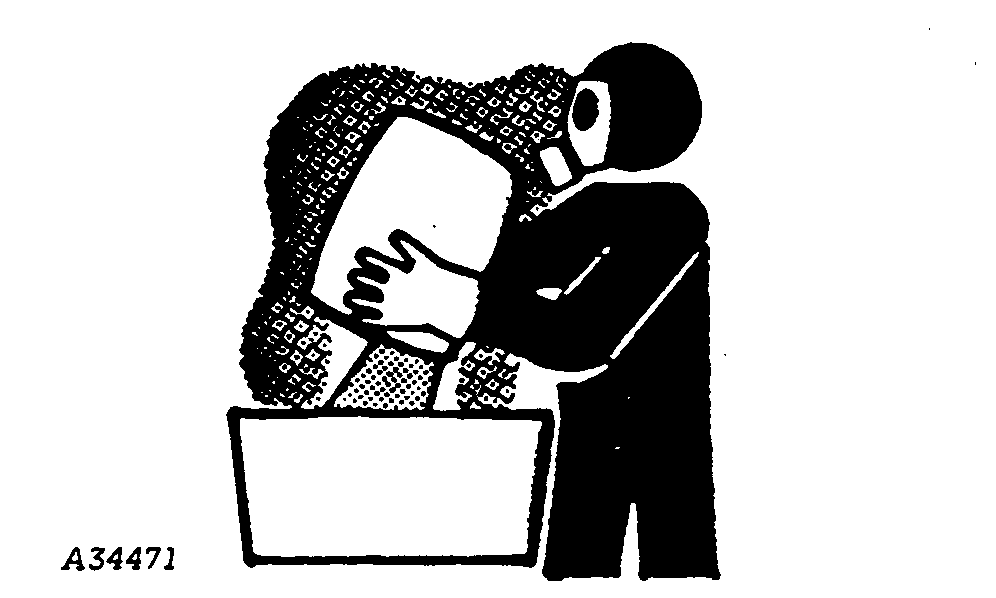
CAUTION: Use caution if using seed treatments when opening meter
doors. Chemical can cause eye, skin, or breathing problems. Wear mask,
gloves, and goggles. Read and follow safety instructions on the chemical
manufactures label.
IMPORTANT: When cleaning tank for certified seed, remove all seed from tank with stiff bristled 1372 mm (4.5 ft.) handle 203 mm (8 in.) wide broom.
IMPORTANT: Remove any buildup of seed treatment or talc with stiff bristled 1372 mm (4.5 ft.) handle 203 mm (8 in.) wide broom.
IMPORTANT: Make sure cleanout doors on CCS tanks are closed before folding machine or they can be damaged.
A34471-UN-11OCT88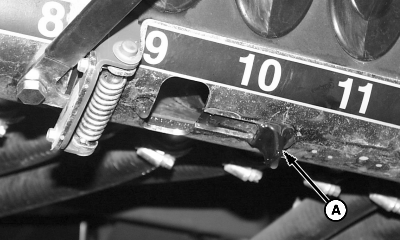
A52501-UN-01JUN04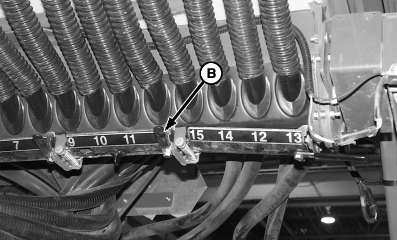
A54392-UN-01JUN04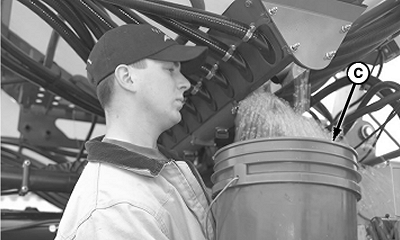
A54393-UN-01JUN04A - Slide Door
B - Cleanout Door
C - Bucket
If tanks contain large amounts of seed, use slide door (A) to reduce seed to a manageable level. Once cleanout doors (B) are open they cannot be closed completely until seed stops flowing. Repeat on each tank. -
NOTE: Purge/Plant switch must be in TANK/CLEANOUT position or CCS fan forcefully expels seed from cleanout doors.
Place a bucket (C) or other container under cleanout door (B) and open door to clean out remaining seed.
-
Close cleanout door.
-
Repeat on remaining cleanout doors.
-
A63283-UN-17SEP08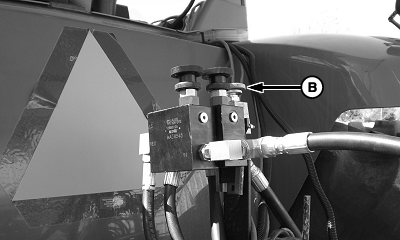
A63284-UN-17SEP08A - Purge/Plant Switch
B - CCS Fan Control Knob
Flip Purge/Plant switch (A) to the PURGE HOSES position. -
Adjust CCS fan control knob (B) until 24 inches of tank pressure is achieved to guarantee good cleanout.
-
A63289-UN-18SEP08Meter Catch Pan Storage Position
A34471-UN-11OCT88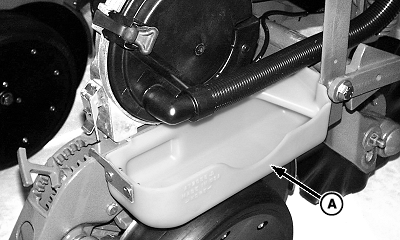
A53541-UN-22DEC03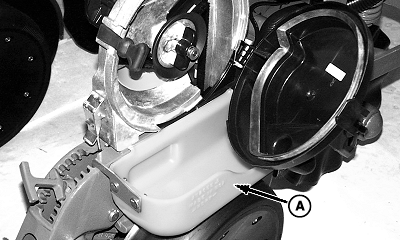
A53542-UN-22DEC03A - Seed Meter Catch Pan
Remove seed meter catch pan (A) from ladder rail. -
CAUTION: Use caution if using seed treatments when opening meter
doors. Chemical can cause eye, skin, or breathing problems. Wear mask,
gloves, and goggles. Read and follow safety instructions on the chemical
manufactures label.
Install seed meter catch pan (A) on row unit as shown. Open vacuum meter dome and slowly remove seed disk to purge seed from hose and meter housing. Repeat on all rows.
-
Return seed meter catch pan to storage position.
-
CAUTION: Avoid injury from sudden CCS fan start up. If Purge/Plant
switch is left in PURGE HOSES position, CCS fan operates any time
SCV is activated, even in folded position.
NOTE: The Purge/Plant switch must be returned to the PLANT / TANK CLEANOUT position for best planter performance.
A63283-UN-17SEP08A - Purge/Plant Switch
Place Purge/Plant switch (A) in PLANT/TANK CLEANOUT position. -
Place tractor CCS fan hydraulic SCV in float position.
|
OUO6064,00004E9-19-20110607 |