Half Screen Layout
NOTE: Half screen layout and multiple home pages are only available when John Deere™ SeedStar™ 2 Monitor is used with a John Deere™ Greenstar™ display.
NOTE: Half screen layout must be set using layout manager.
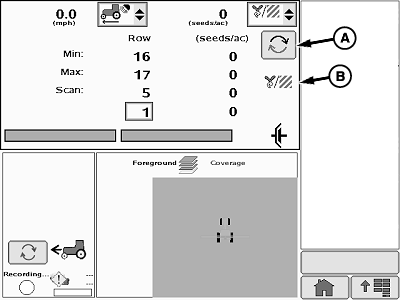
A67778-UN-30JUN10
Scan Mode
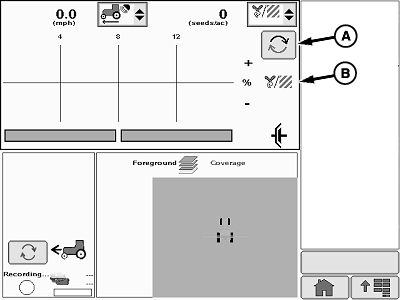
A67779-UN-30JUN10
Planter at a Glance Mode
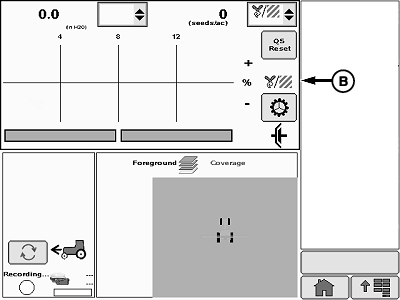
A67787-UN-30JUN10
Planter at a Glance (Variable Rate Drive)
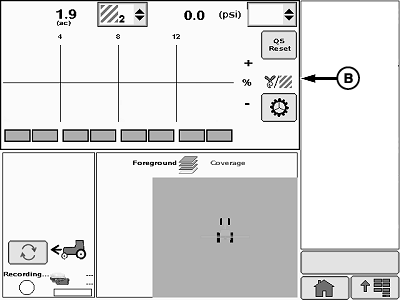
A67789-UN-30JUN10
Planter at a Glance (RowCommand™)
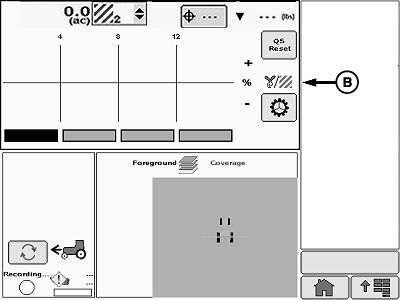
A72550-UN-15SEP11
Planter at a Glance (Single Set-Point Pneumatic Down Force)
A - Toggle Button
B - Half Screen
Select toggle button (A) to switch between Scan Mode and Planter at a Glance Mode. When half screen (B) layout is selected, less information is presented in screen area. Error messages do not appear on half screen. Return to full screen mode to view error messages when an audible alert signals an error.To set up screen layout (see SCREEN LAYOUT MANAGER in How to Use Monitor section).
To enter full screen mode and access configuration, totals, and diagnostic softkeys, select Menu >> Planter application button.
|
John Deere is a trademark of Deere & Company |
OUO6064,00005EA-19-20111110 |