VRF System Test
A65060-UN-30JUL09
A50532-UN-01OCT02
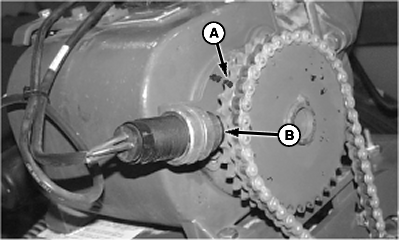
A - Sprocket Tooth
B - Sensor
This test verifies the operation of the position sensor and RPM sensor for variable rate fertilizer.-
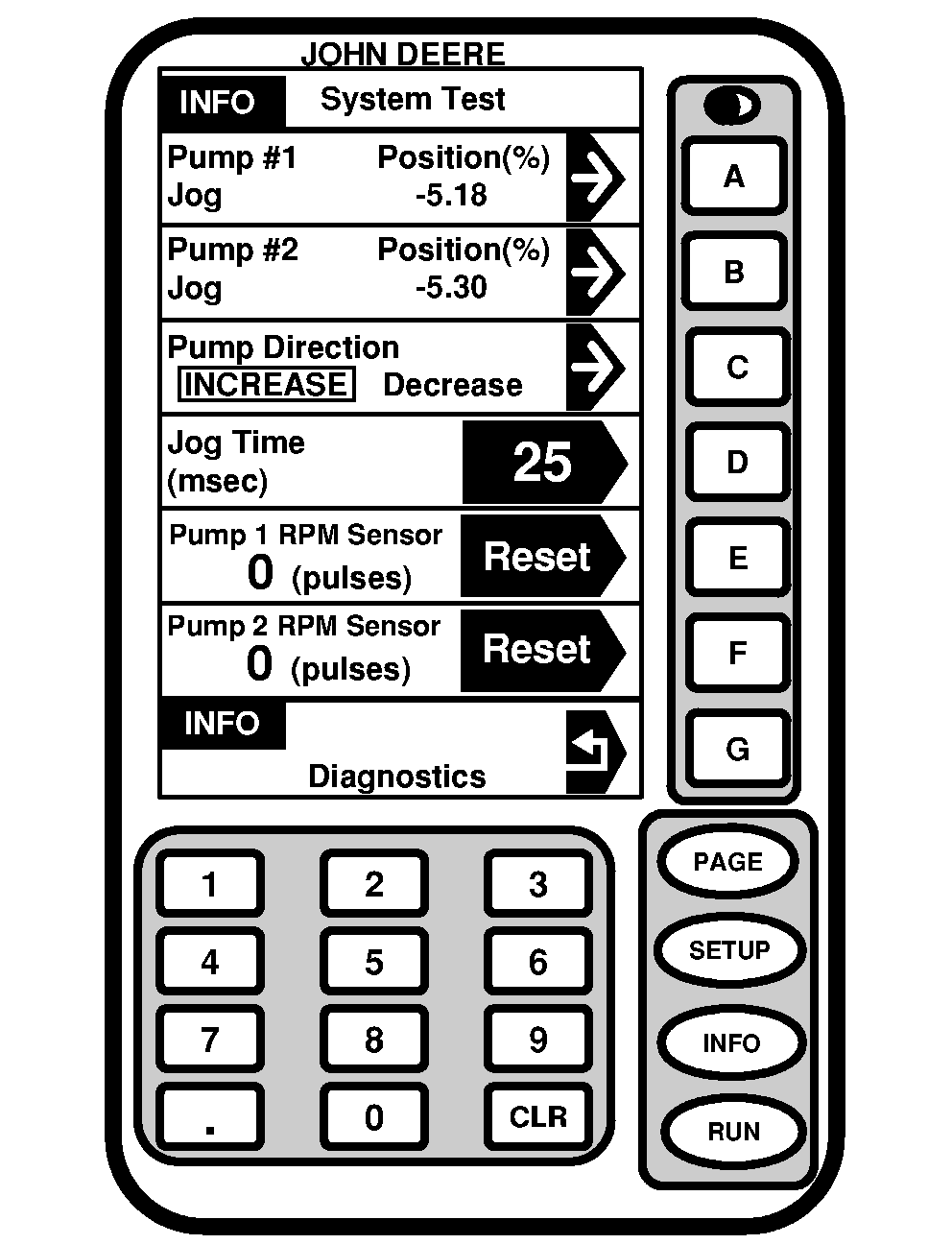
Select INFO >> V.R. Liq Fert >> Diagnostics >> System Test.
-
Select Pump Direction key until INCREASE is highlighted.
-
NOTE: Jog time is measured in milliseconds. 999 milliseconds is approximately one second.
Select Jog Time key and enter 999.
-
NOTE: Each time the jog button is pressed the motor activates for one second.
Select Pump Jog key repeatedly until motor reaches upper limit and stops. Pump Jog Position percentage is 100 percent at upper limit.
-
Select Pump Direction key until DECREASE is highlighted.
-
Select Pump Jog repeatedly until motor reaches lower limit and stops. Pump Jog Position percentage is zero percent at lower limit.
-
Set pump direction to increase and select Pump RPM Sensor reset key.
-
Mark a position sensor sprocket tooth (A) and pump housing for reference.
-
Rotate contact drive tire until pump rotates 1 revolution (black line). 35 pulses equal a full revolution.
If RPM sensor does not record 35 pulses per sprocket revolution, adjust sensor (B) to within 2 mm (5/64 in.) of sprocket teeth. Perform the test again. If sensor does not record 35 pulses per revolution, replace sensor.
Screen Area Information
INFO
System Test
Pump Number 1 Jog Position (%) -5.18
A
Pump Number 2 Jog Position (%) -5.30
B
Pump Direction [INCREASE] Decrease
C
Jog Time (milliseconds) 25
D
Pump 1 RPM Sensor 0 (pulses) RESET
E
Pump 2 RPM Sensor 0 (pulses) RESET
F
INFO Diagnostics
G
|
OUO6074,0001079-19-20090730 |