Replace and/or Adjust Fan Speed Sensor
-
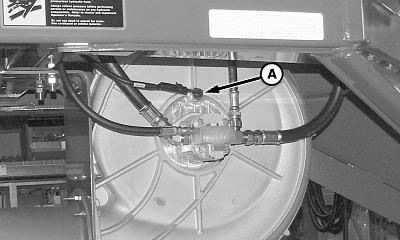
A59627-UN-20MAR07A - Sensor
Remove sensor (A) from fan housing. -
Rotate fan to bring sensor plate directly in line with hole.
-
Turn sensor into hole until it contacts the sensor plate.
-
Back sensor out 3 full turns or 4.76 mm (0.187 in.) and tighten jam nut.
-
Rotate fan two turns to verify sensor-to-sensor plate clearance.
|
AG,OUO6023,1224-19-20140630 |